
Configure Order Split
Configure the extension under Stores > Configuration > MageB2B > Order Split. Settings can be inherited or changed at Magento's available configuration scopes.
Splitting applies to storefront checkouts and orders created in the Admin — test admin order creation before going live.
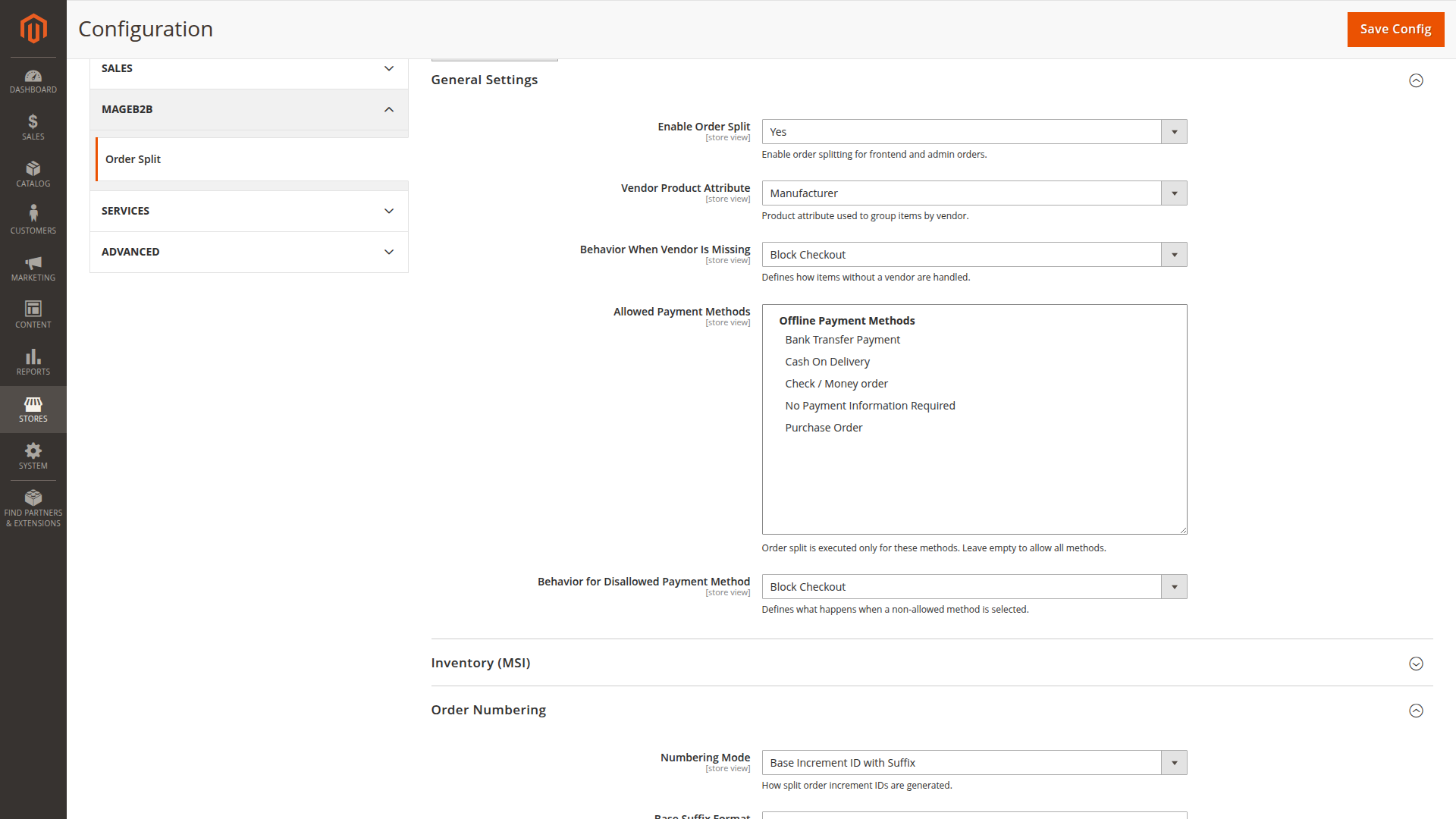
General settings
Vendor Product Attribute lists product attributes with a Select or Multiselect input. Its stored option value becomes part of the group key. The shipped default is manufacturer; replace it with your own supplier attribute where needed.
Behavior When Vendor Is Missing controls products without a usable value:
- Block Checkout returns an error naming the affected SKU.
- Create Single Order abandons the split plan and submits the untouched original quote.
- Use Empty Vendor Group groups those items together without a vendor value.
An empty Allowed Payment Methods list allows every method. If you select methods, splitting is attempted only for those methods. Behavior for Disallowed Payment Method can block submission or return to one original order.
Inventory settings
Use MSI Source Selection is enabled in the shipped default configuration. Disable it unless source-level grouping is part of the fulfilment design — otherwise orders split by warehouse source as well as by vendor.
The source selection algorithm must supply the full requested quantity for an item from one source. If it returns several sources or an insufficient quantity, no single source is resolved.
Choose separate fallbacks for:
- MSI modules being unavailable
- no single source being resolved for an item
Both cases can block, create one order or continue with vendor-only grouping where that option is offered.
Order numbering
Standard Increment IDs reserves a normal Magento order number for every split order.
Base Increment ID with Suffix reserves one base number and applies Base Suffix Format to each result. The format must contain {base} and {n}, for example {base}-{n}. Start Index controls the first suffix. Max Conflict Retries controls how often the extension reserves a new base if a generated number already exists.
Totals handling
Discount, shipping and tax must all use the same mode:
- Recalculate Per Split Quote lets Magento collect each split quote independently.
- Proportional Split Based on Original Quote allocates original totals according to each split's subtotal.
A mixed configuration is rejected during order submission.
Shipping fallback
Every non-virtual split quote revalidates the shipping method selected on the original cart. If one group cannot use it, Behavior When Shipping Method Is Missing either blocks submission or returns to the unsplit original order.
Checkout notice
Enable Show Checkout Notice to display your configured text when the current cart has more than one resolved group. The notice is informative. Final payment and shipping validation still happens during submission.
Save the configuration, then follow Create your first split.