
Configure package splitting
Package splitting turns the physical items in a cart into one or more packages before Flex Shipping chooses a price. Virtual products are ignored, and parent and child quote items are handled so their weight and volume are not counted twice.
Calculation scope
Per Shipment (Total) matches one rate against the totals for the complete shipment. The selected price is calculated once.
Per Package matches every package separately and adds the results. If even one package has no matching package-level rate, the method is not returned.
Use one calculation scope consistently across the rate rows for a method.
Product packing modes
The mapped product attribute can contain:
normal, which allows the item to share a packagealways_single, which creates one package for every unitseparate_max_n, which separates the product into packages containing no more than the configured quantity
Special packing modes require whole units. For a fractional quantity, the extension falls back to normal packing.
Split strategies
- First Fit Decreasing fills packages in the normal packing order.
- Weight First starts with the heaviest items.
- Volume First starts with the largest items by volume.
- Custom lets you order items by descending weight, volume or density.
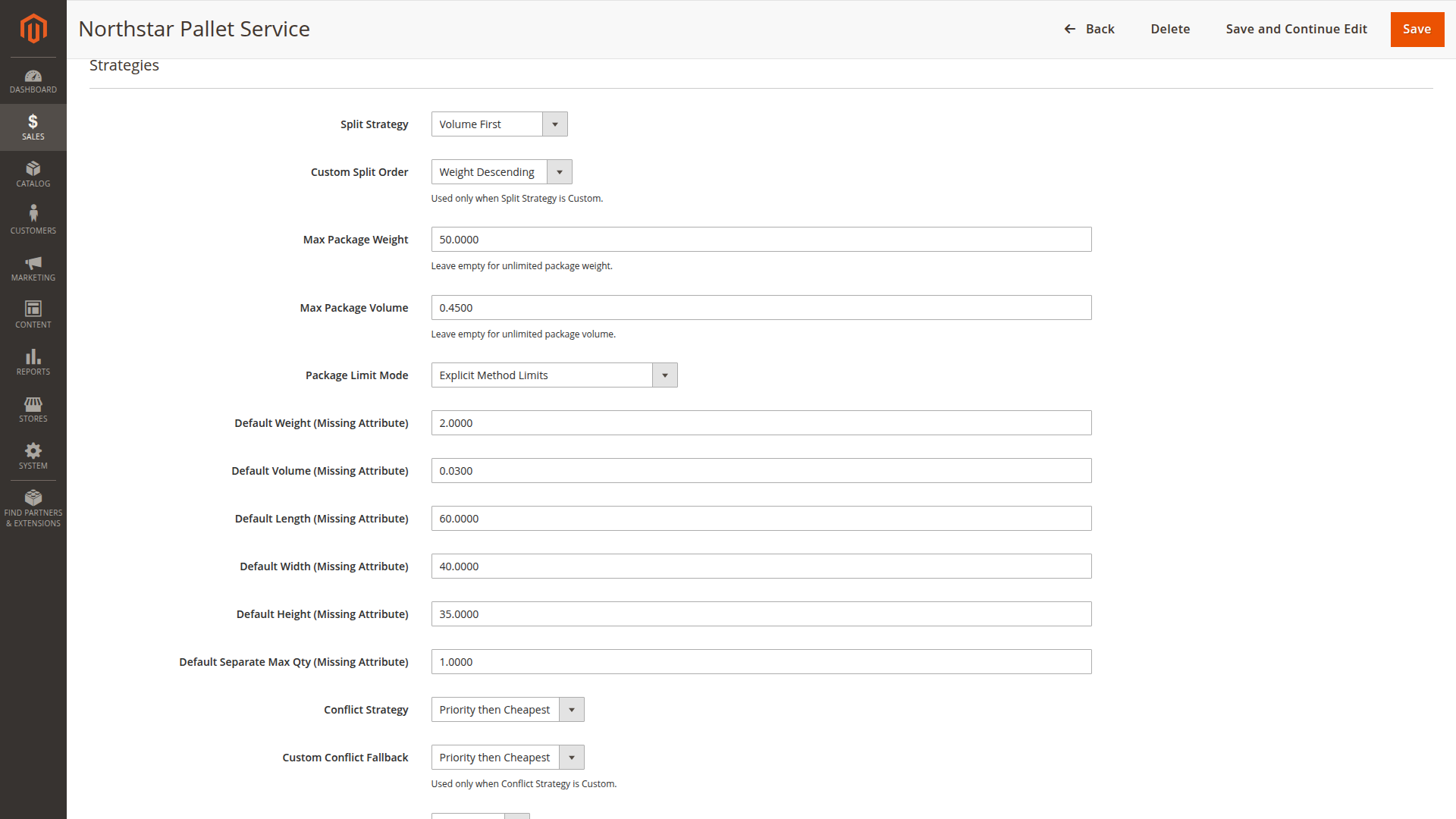
Where package limits come from
Explicit Method Limits uses Max Package Weight and Max Package Volume from the method.
Derived from Rate Table derives limits from the matching rate band for the current destination and shipment metrics.
Hybrid uses the lower available value from the explicit and derived limits.
If no limit is available, normal items may remain in one combined package. When limits are derived from rates, the extension uses a matching band rather than combining unrelated limits from different rows.
Missing product data
Choose one policy for missing mapped values:
- Block Method removes the method from the result.
- Use Zero substitutes zero.
- Use Custom Defaults uses the default values entered on the method.
Blocking is safer when dimensions are essential to the carrier price. Defaults are useful when your catalog has known, consistent gaps. Avoid zero unless a zero value is genuinely meaningful for that attribute.
What is stored with the order
Payload Depth controls the package summary copied from the quote to the order:
- Count Only stores the number of packages.
- Summary stores useful package totals without every item detail.
- Full Details stores the full package breakdown.
Choose the smallest level that still supports fulfilment and customer service.