
Map Magento data to DATEV CSV columns
Invoice and credit memo mappings are separate JSON objects. Each key is a column in the exported EXTF file. Each value tells the extension where to find or how to calculate the value for that column.
Open Stores > Configuration > MageB2B > DATEV Export Pro > Column Mapping Configuration.
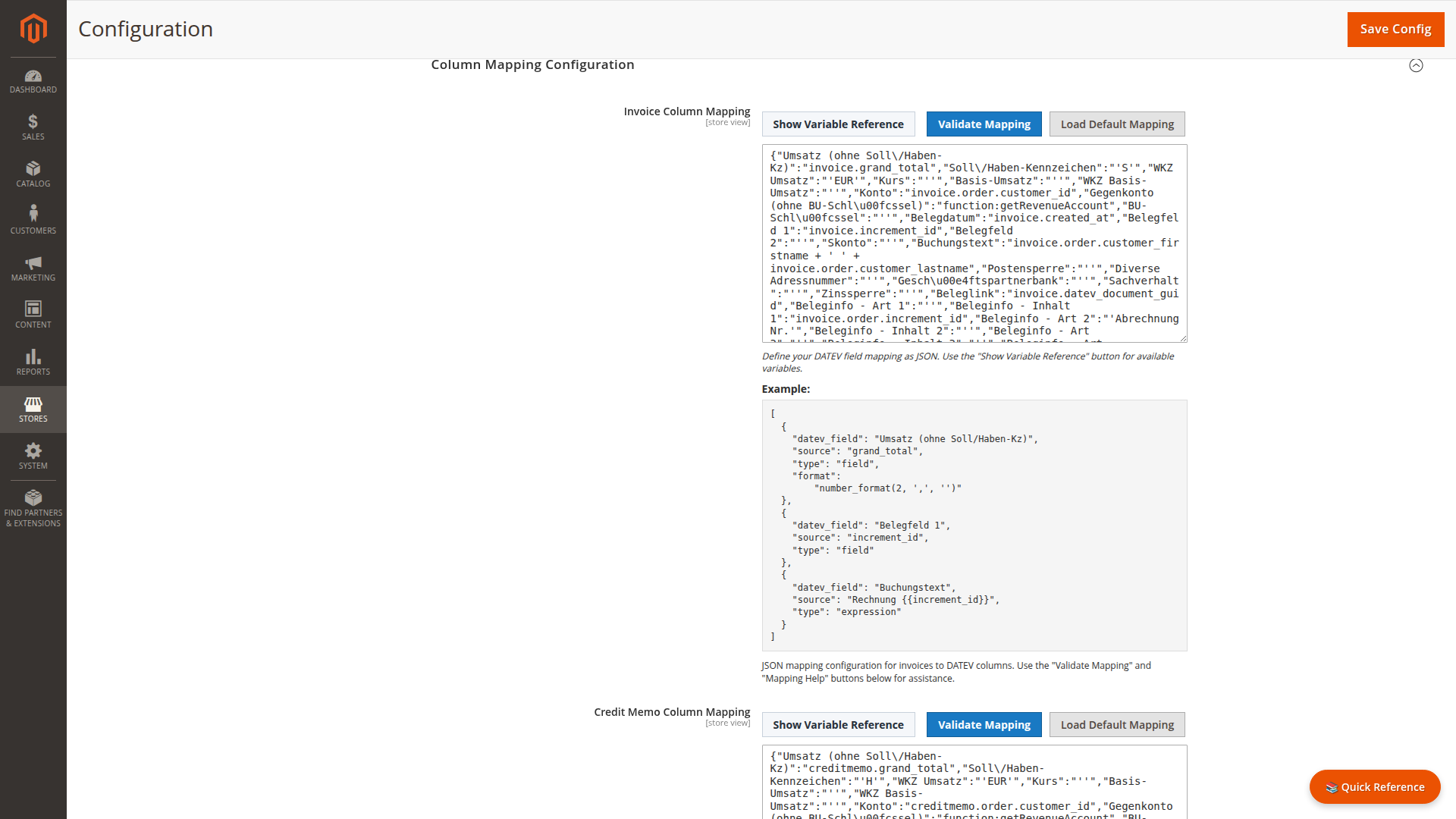
Start from the supplied mapping
The default mapping covers the standard booking columns and is safer than building a file from scratch. Copy it to a project document before changing it, then adjust one field at a time.
{
  "Umsatz (ohne Soll/Haben-Kz)": "invoice.grand_total",
  "Soll/Haben-Kennzeichen": "'S'",
  "WKZ Umsatz": "'EUR'",
  "Konto": "invoice.order.customer_id",
  "Gegenkonto (ohne BU-Schlüssel)": "function:getRevenueAccount",
  "Belegdatum": "invoice.created_at",
  "Belegfeld 1": "invoice.increment_id",
  "Buchungstext": "invoice.order.customer_firstname + ' ' + invoice.order.customer_lastname"
}
Credit memo expressions use creditmemo as their root object. Keep the credit memo mapping separate because its debit or credit sign and other accounting fields may differ from invoices.
Fields handled by the exporter
The exporter applies special handling to several standard columns:
Umsatz (ohne Soll/Haben-Kz)uses the document grand total and a decimal comma.Belegdatumuses the document creation date in DATEV day and month format.Kontofalls back to the configured guest debtor account if its expression returns no value.Beleglinkis tied to the document GUID used for linked files.
Other values are evaluated with the mapping language.
Validate and test
Three controls sit next to each mapping field:
- Validate Mapping checks the JSON structure, expressions, and registered
function:names before saving. Validation cannot tell whether an account number or tax treatment is correct for your business. - Load Default Mapping replaces the current field content with the shipped default mapping. Use it to recover after a failed edit — copy your current JSON first if you may need it again.
- Mapping Help opens a modal describing the available variables and functions for that mapping type, so you do not have to leave the configuration page to look them up.
After saving:
- Export one known document.
- Compare the source invoice with the CSV row.
- Check debtor and revenue accounts, amount, currency, date, document number, and tax fields.
- Ask the receiving accounting team to test the import.
Missing values
Use Variable Default Values only for fields that are genuinely optional. Keys must match the exact variable path:
{
  "invoice.order.billing_address.postcode": "00000"
}
A default can hide an incomplete Magento record, so avoid generic names or tax data as fallbacks.