
Prepare an OSS or IOSS summary
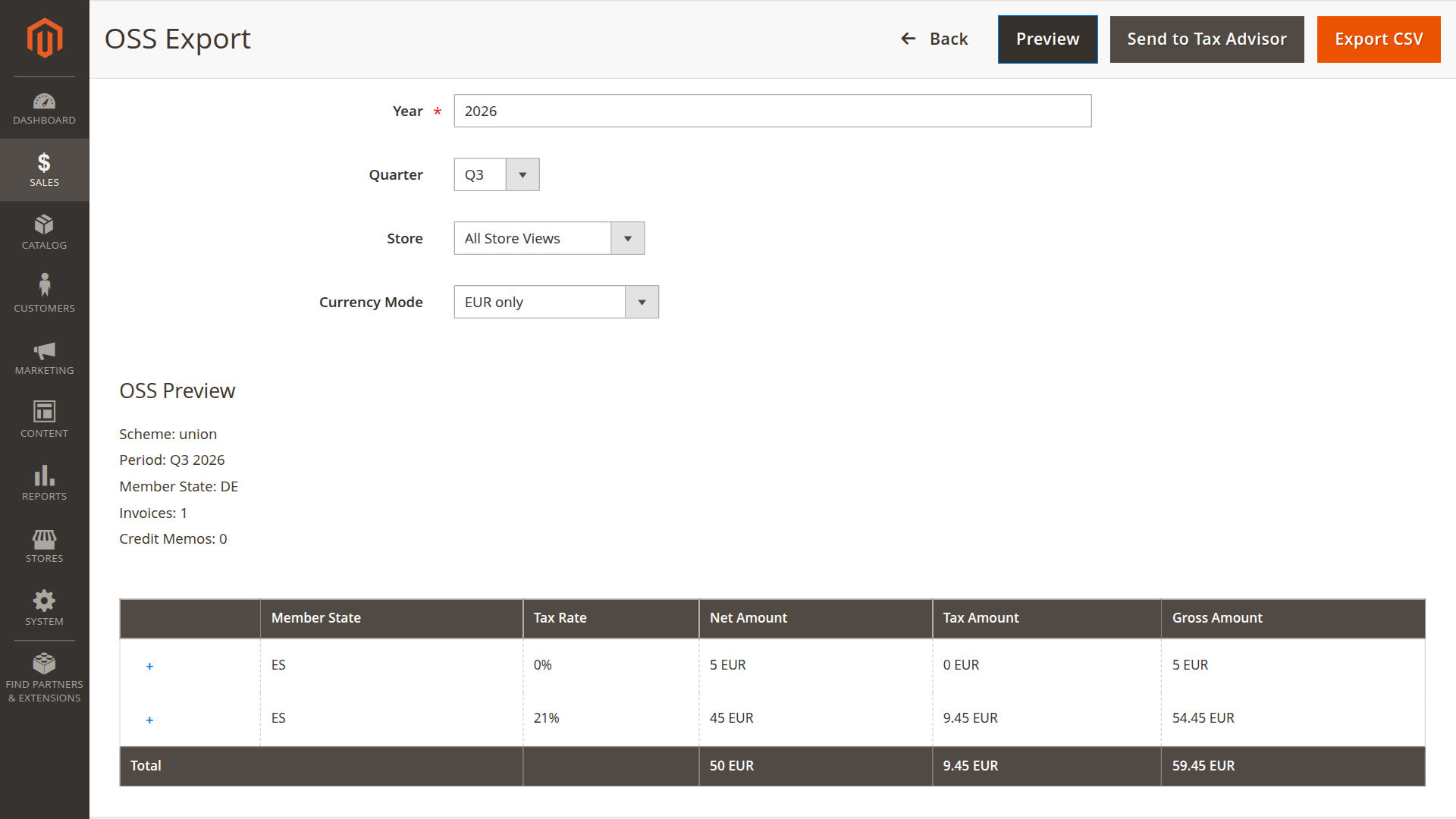
The OSS screen aggregates eligible Magento invoices and credit memos by destination country and tax rate. It produces a semicolon-separated CSV for review or delivery. It does not file a return.
Open Sales > DATEV > DATEV OSS Export. Use Preview before downloading or sending a report.
Required setup
Under OSS Export Settings:
- enable OSS export
- set the member state of identification
- confirm Magento's EU country list
- choose how B2B orders are detected
- enable and map IOSS order attributes if IOSS is used
- configure VIES only if online VAT validation is part of the chosen B2B rule
The invoice and credit memo state filters from Export Settings also apply.
Period rules
Union and non-Union OSS use quarterly periods. IOSS uses monthly periods. The module rejects a mismatched period type.
Union OSS requires an EU member state of identification. Non-Union OSS requires a non-EU member state. IOSS must be enabled before it can be selected.
Transaction classification
The report excludes transactions classified as B2B. Depending on configuration, that decision uses a VAT ID, selected customer tax classes, selected customer groups, or a combination.
VIES can validate a resolved VAT ID and cache the result for the configured number of days. A connection failure can add warnings to the preview. Review those warnings before using the report.
For IOSS, an order must have the configured flag, ship to an EU country, and remain within the configured import-value check. The implementation excludes a numeric import value above EUR 150. This limit is fixed in the installed module version rather than read from configuration. A statutory threshold change therefore requires a module update before the report can apply the new value.
These rules describe how the extension selects records. They do not determine whether your business should use a particular scheme.
Currency modes
EUR only rejects a non-EUR transaction. ECB rate at period end converts non-EUR amounts using the period-end rate and records rate information in the report data.
Output
The CSV contains scheme, period, member state, tax rate, net amount, tax amount, and currency. Credit memos reduce the aggregated values.
The Send action creates a ZIP under var/export/datev/oss/ and emails it to the configured accounting contact. OSS emails do not include invoice PDFs or customer master data.
Check the preview totals against the underlying documents and have the result reviewed by the person responsible for the return.