
Automate DATEV Exports
Configure scheduled exports under Stores > Configuration > MageB2B > DATEV Export Pro > Automatic Export Settings. Test the same options manually before enabling the schedule.
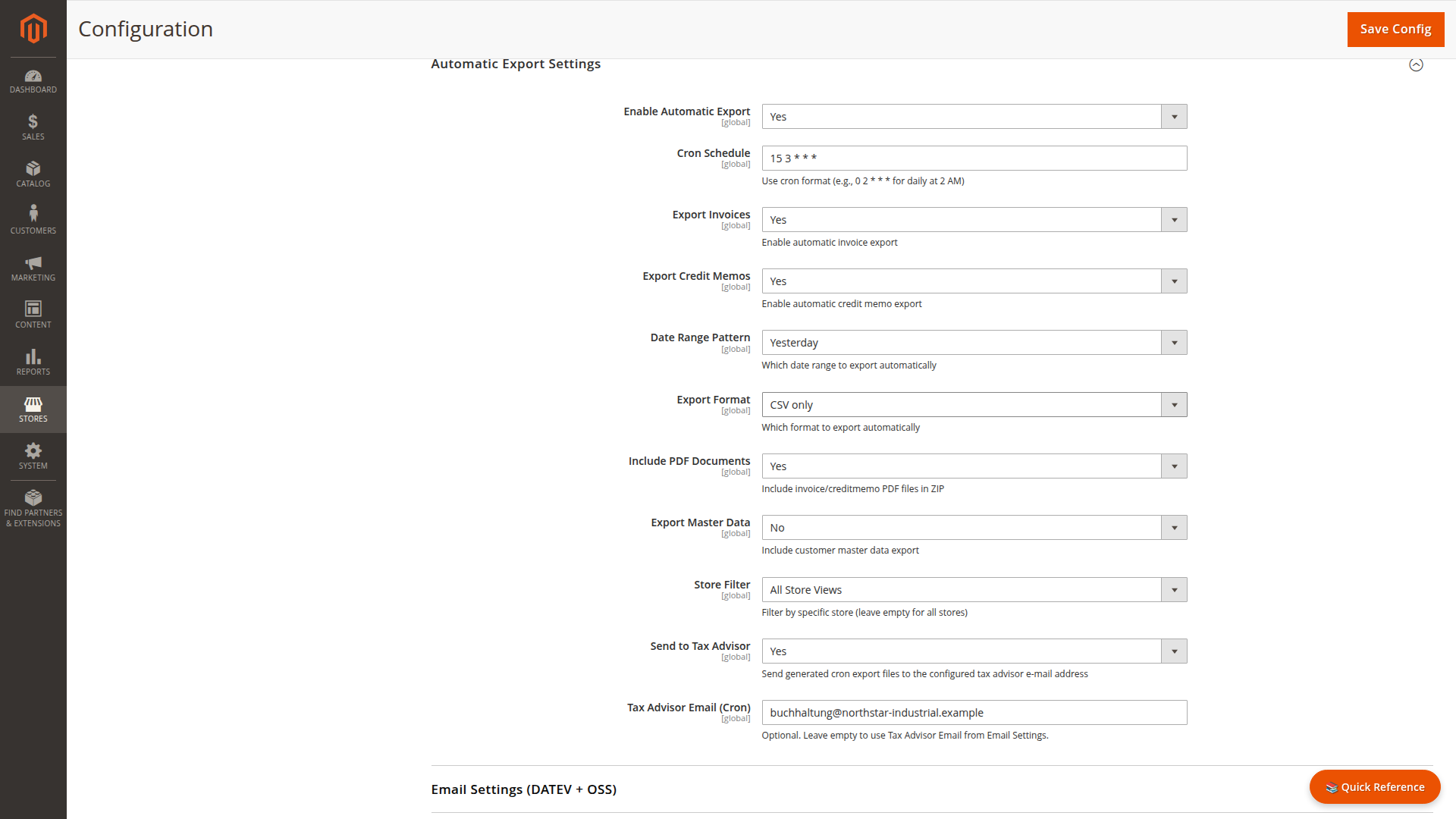
Schedule and date window
The datev_auto_export Magento cron job uses the configured cron expression. Date patterns cover yesterday, the last complete week or month, or the current week or month up to yesterday.
The cron settings are global. A store filter limits the run to one store; without it, the job processes stores separately so each store's scoped configuration can be used.
Generated content
Choose invoices, credit memos, CSV, XML, or both. PDFs and customer master data are optional. Generated files are written below var/export/datev/.
If Send to Tax Advisor is enabled, the job packages eligible files and sends them to the cron-specific recipient or the default recipient from Email Settings. CSV, master-data, and XML packages are attached separately when the selected export requires more than one archive. Delivery state prevents already delivered documents from being sent repeatedly in later overlapping runs.
Command-line export
Use the same export pipeline from the Magento project directory:
php bin/magento datev:export \
  --export_type=invoice \
  --export_from_date=2026-07-01 \
  --export_to_date=2026-07-31 \
  --export_format=csv
Required options:
--export_type=invoiceorcreditmemo--export_from_date=YYYY-MM-DD--export_to_date=YYYY-MM-DD
Optional options:
--store_id=<id>--export_format=csv,xml, orboth--download_documents--export_master_data
The command prints each generated path. A valid request with no matching documents is reported as an informational no-data result.