
Run a Manual DATEV Export
Use a manual export to test a mapping or prepare an on-demand accounting handoff.
Open Sales > DATEV > DATEV Export and choose:
- invoices or credit memos
- CSV, XML, or both
- from and to dates
- an optional store filter
- whether to include PDFs
- whether to include customer master data
Click Export. If the request produces one file or one archive, the download starts directly. When the request produces more than one archive, Magento opens a result page with a separate button for each package.
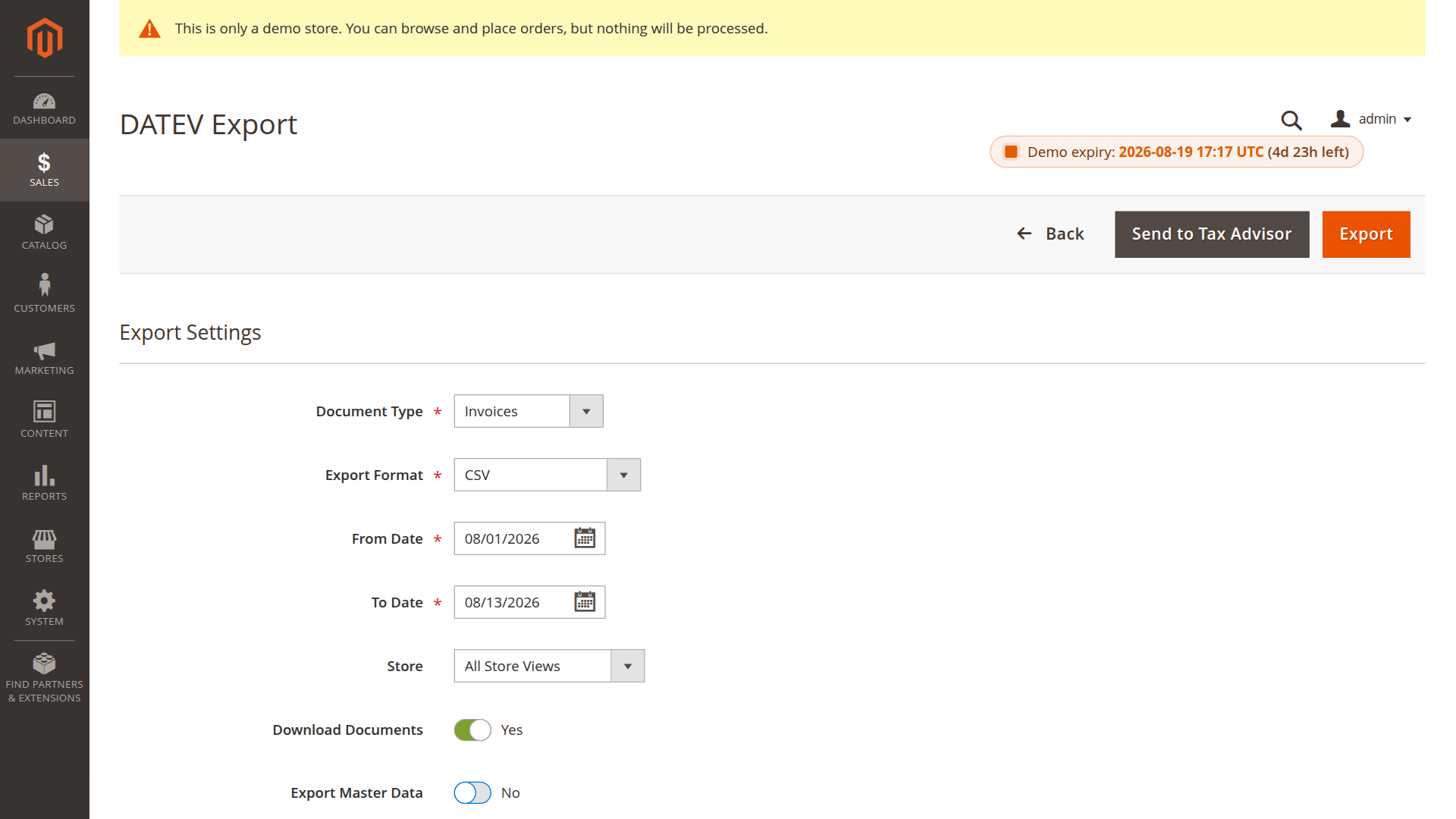
Download the correct package
The selected format determines what Magento returns:
| Selection | Download result |
|---|---|
| CSV | A CSV file, or one accounting-data ZIP when PDFs or master data are included |
| XML | One XML document ZIP; selected master data is provided as a separate ZIP |
| Both (CSV + XML) | One accounting-data ZIP and one XML document ZIP |
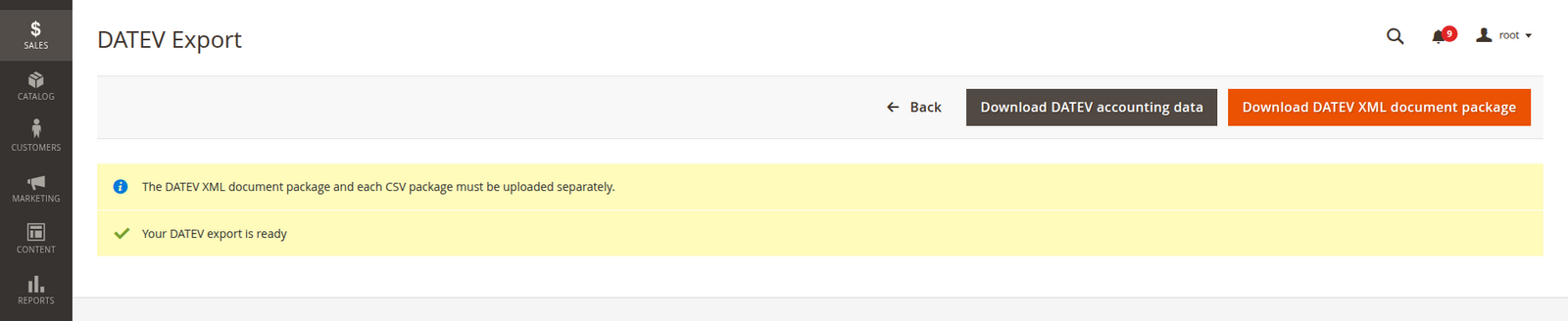
Do not combine the archives before uploading them. Import the accounting-data package through the DATEV CSV or standard import and the XML document package through the XML document interface used by the recipient.
A safe first run
- Choose a short date range with one known paid invoice.
- Select CSV only and leave optional attachments off.
- Open the result and check the EXTF header, debtor account, revenue account, amount, date, and document number.
- Have the recipient test the import.
- Add XML, PDFs, or master data only when needed.
Files are also retained under var/export/datev/ on the Magento server.
Send by email
The Send action generates the same packages and emails them as separate attachments to the configured accounting contact. First enable email export and configure the sender and recipient under Email Settings (DATEV + OSS).
Email is a delivery method, not an import confirmation. Keep a process for checking that the recipient accepted the files.
For tax summary files, use OSS Export instead.