
Configure Custom Catalog
Open Stores > Configuration > MageB2B > Custom Catalog at the website or store-view scope you want to change.
| Setting | Purpose |
|---|---|
| Activate | Enables catalog access control |
| Mode | Adds assigned hidden products or enforces an assignment-only whitelist |
| My Products display mode | Shows all allowed, catalog-only or direct-assignment-only products |
| No Route URL | Destination used when product access is denied |
| Customer attribute code | External customer identifier used by API-backed writes |
| Product attribute code | External product identifier used by API-backed writes |
| Refresh cart on items update | Rechecks affected cart items after assignment changes |
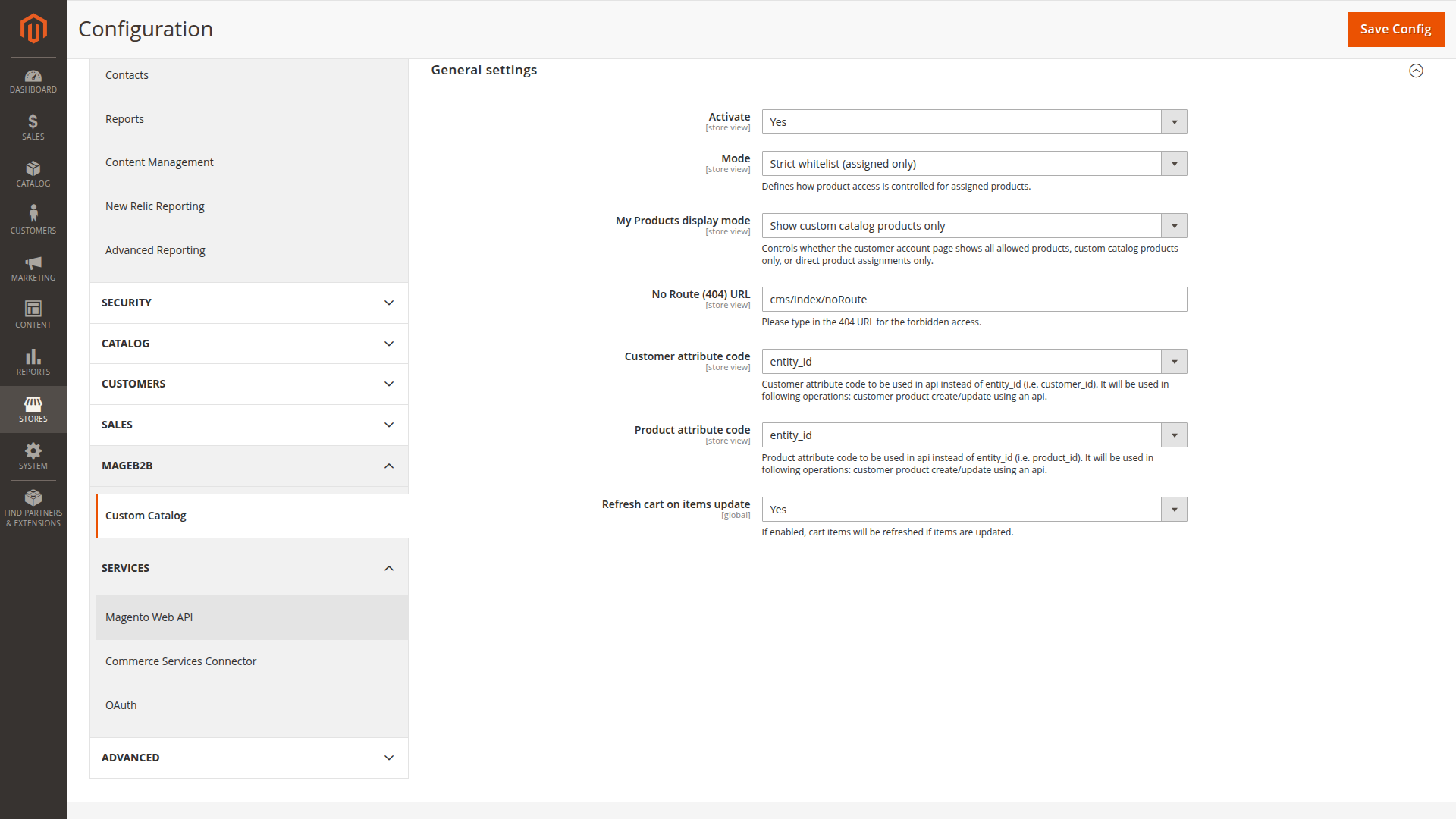
The default access mode is Override hidden if assigned. Change to strict whitelist only after each affected customer or group has a complete assortment.
Use the standard no-route path unless the store has a deliberate custom destination. A denied product should not reveal product details through a special error page.
The cart refresh setting is global. Keep it enabled when assignment changes must remove products that a customer can no longer buy.
After saving, clear Magento cache and test with a customer account that has a known assignment.