
Licensing & Account
Your SoftwareSilo account brings licenses, quotes, orders and invoices together in one place. Sign in through the account login with either:
- your account email and password; or
- a license token and its licensed domain.
Unconfirmed accounts must finish email confirmation before normal account access is available.
Start with the dashboard
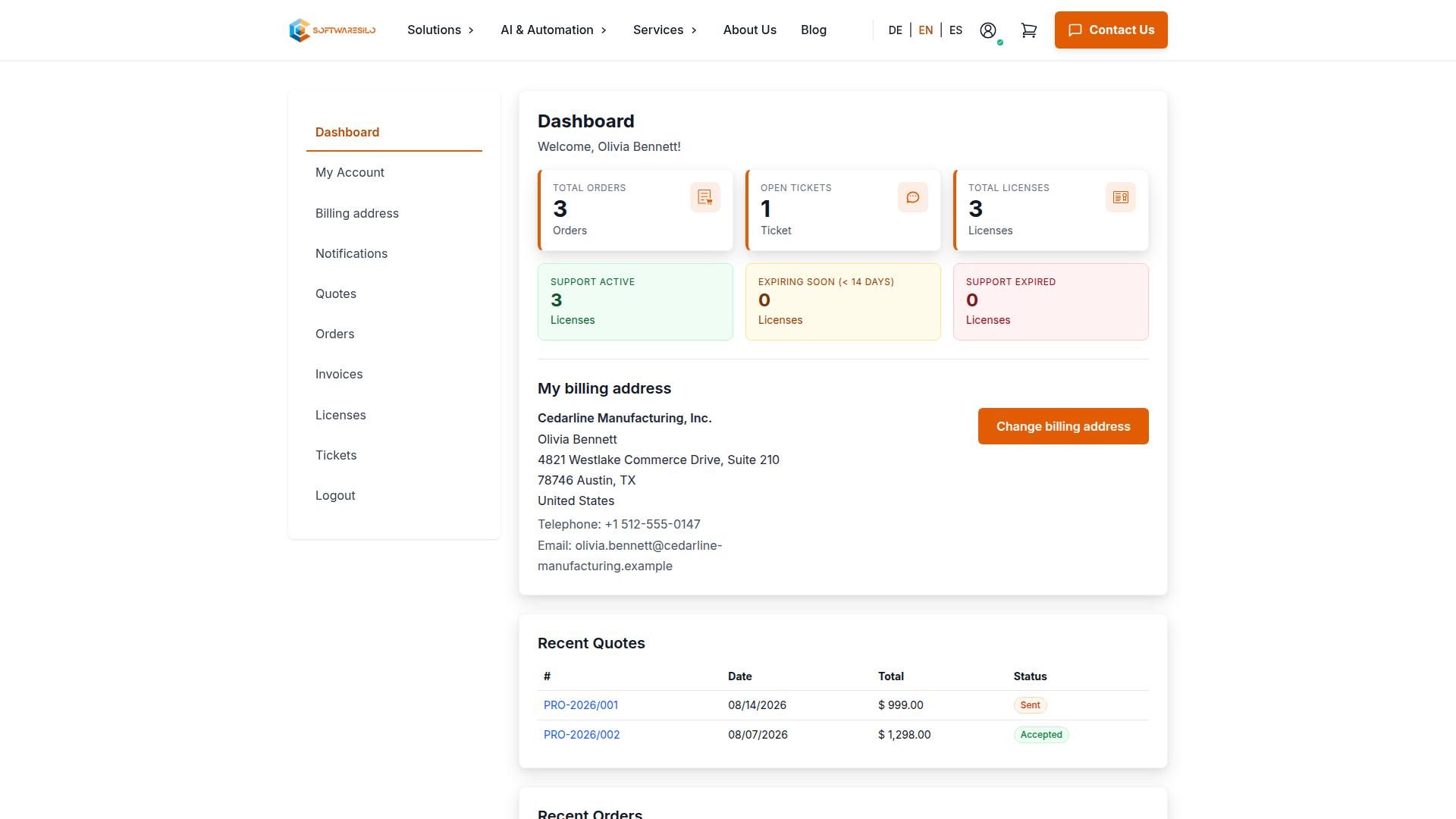
The dashboard gives you a quick check of active licenses, support periods, recent quotes and recent orders. It also shows the billing address currently stored on the account. Use the navigation on the left to move between the different records.
Account security
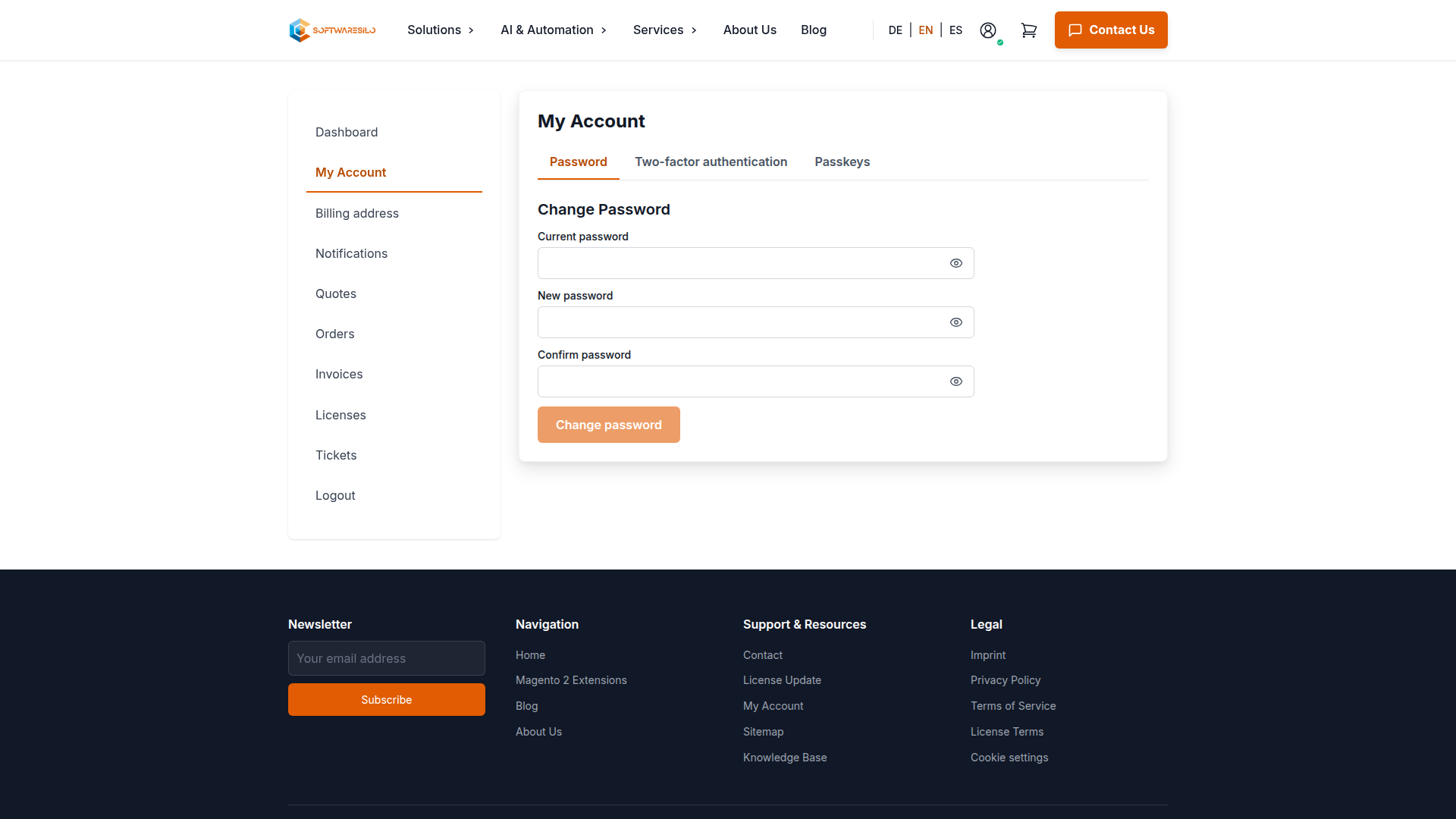
Open My Account to change the account password or manage the available two-factor authentication and passkey options. Password changes require the current password, so an open browser session alone is not enough to replace it.
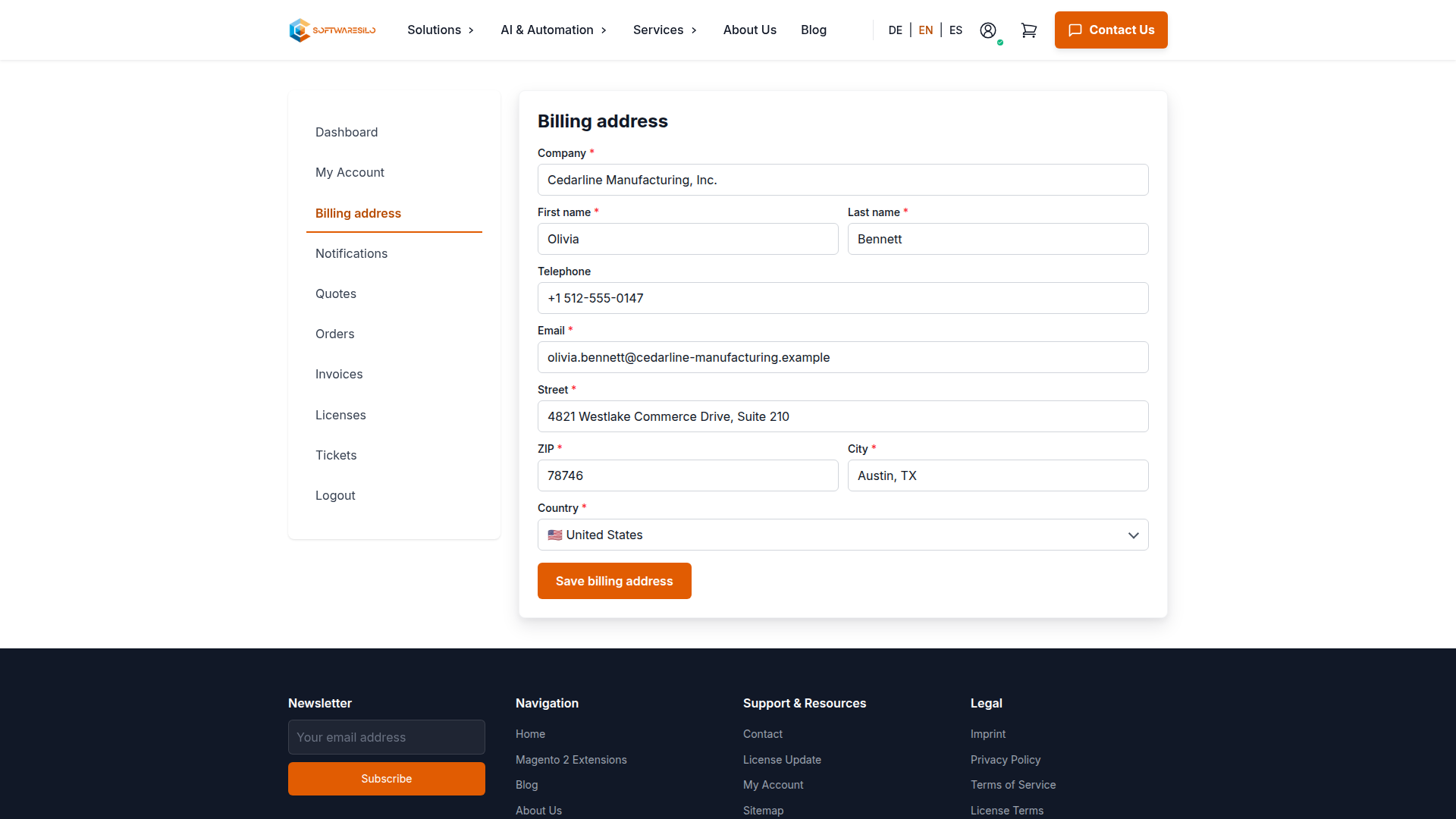
The Billing address page contains the company and contact details used for new sales documents. Correct this information before requesting a quote or placing an order if the legal entity, VAT ID or invoice address has changed. Existing documents keep the address with which they were issued.
License overview
Go to Account > Licenses. Each extension card shows the licensed domain, support/update status, included packages and the version range currently available through the repository.
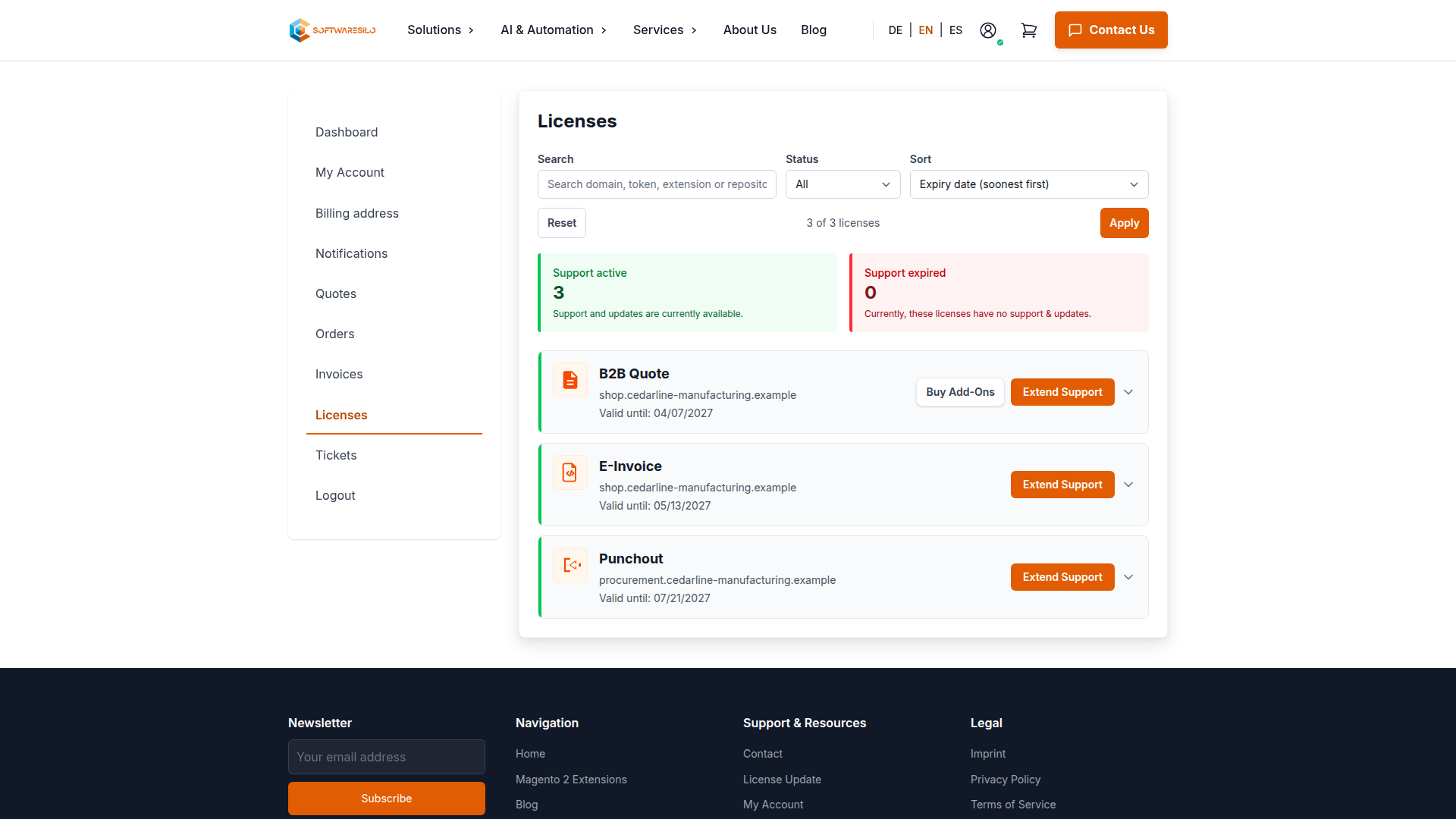
From the card you can:
- copy Composer authentication, repository and package commands;
- download installation instructions as Markdown;
- renew support and updates for 6 or 12 months;
- buy available add-ons;
- activate or deactivate purchased add-ons where offered;
- rotate the repository token after explicit confirmation.
Active and Expired describe the support/update period. They do not describe whether an already installed perpetual usage right can run. The binding terms for your purchase are the full license terms, which take precedence over this operational guide.
Installation instructions
Expand a license card and open Installation Instructions. The page provides the Composer authentication, repository and package commands for that specific license. You can also download the steps as Markdown.
Run the commands from the Magento project root. Treat the authentication value like a password: keep it out of source control, screenshots, tickets and shared build logs.
Renew support and updates
When the current period is still active, an extension normally starts after that period ends. If repositories inside one license have different dates, the confirmation screen shows how each period will be handled before checkout.
Buying an add-on while support is expired activates the add-on entitlement, but does not renew support for the underlying extension. Renew support as well when you need current package versions and assistance.
Rotate a repository token
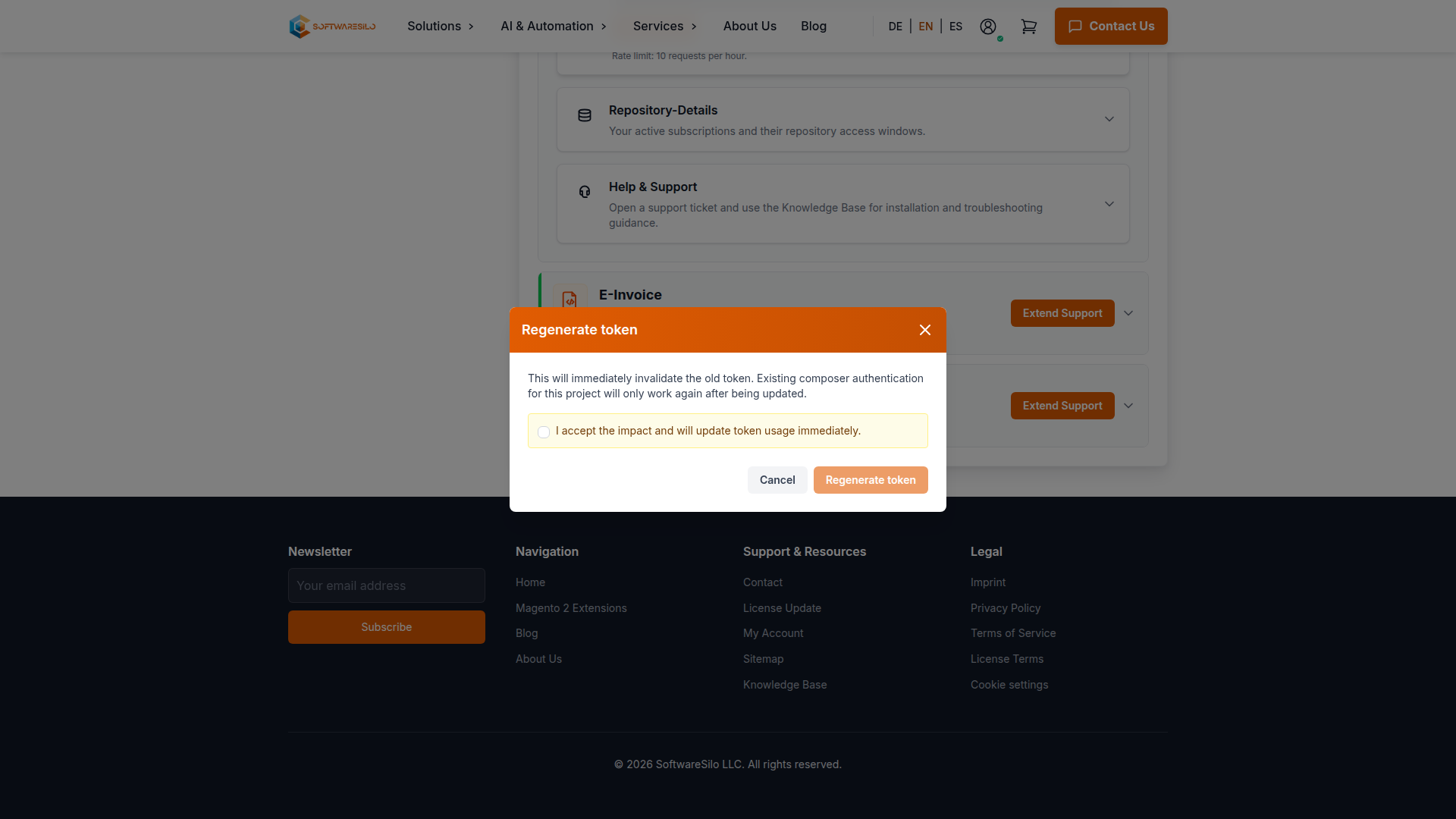
Rotation immediately invalidates the old token. Before confirming, identify every CI runner, deployment host and developer machine that uses it. Replace the token in Composer authentication after rotation; do not put the new value into source control.
The confirmation dialog stays disabled until you acknowledge the impact. This extra step helps prevent an accidental rotation while you are only reviewing a license.
Licensed domain changes
Contact info@softwaresilo.io when the production domain changes while the license remains with the same legal entity. Include the old and new domain and the affected extension, but never include the repository token in the message.
Quotes
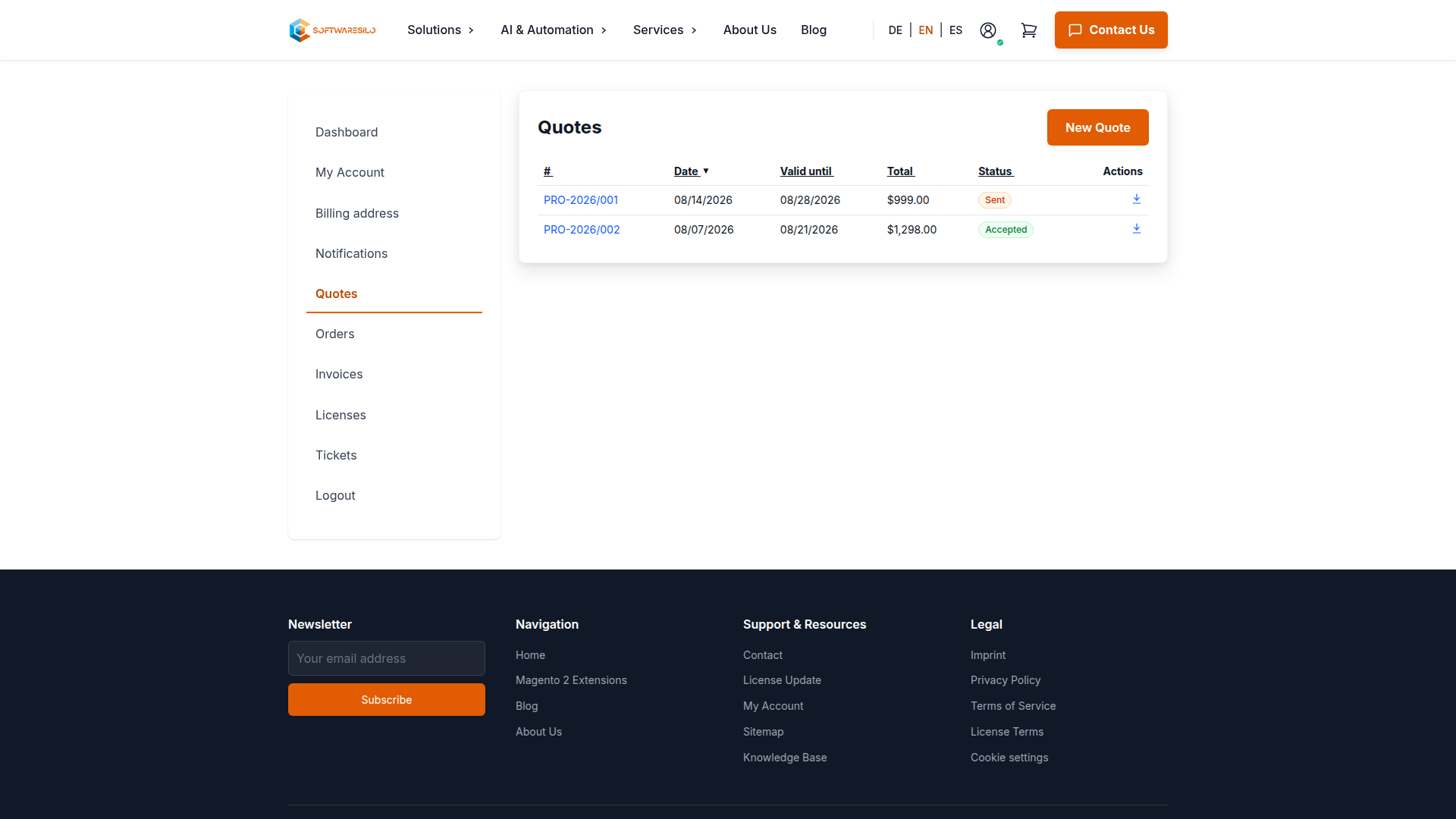
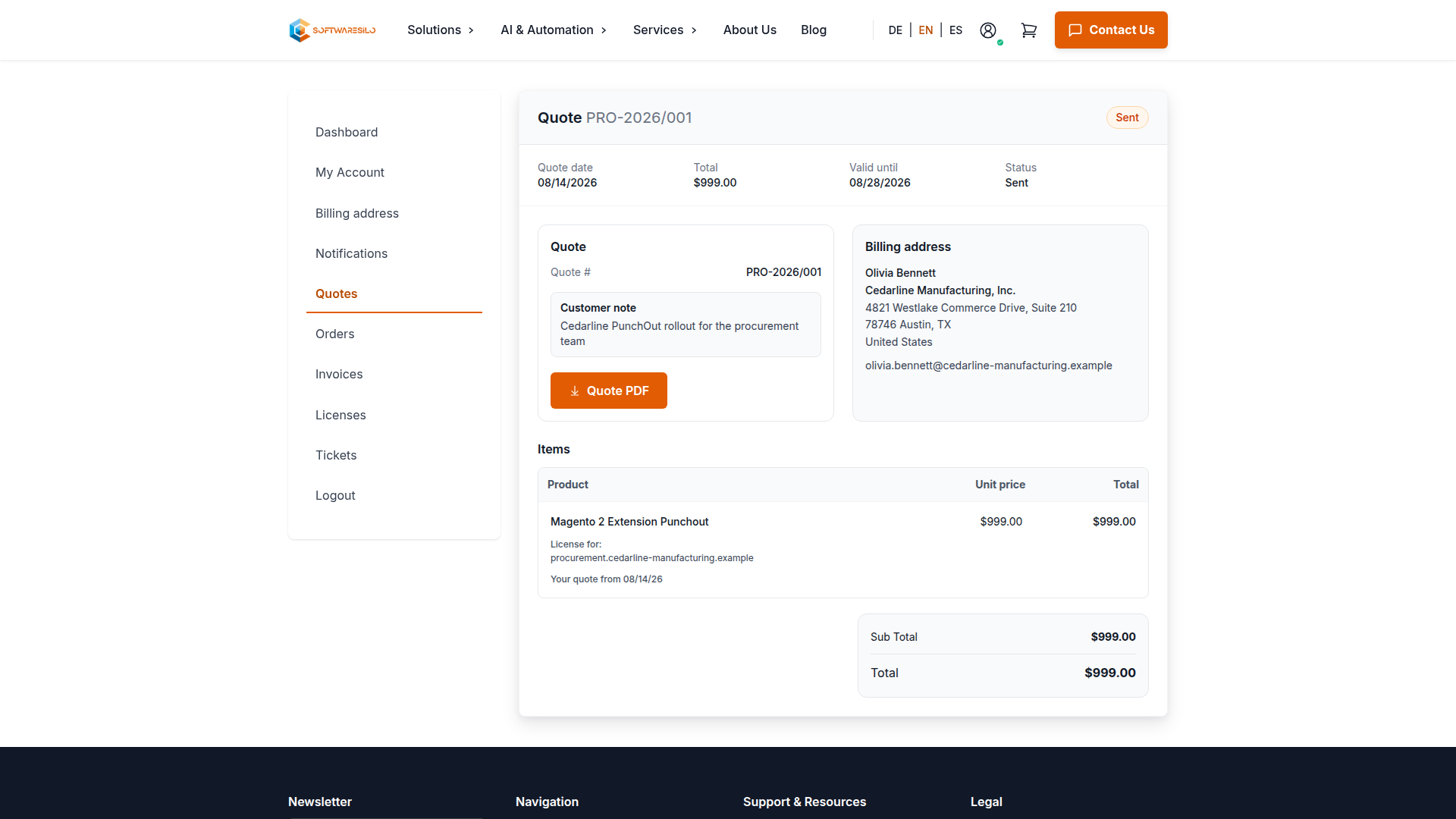
Account > Quotes lists each quote with its date, validity period, total and current status. Open a row to review the billing address and quoted items. The download action provides the customer copy as a PDF when one is available.
Orders
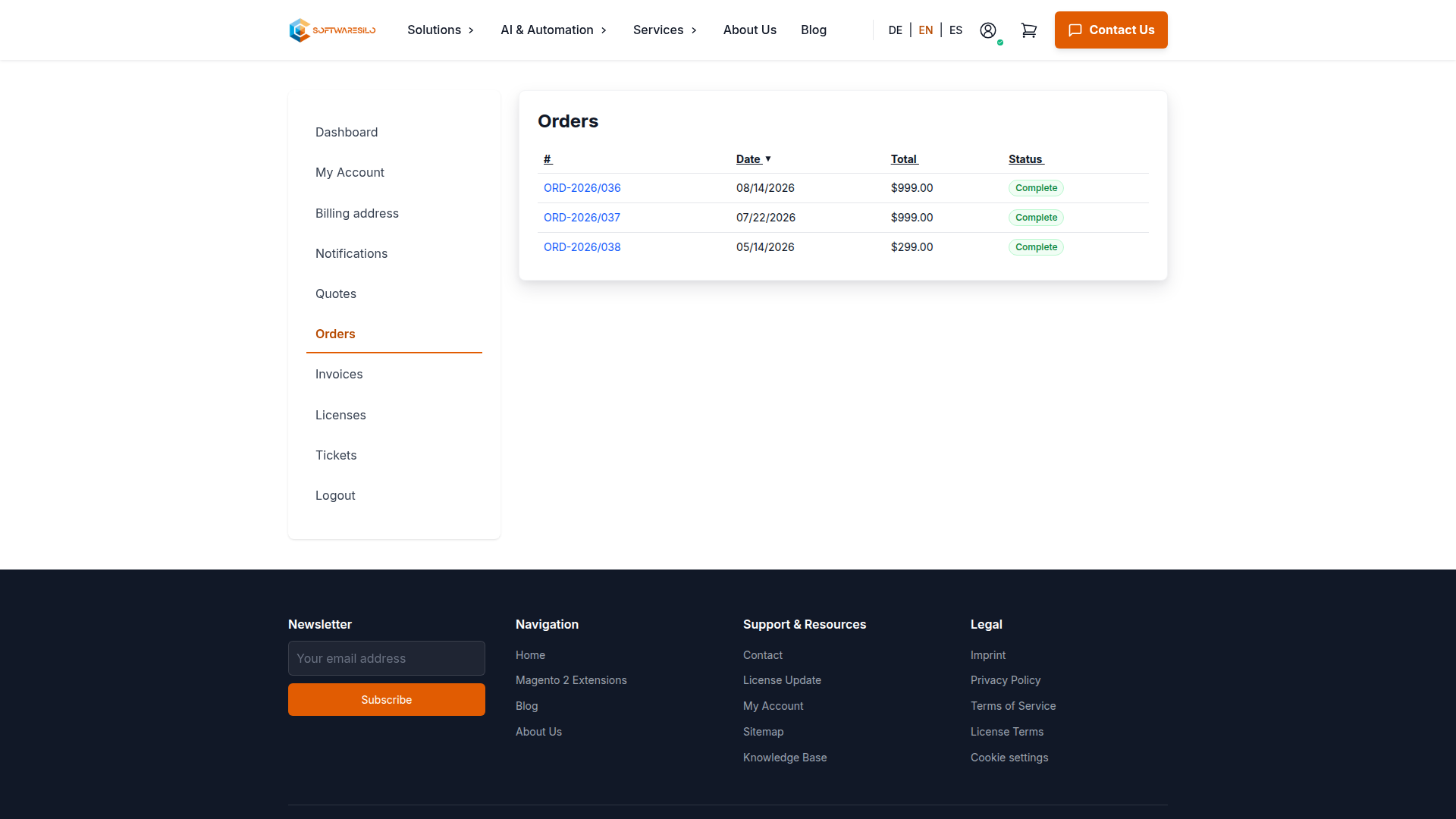
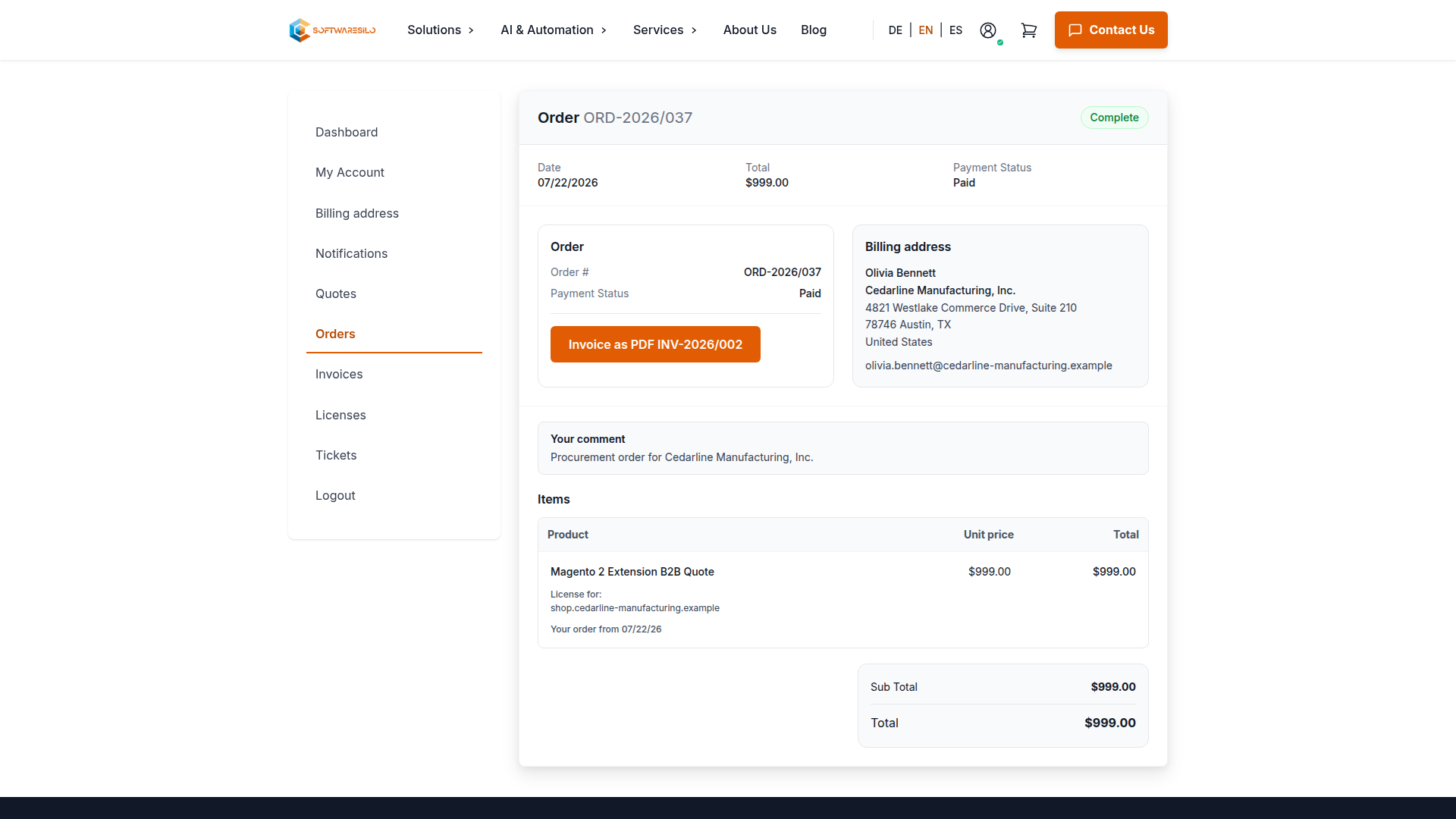
Account > Orders lists your order history. Open an order to review its items and download available invoices through the account interface.
The status in the overview distinguishes open orders from completed purchases. The detail page keeps the order, payment status, billing address and linked invoice together, which is useful when matching a purchase order reference to the resulting documents.
Invoices
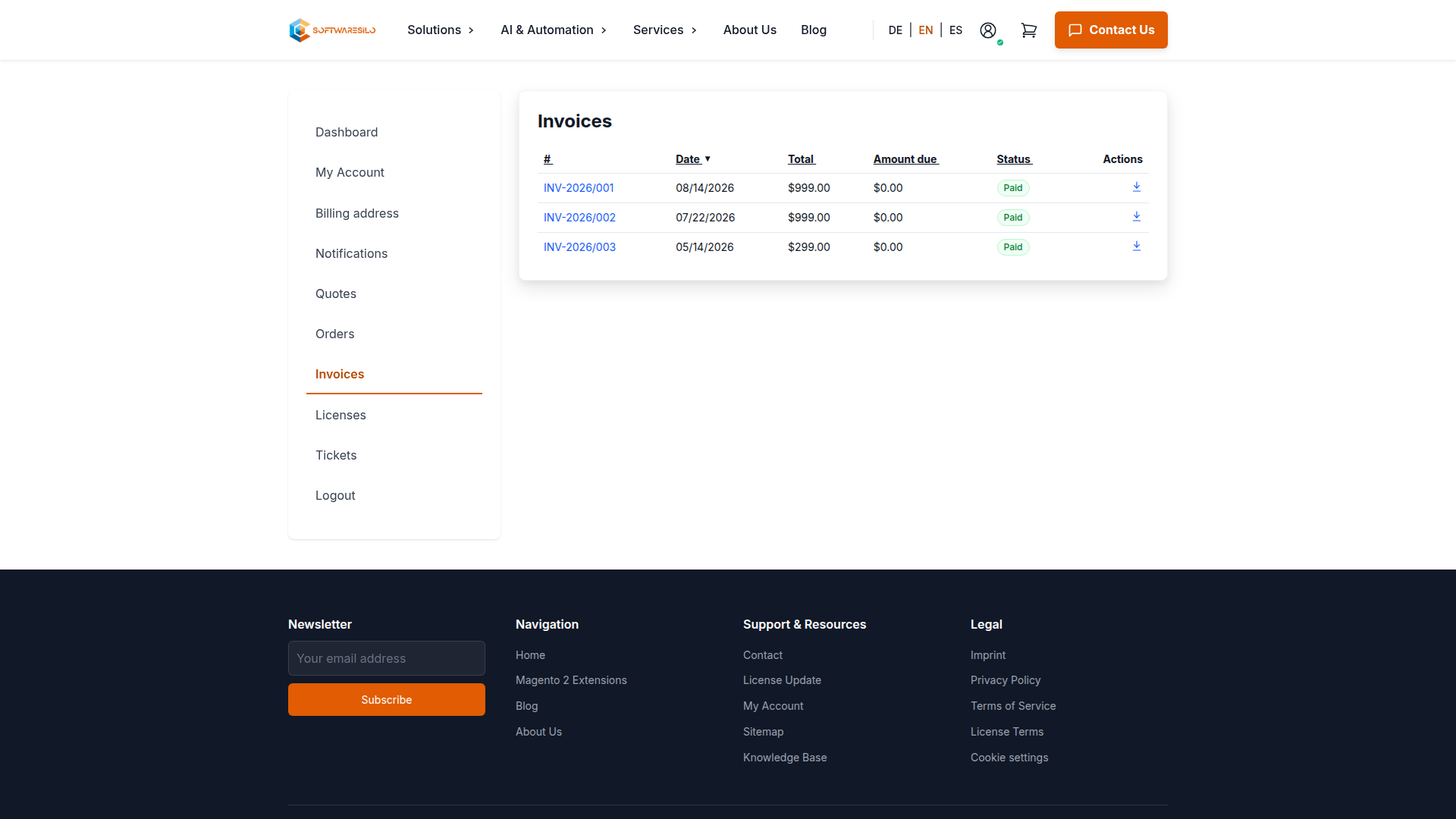
Account > Invoices shows the invoice total, remaining amount and payment status. Use the download icon for the PDF or open the invoice number for the full account view.
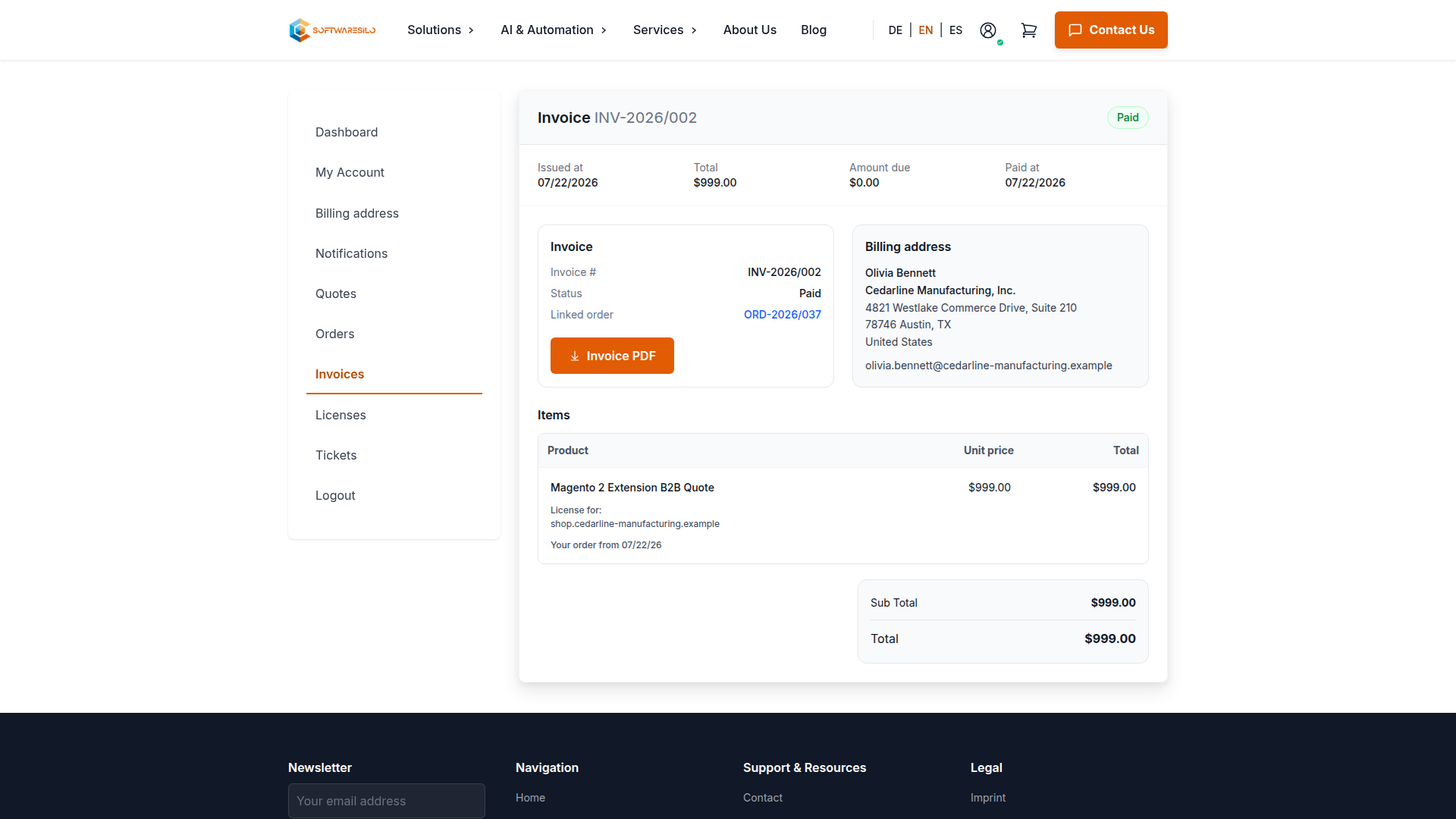
The invoice detail links back to its order and shows the billing address and invoiced items. A paid invoice has no remaining amount due; an open invoice continues to show the outstanding balance.
Support tickets
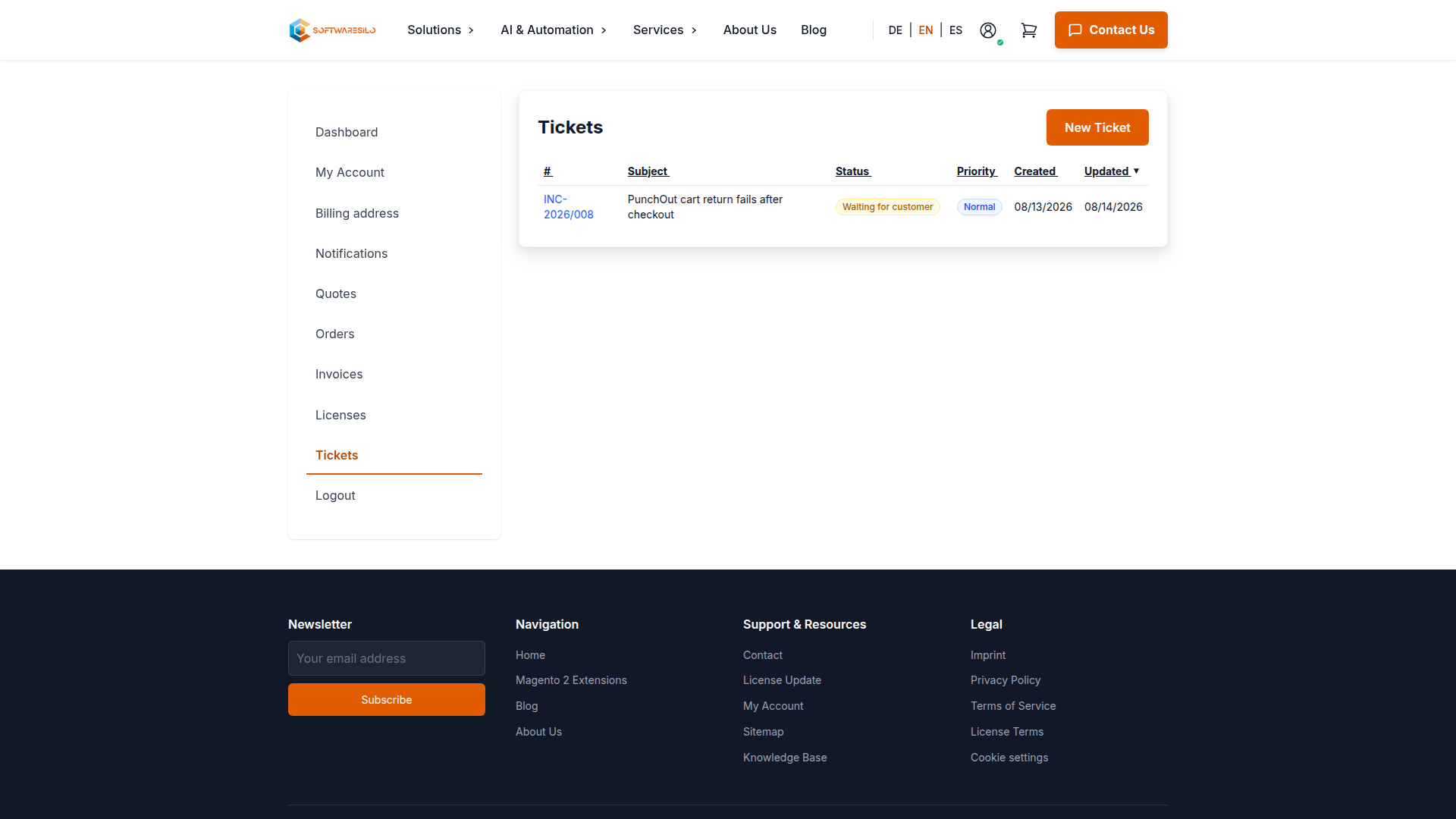
Account > Tickets keeps technical questions and their attachments in one conversation. Each request receives an INC-YYYY/NNN ticket number. The overview shows its current status and when the conversation was last updated.
Technical issues and feature requests require a valid support package. When opening the ticket, select the paid order and the corresponding extension or license. This connects the request to the product and support period that the team needs to check. General account and billing questions use their matching categories and do not require technical diagnostic data.
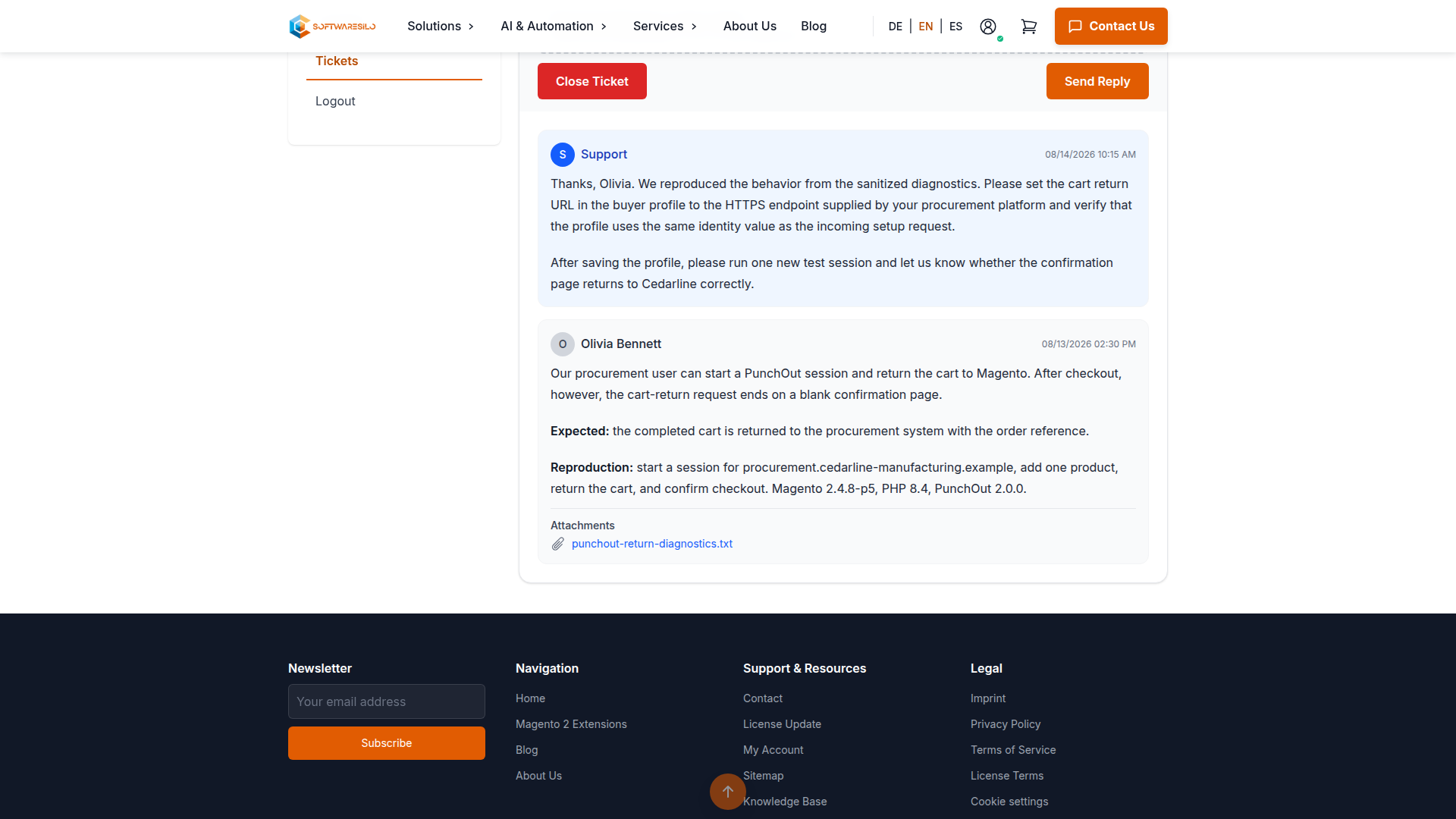
Describe what happened, what you expected and the shortest reliable way to reproduce it. Include the Magento, PHP and extension versions and state whether the behavior occurs in production, staging or a clean demo. You can add PDF, PNG, JPG, TXT, Markdown or CSV files of up to 10 MB each through the attachment field.
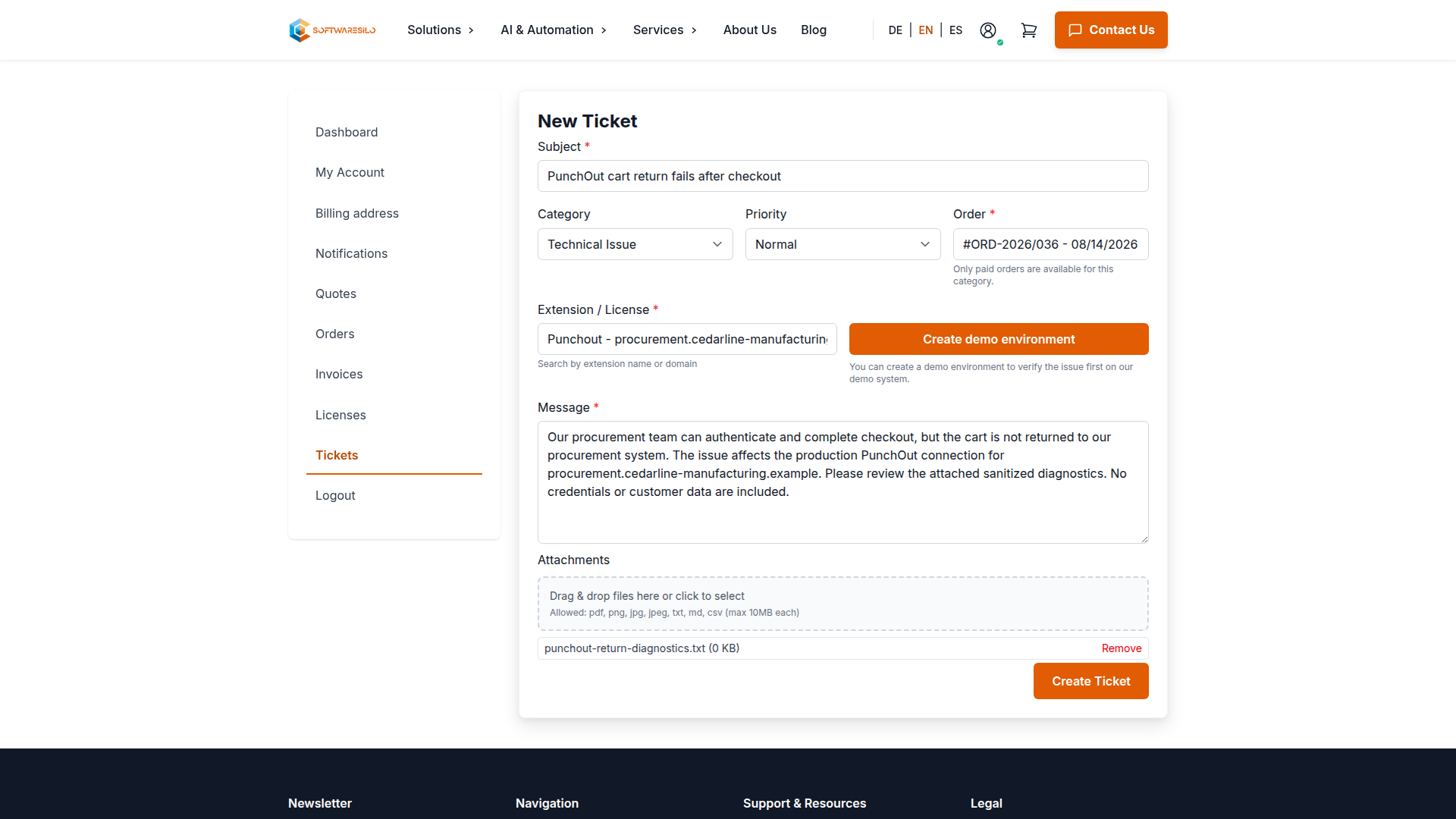
Never upload passwords, repository tokens, private keys, complete databases or unfiltered customer data. A short sanitized log excerpt or focused screenshot is usually more useful than a full archive.
After submission, the ticket page shows the related order, category, priority and current status above the reply form. Status Waiting for customer means support has replied and needs confirmation or more information from you. You can answer in the same thread and attach additional evidence.
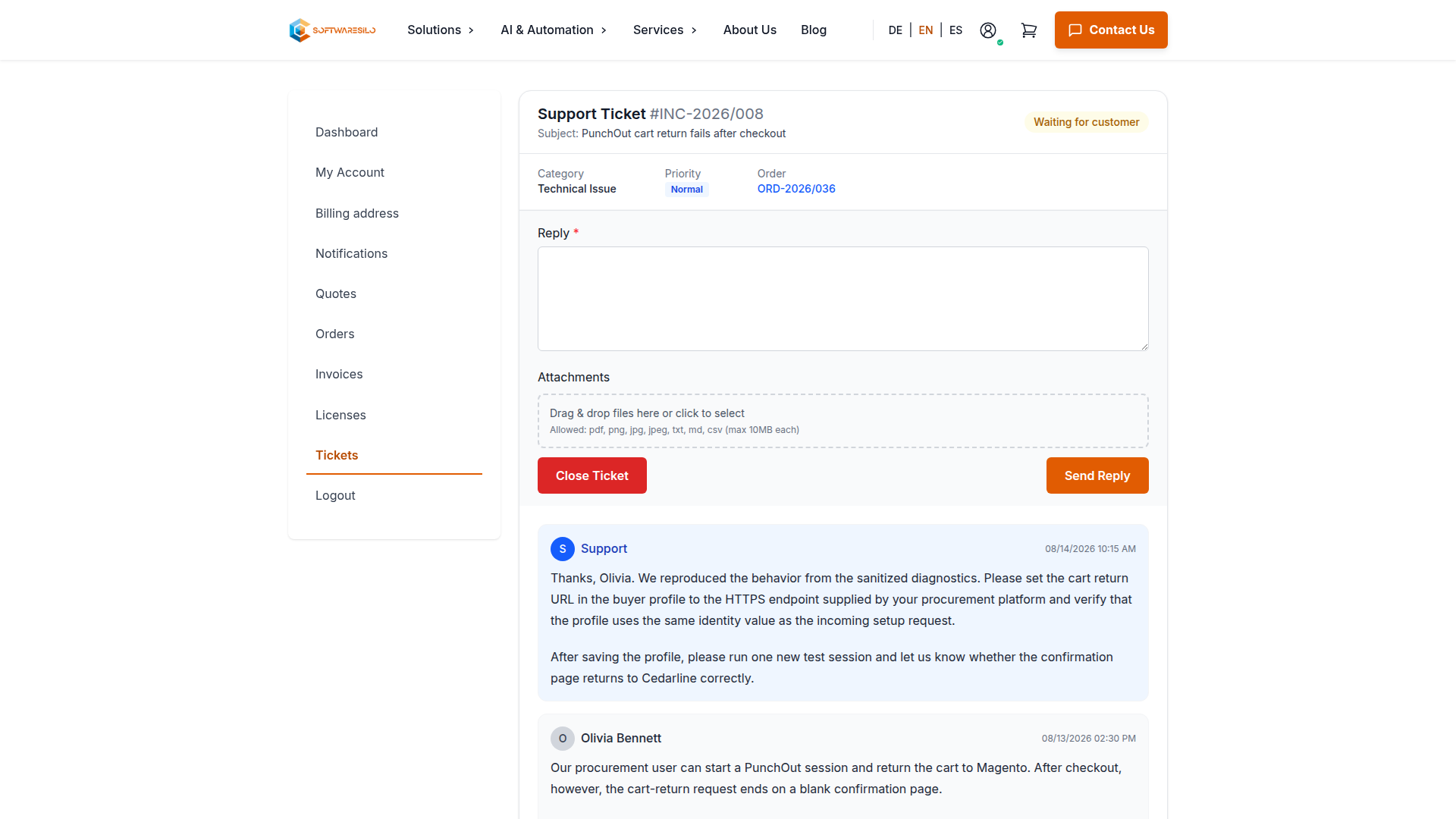
The conversation keeps the original report, support replies and downloadable attachments together. This preserves the troubleshooting context without spreading it across separate emails.
SoftwareSilo normally sends the first substantive response within two business days. This is a response target, not a guaranteed resolution time: investigation may take longer when the issue depends on a third-party integration or needs a reproducible environment.
Close your online account
Use Close online account on the account dashboard when you no longer want access to the SoftwareSilo customer portal. Closing the account signs you out and removes the credentials and settings used by the portal, including your password, passkeys, two-factor authentication, saved cart, newsletter subscription and notification preferences.
This does not cancel a purchase or erase commercial records. Orders, quotes, invoices, payments, credit memos and licenses remain linked to the customer record so that issued documents and accounting history stay complete. Existing license tokens also remain valid, so installed extensions can still be downloaded and updated through Composer.
The closed account can no longer be used to sign in or request a new password. Contact info@softwaresilo.io if portal access is needed again.