Password Protection
Secure sensitive documents with password protection. Customers must enter the correct password before they can download protected documents.
How It Works
When you enable password protection for a document:
- Admin sets password - In the document edit form, enter a password in the "Password" field
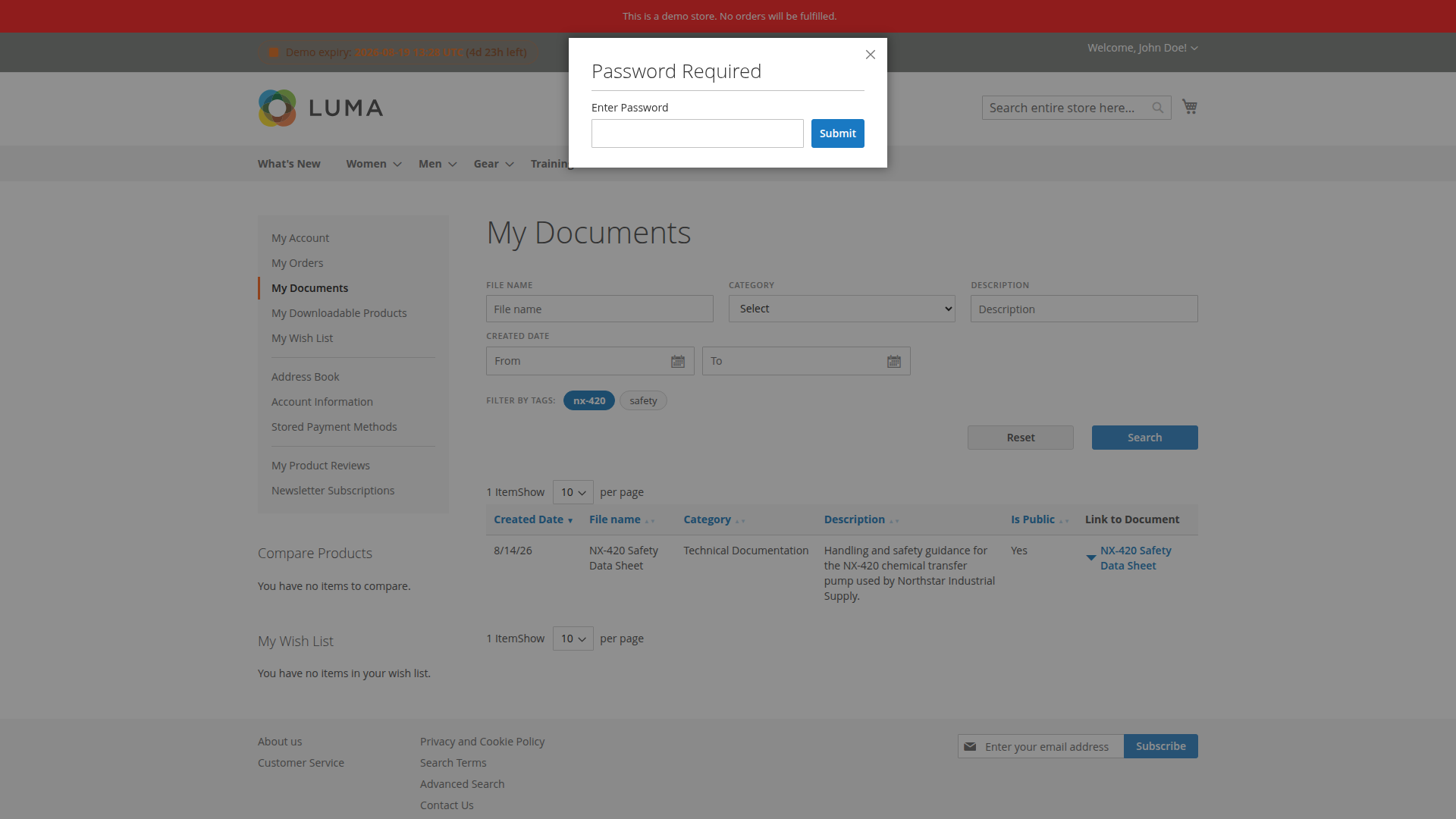
- Customer attempts download - When clicking the download link, a password prompt appears
- Password validation - The system validates the password before the file is released
- Time-limited token - Upon successful validation, a 60-second download token is generated
- Secure download - The customer can download the file using the temporary token
Configuration
Setting a Password
- Navigate to Customers >Customer Documents > All Documents
- Edit or create a document
- In the "Password" field, enter your desired password
- Save the document
Security Features
AJAX Validation
- Password validation happens via AJAX before download
- No page reload required
- Public downloads are rate-limited; “My Documents” uses a short-lived token
Time-Limited Tokens
- Download tokens expire after 60 seconds
- Tokens are stored in customer session
- Tokens are short-lived and validated server-side
ZIP Download Exclusion
- Password-protected documents are automatically excluded from ZIP bulk downloads
- This prevents bypassing password protection
- Customers must download protected files individually
Best Practices
- Use strong passwords - Combine letters, numbers, and special characters
- Share passwords securely - Send passwords via separate communication channel (not in the same email as the document link)
- Rotate passwords - Change passwords periodically for highly sensitive documents
- Combine with access control - Use password protection together with customer group restrictions for maximum security
- Don't use simple passwords - Avoid "password123" or "12345"
- Don't share passwords publicly - Never post passwords in public forums or documentation
- Keep password length in mind - The password field is currently limited to 20 characters
Use Cases
Confidential Contracts
Protect legal contracts and NDAs with passwords. Share the password only with authorized signatories.
Financial Documents
Secure invoices, tax documents, and financial statements with password protection.
Personal Data
Protect documents containing personal information (GDPR compliance).
Temporary Access
Use passwords for time-sensitive documents that should only be accessible for a limited period.
Troubleshooting
Password Not Working
- Check for typos (passwords are case-sensitive)
- Ensure the password was saved correctly in the admin panel
- Clear browser cache and try again
Token Expired
- Download tokens expire after 60 seconds
- Simply re-enter the password to generate a new token
Can't Download from ZIP
- This is expected behavior - password-protected documents are excluded from ZIP downloads
- Download protected files individually after entering the password
Related Features
- Access Control - Restrict documents to specific customers/groups
- Downloads & Security - Public links, external URLs, server hardening
- Email Notifications - Notify customers about new documents