
Status Tracking
E-invoice state lives on the Magento invoice or credit memo. Both grids expose a status column for finding work. The invoice and credit-memo detail pages show the richer metadata and actions that are actually available.
Status values
| Status | What it means | What to do |
|---|---|---|
scheduled |
Waiting for the hourly einvoice_process_scheduled cron worker |
Confirm cron runs; check the flow's scheduled batch size |
queued |
Claimed and published to the message queue, waiting for the consumer | Confirm the matching consumer is running |
processing |
A worker or the current request is generating the document | Wait; rows stuck past the recovery timeout are reclaimed automatically |
generated |
Local document generation completed and its metadata was recorded | Download and validate before delivery |
error |
The last generation attempt failed | Read the stored error, fix its cause, then retry once |
disabled |
Automatic mode is disabled for this flow | Use a manual action when a document is needed |
generated is a local generation state, not a delivery receipt. It does not mean a PEPPOL access point, portal or customer received or accepted the file.
Invoice view
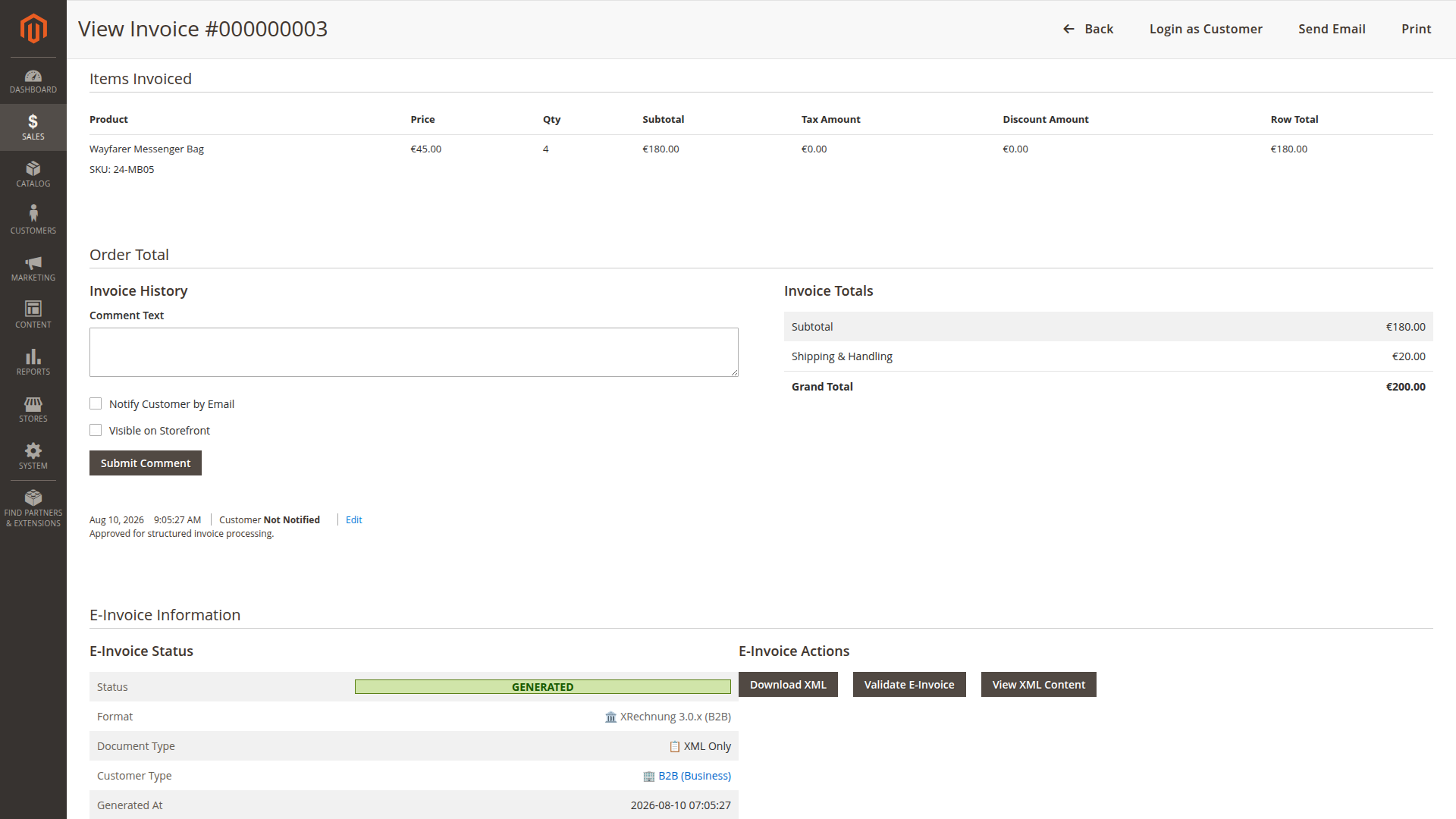
Open Sales > Invoices, then select the invoice. The E-Invoice Information section can show:
- status and last error;
- selected format and hybrid/XML document type;
- generation timestamp;
- Generate E-Invoice when generation is needed;
- Download XML;
- Download PDF for a hybrid document;
- Validate E-Invoice and View XML Content.
Credit-memo view
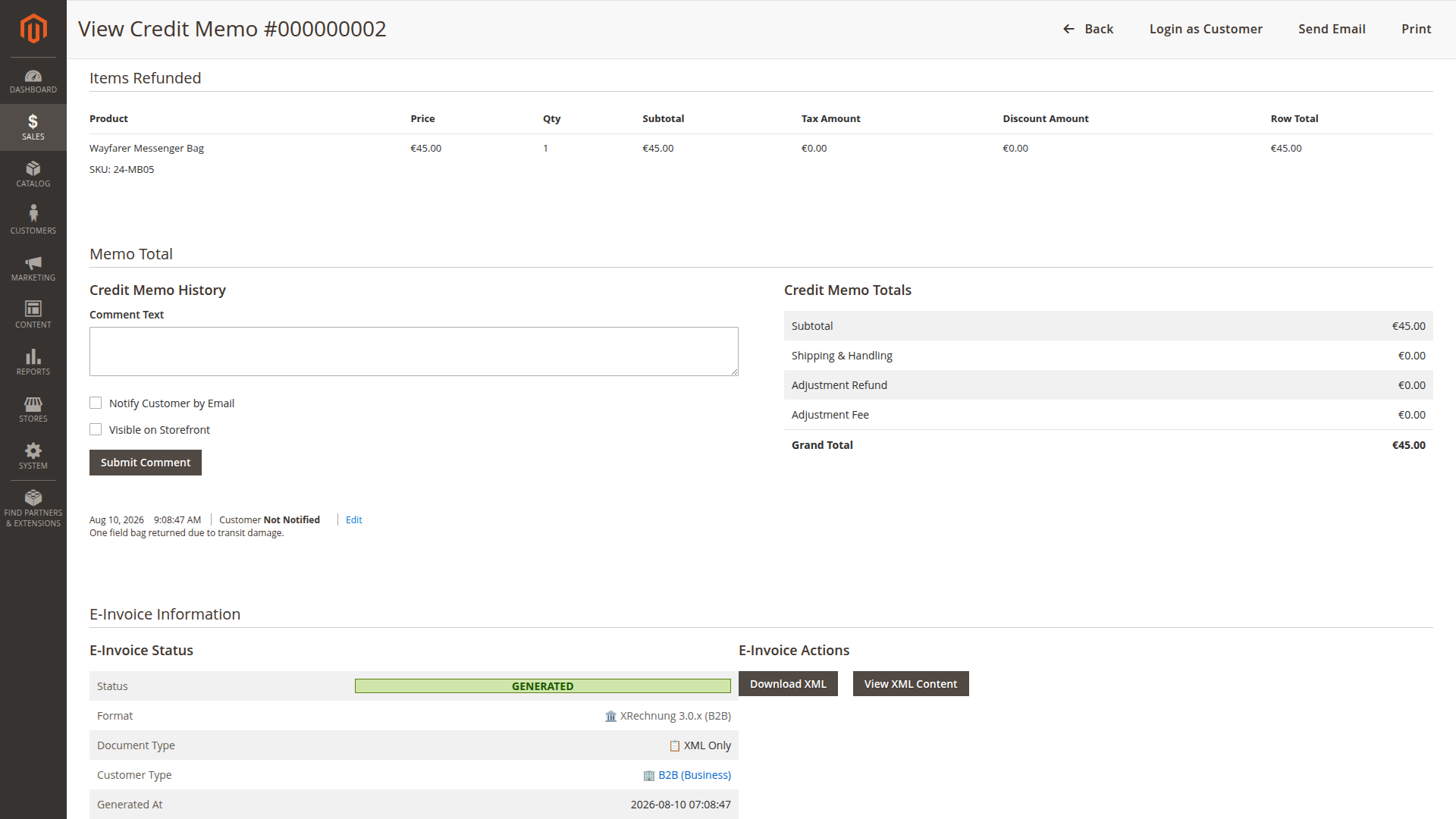
Credit memos have their own information block and actions when general e-invoicing and credit-memo e-invoicing are enabled for the store view. Before generation it can offer Generate E-Invoice. After generation it can offer XML/PDF downloads where files exist and View XML Content. It does not expose the invoice detail page's Validate E-Invoice action.
Grids and mass actions
The invoice grid adds exactly one visible E-Invoice column: E-Invoice Status. Its E-Invoice mass actions are Generate E-Invoice and Download E-Invoices (ZIP). The credit-memo grid adds the same E-Invoice Status column and the Generate E-Invoice mass action.
There is no visible mass-validation action in either grid. Invoice validation is a detail-page action. Admin-role ACL and the feature switches control whether the declared columns and actions are available; the UI plugins also hide them when the feature is disabled.
Data recorded on the sales document
The module persists:
- status;
- format;
- generated timestamp;
- relative XML and PDF paths;
- last error message;
- validation/customer metadata used by the workflow.
The service updates the corresponding sales grid after relevant status changes.
A practical monitoring routine
- Filter the invoice grid's E-Invoice Status column for
errorand stalescheduled/queued/processingrows. - The credit-memo grid exposes the same E-Invoice Status column; use it or open the record for detail.
- For
scheduled, confirm the hourly cron worker runs and the batch size fits the volume; forqueued, check the matching consumer. - For
error, open the document and copy the exact message into the incident record. - Correct the source or configuration problem and generate once.
- Validate an invoice through its detail action or validate an exported invoice/credit-memo file with the appropriate CLI or external tool.
- Track delivery in the downstream system; Magento's statuses do not cover transmission.
Magento's standard system.log and exception.log contain technical generation details. They are not a permanent accounting audit log; retain the documents and downstream delivery evidence according to your own policy.