
Cancel orders in Magento Admin
Admin users need the Order Cancellation ACL permission. The extension provides a button for one order and a mass action for a selection of orders.
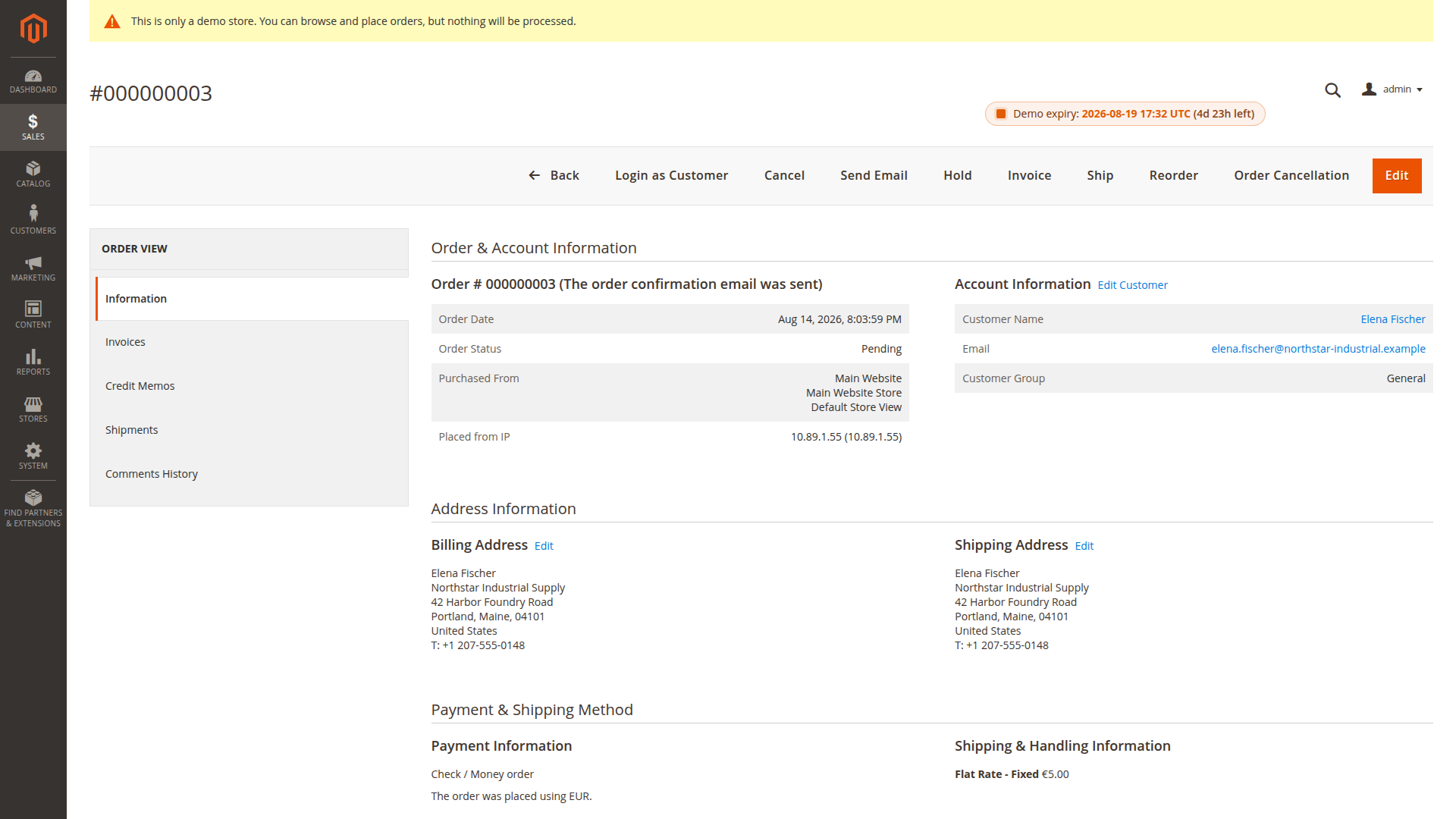
Cancel one order
- Open Sales > Orders.
- Open the order you want to review.
- Check its payment, invoices, shipments and current status.
- Select Order Cancellation.
- Confirm the browser prompt.
The button is present only when the current order status is selected under Allowed Order Statuses for Cancellation for the order's store scope.
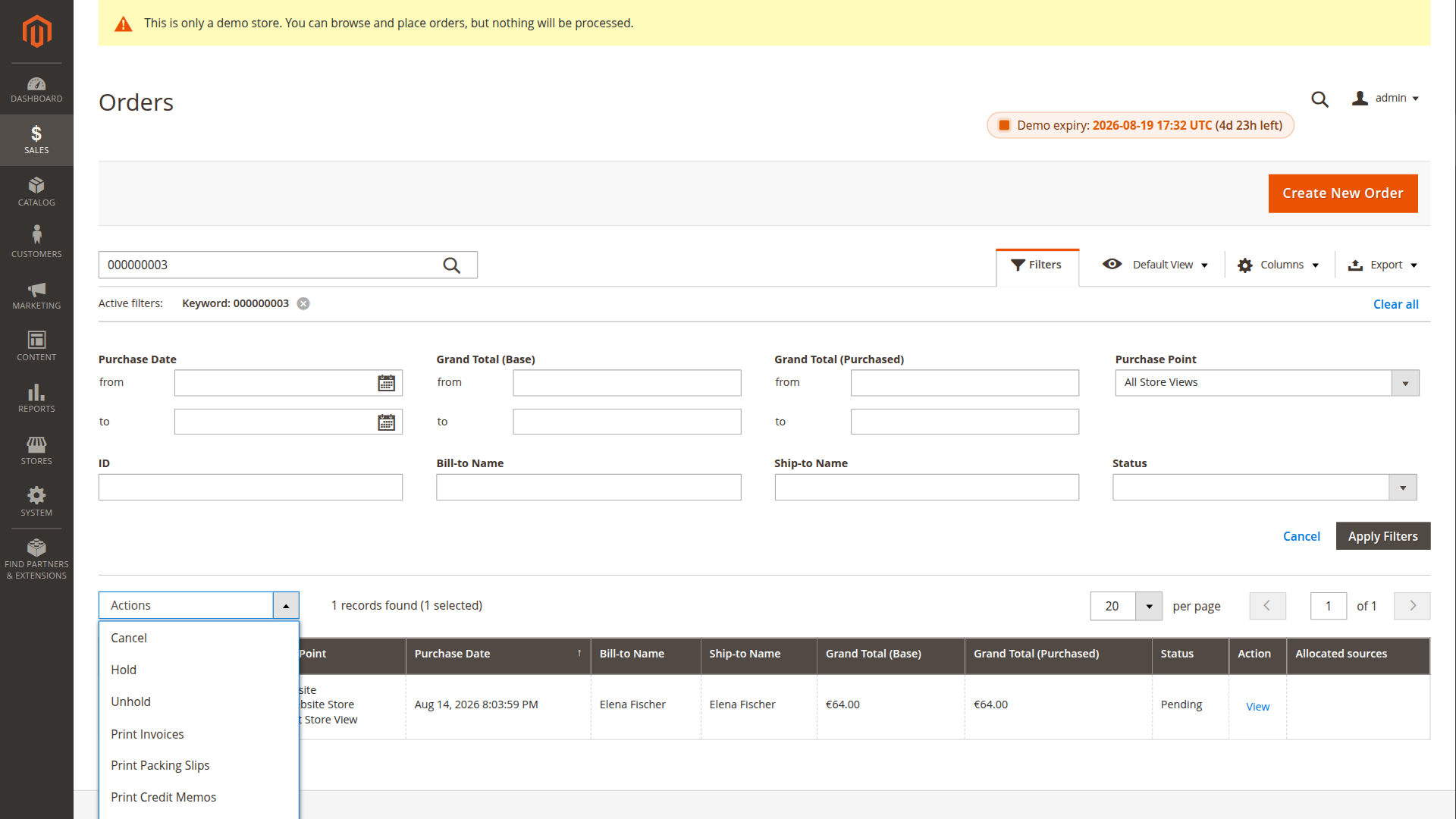
Cancel several orders
- Open Sales > Orders.
- Select the relevant orders.
- Choose Cancel Order from the Actions menu.
- Confirm the action.
Each order is evaluated separately. Orders in allowed statuses are processed. Orders in other statuses are skipped, and a failure on one allowed order does not stop the remaining selection. Magento reports counts for completed, failed and disallowed orders after the batch.
What happens after the action
The extension attempts Magento's standard cancellation service first. If that does not complete the cancellation, the fallback cancels the remaining item quantities, updates cancellation totals and sets the order state according to the remaining invoiced or refundable quantities.
The configured history comment is then saved. The extension also attempts its cancellation email according to the store-scoped email configuration.
Read Cancellation, payments and refunds before allowing invoiced or paid statuses.