
PDF Designer Add-On
The base B2B Quote module already generates PDFs. Install PDF Designer when the standard layouts cannot meet a company's document design: branded page structure, positioned text and images, tables, QR codes, barcodes, custom fonts, or store-specific layouts.
Package: mageb2b/b2b-quote-pdfdesigner
Magento module: MageB2B_B2BQuotePdfDesigner
Install the package
composer config bearer.repo.softwaresilo.io <token>
composer config repositories.softwaresilo composer https://repo.softwaresilo.io/
composer require mageb2b/b2b-quote-pdfdesigner:*

php bin/magento module:enable MageB2B_B2BQuotePdfDesigner
php bin/magento setup:upgrade
php bin/magento setup:di:compile
php bin/magento setup:static-content:deploy
php bin/magento cache:flush
See the installation guide for where to find the repository placeholders and access token (Account > Licenses).
Create a layout
Open B2B Quotes > PDF Layout Designer and create a layout.
- Give it a stable code and a recognisable name.
- Select the store views that may use it.
- Set page size, orientation, background, and page zones.
- Add the required text, image, table, line, QR-code, or barcode elements.
- Insert dynamic quote variables through the variable browser.
- Preview the PDF before saving and again after saving.
- Generate a PDF from a real demo quote to check long names, multiple items, tax, shipping, and page breaks.
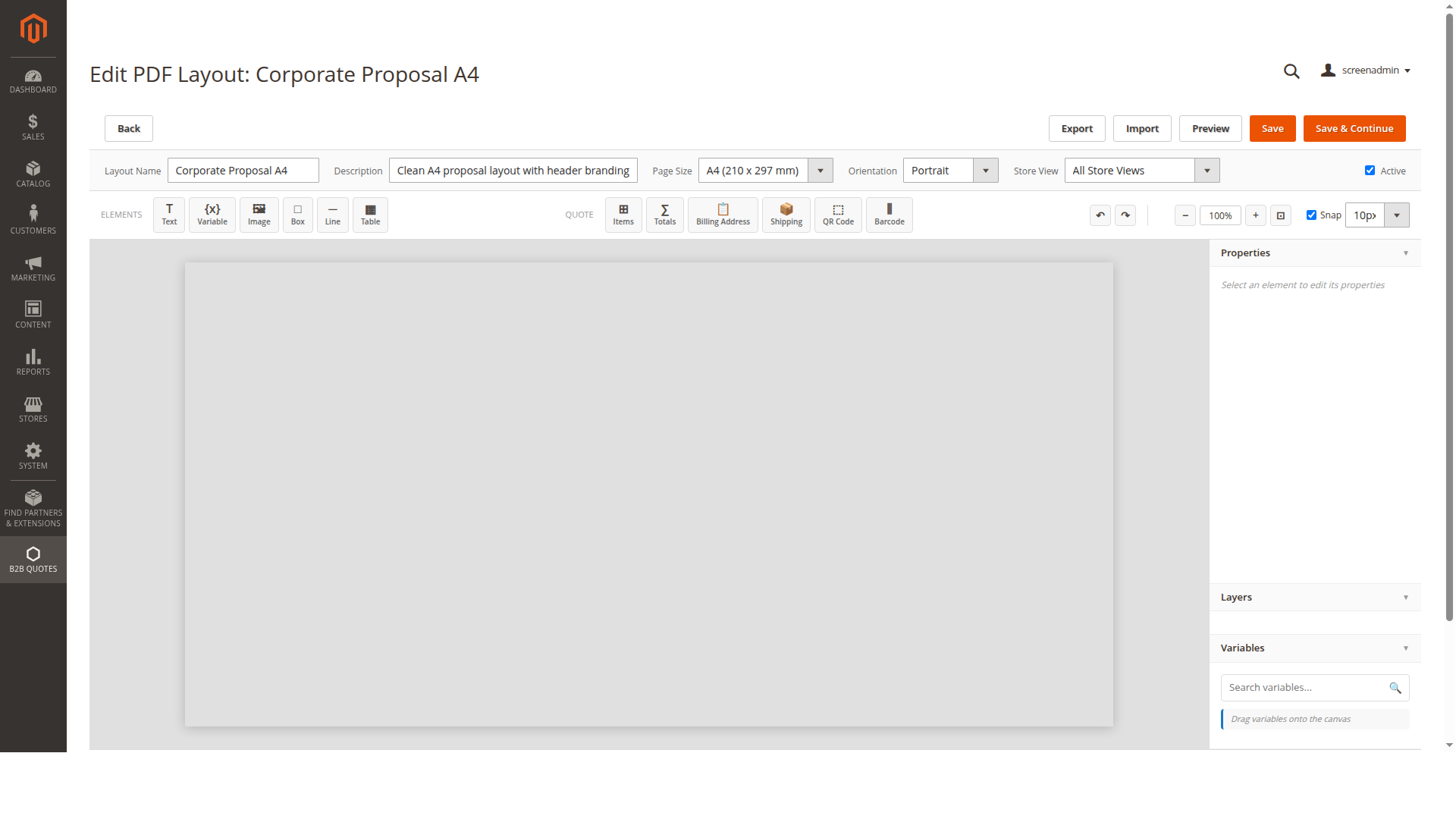
The preview uses representative data and is useful while positioning elements. It does not cover every length or product combination that occurs in a real quote, so the final quote-PDF check is essential.
Select the layout for quote PDFs
Open Stores > Configuration > MageB2B > B2B Quote > PDF Settings and select the layout under PDF Layout for the intended configuration scope.
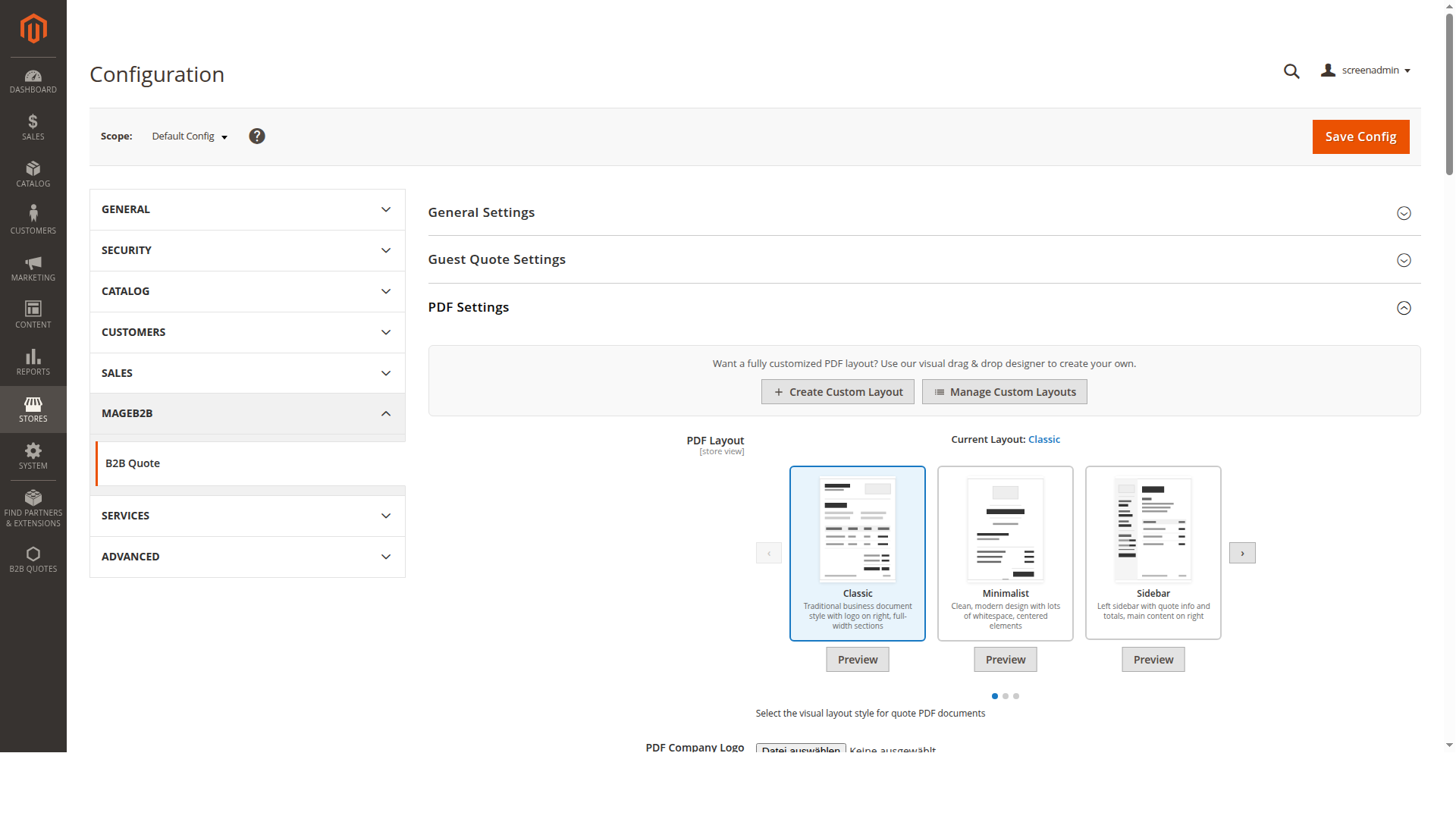
A custom layout is offered only where its store assignment permits it. If it is visible in the designer but absent from configuration or PDF generation, compare the layout's store views with the quote's store.
Use variables safely
Variables use double braces:
Quote {{increment_id}}
Prepared for {{customer_name}}
Valid until {{expires_at|date:Y-m-d}}
Total {{grand_total|currency}}
Available formatters are:
| Formatter | Example | Result |
|---|---|---|
currency |
`{{grand_total | currency}}` |
number:N |
`{{discount | number:2}}` |
date:FORMAT |
`{{created_at | date:Y-m-d}}` |
uppercase / lowercase |
`{{project_name | uppercase}}` |
truncate:N |
`{{customer_note | truncate:80}}` |
percent |
`{{discount_percent | percent}}` |
Choose variables from the designer instead of guessing codes. An unknown variable resolves to an empty value, which can leave an apparently unexplained gap in the PDF.
Fonts and backgrounds
The designer lists standard PDF fonts and custom font files found below Magento media directory b2bquote/fonts. Use fonts that contain every character required by the store's customer names, addresses, and language. Test umlauts and other non-ASCII text explicitly.
Font fallback is disabled by default. If fallback is enabled in configuration, choose a dependable family and verify that the rendered weight and style exist. A browser preview can look correct even when the PDF renderer cannot load the same font file.
For background images, keep file size and contrast suitable for every generated page. Confirm that customer text remains readable and that the image URL/file is available to the Magento PDF process.
Permissions
Administrator roles can receive separate permissions to:
- view layouts
- create or edit layouts
- delete layouts
Give delete permission only to roles responsible for document templates. Deleting a layout that is still selected in configuration can interrupt quote PDF generation until another valid layout is chosen.
Import and export layout definitions
The editor can export its layout definition and import a compatible definition. Treat exported JSON as configuration code: review it before importing, keep it in source control or another controlled store, and preview the imported result before assigning it to a live store view.
Troubleshooting
The editor is blank or controls do not respond
Check the browser console and loaded JavaScript assets. The editor depends on its designer scripts and bundled canvas, QR-code, and barcode libraries. Redeploy static content for the affected admin locale and invalidate stale assets after an upgrade.
Preview works but a quote PDF fails
Generate the PDF with the same quote and store view, then inspect Magento logs for an invalid layout element, inaccessible image, missing font, or variable value with an unexpected type. Also confirm that the saved layout—not only unsaved canvas state—contains the latest changes.
Text is cut off or overlaps
Test realistic long company names, multi-line addresses, notes, and enough products to span pages. Increase the element area or use tables/zones designed for flowing content rather than shrinking all text.
A layout is missing from the selector
Confirm that it is active, valid, and assigned to the current store. Then save the layout, clear the relevant configuration cache, and reload the scoped PDF setting.
Developer extension point
A Magento module can implement MageB2B\B2BQuotePdfDesigner\Api\VariableProviderInterface and register the provider in the PDF Designer provider pool. A provider declares its category and variables and resolves each supported code from the supplied quote/store rendering context. Keep custom resolvers deterministic and avoid remote calls during PDF generation.