
Inventory Reservation
An approved quote can reserve saleable inventory through Magento Multi-Source Inventory (MSI). This reduces the risk that stock promised in an approved offer is consumed by another order before the customer accepts it.
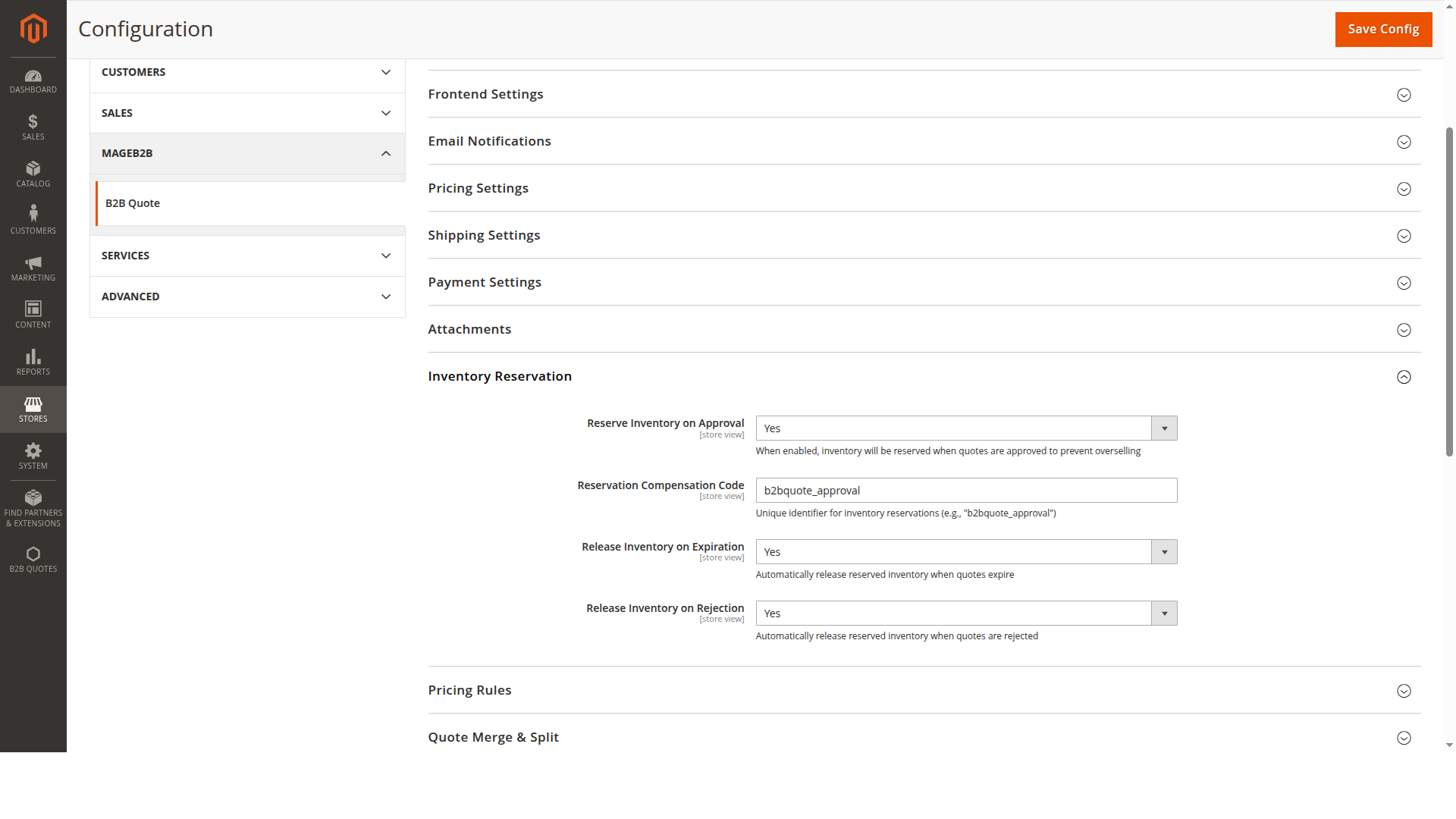
Reservation lifecycle
When Reserve Inventory on Approval is enabled, the extension records MSI reservations for the outstanding quantity of eligible quote items as the quote enters the approved state. The reservation is identified with the quote ID and the configured compensation code.
The extension can compensate, or release, that reservation when:
- the quote expires and Release Inventory on Expiration is enabled;
- the quote is rejected and Release Inventory on Rejection is enabled;
- an order is created from the quote.
Repeated processing does not intentionally reserve the same open quote quantity twice. Operations teams should still monitor Magento's inventory reservation consistency in the same way they do for normal orders.
Configuration
Open Stores → Configuration → MageB2B → B2B Quote → Inventory Reservation.
| Setting | Purpose |
|---|---|
| Reserve Inventory on Approval | Enables reservation when a quote becomes approved. |
| Reservation Compensation Code | Identifies reservations created by this workflow. The default fallback is b2bquote_approval. |
| Release Inventory on Expiration | Compensates an open quote reservation when the quote expires. |
| Release Inventory on Rejection | Compensates an open quote reservation when the quote is rejected. |
Keep the compensation code stable after reservations exist. Changing it can make old reservations harder to match to their compensating entries.
Before enabling it
- Confirm that Magento MSI is configured and its normal reservation checks are healthy.
- Decide whether every approved quote should hold stock; long-lived offers can reduce availability for ordinary orders.
- Configure expiration and rejection release behaviour.
- Approve a test quote and verify the negative reservation entry.
- Reject, expire, and convert separate test quotes and verify the corresponding positive compensation entries.
- Test multiple quotes containing the same SKU.
Troubleshooting
If approval succeeds but no reservation appears, check that the setting is enabled in the quote's store scope, that Magento can resolve the stock for the website, and that the product is managed by MSI. Reservation errors are logged for operations rather than blocking quote approval, so inspect Magento logs as well as the quote status.
If stock remains reserved, verify the quote reached the expected state, the appropriate release setting is enabled, and the compensation code has not changed since approval.