
Assign a Profile to Individual Customers
Use the Customer Assignment section for named-account exceptions or a limited rollout. The selected customer becomes eligible for the profile in addition to any profiles assigned through their customer group.
An individual assignment is not an automatic override. Website, conditions and priority still apply. Give a deliberate customer-specific profile a lower priority number than the broader group profile when it should win.
The profile form still requires a customer group. Direct customers and members of the selected groups are alternative audiences: either assignment can make the profile eligible. Do not select the customer's broad group on a profile that is meant for one named account, because the same profile would then apply to every member of that group. A practical option is a dedicated, currently empty group such as Named Account Exceptions, combined with the direct customer assignment. Document that group so future administrators do not add customers to it casually.
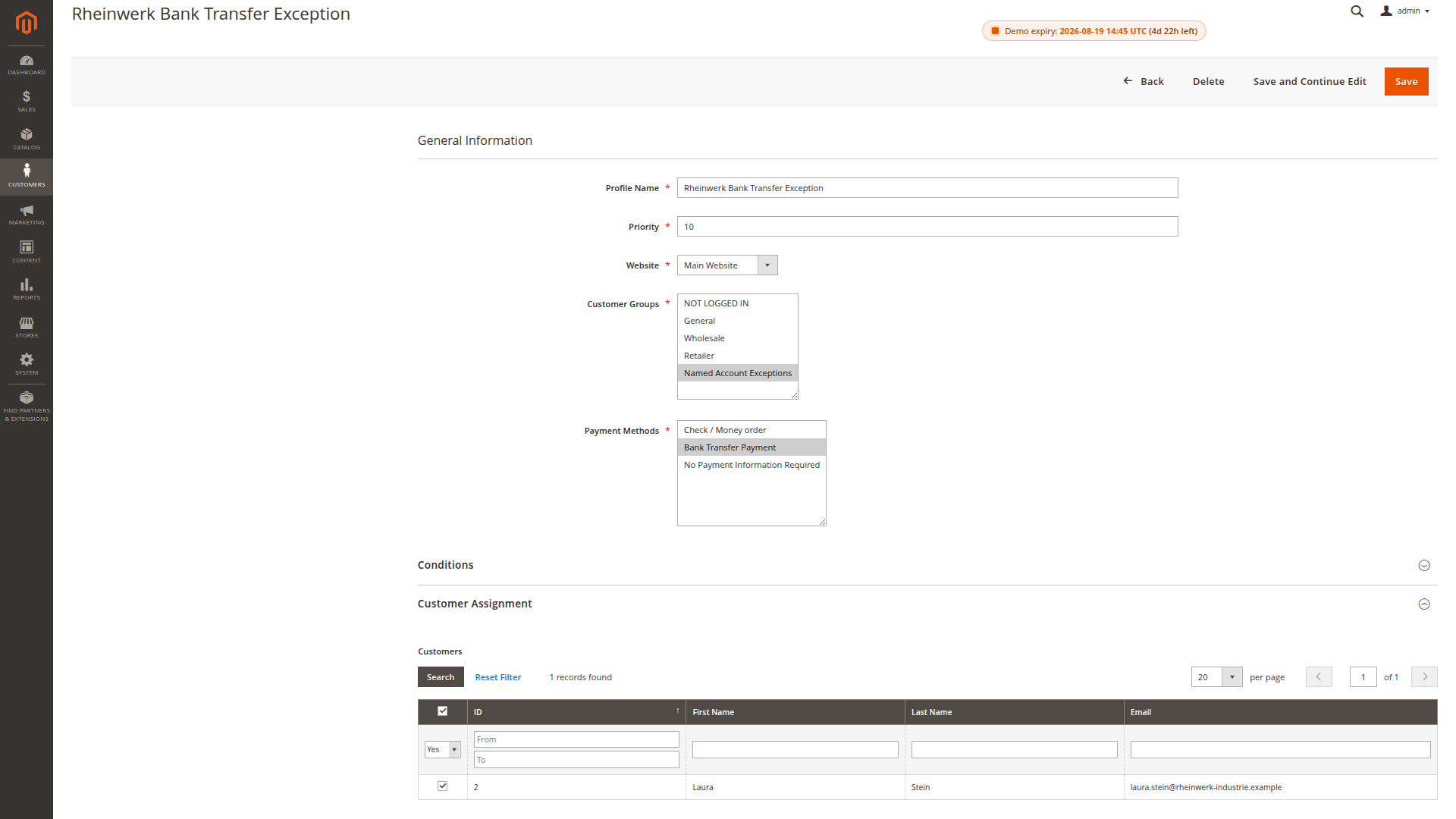
Use a clear name such as Main Website - Northstar Bank Transfer Pilot and record why the exception exists. Test the customer's expected cart as well as a cart that should not meet the conditions.