
Where Fees Are Displayed
Product Fees can be displayed in multiple places. Visibility is controlled via:
productfee/display/cart_checkoutproductfee/display/product_viewproductfee/display/salesproductfee/display/email
Product page
- Fee rows are rendered on the product detail page.
Cart
Per Item
- Fee rows can be shown below each cart item.
- For configurable products, child item fee data is carried into cart and sales display so the visible totals match the selected variant.
Totals
- If
productfee/tax/include_in_subtotal = No, a "Product Fees" totals row is shown. - If
productfee/tax/include_in_subtotal = Yes, fees are part of subtotal and there is no separate row.
Checkout
- Same behavior as cart totals (segment
productfeeis only displayed when not included in subtotal).

Customer account and guest order pages
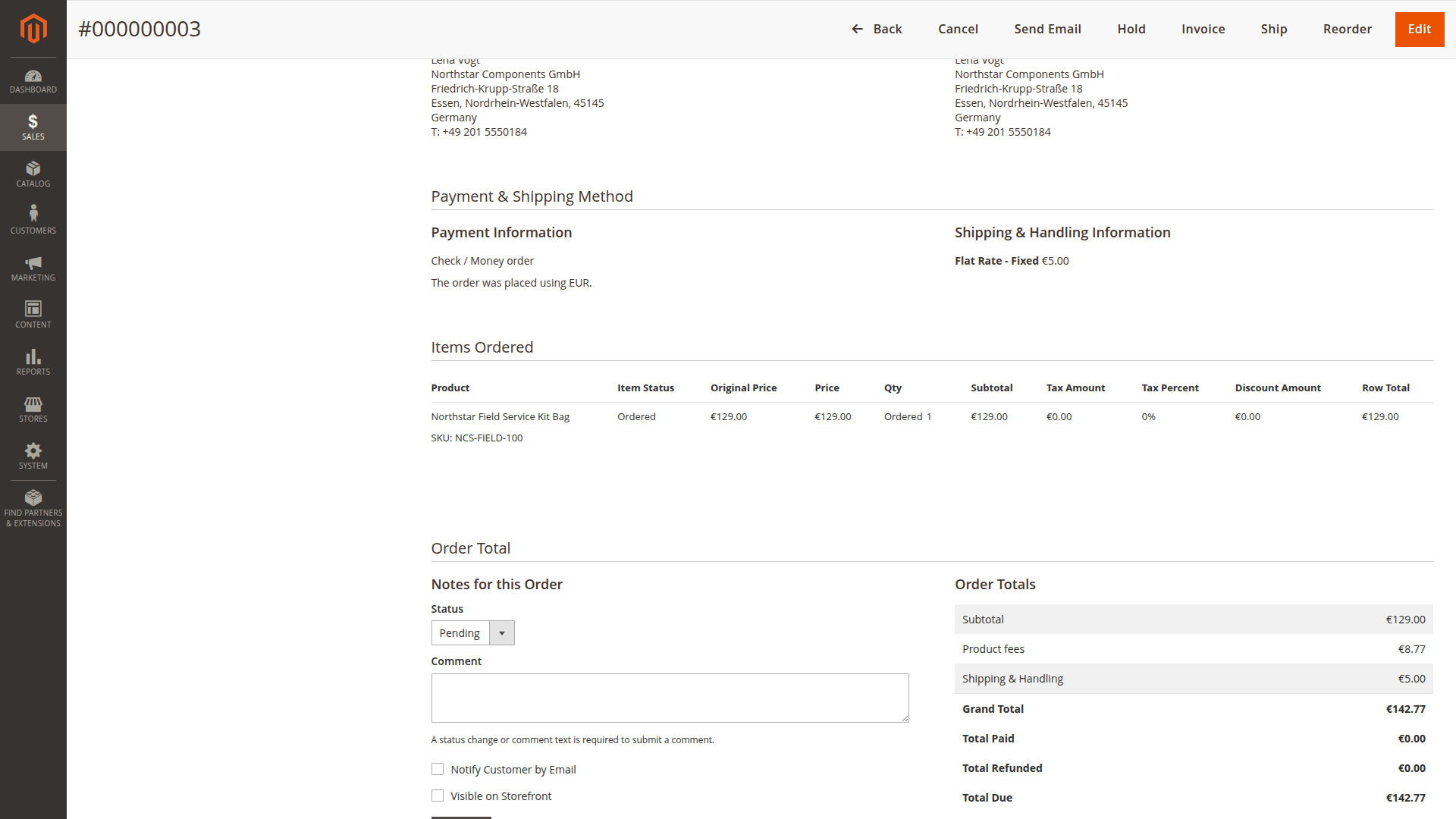
- Order totals: the fee appears as its own row in the order totals block (the
order_totalssection on order, invoice and credit memo pages) if Display in sales documents (productfee/display/sales) is enabled. - Invoice and credit memo totals: shown similarly.
The Magento Admin order view uses the same persisted sales values. This makes the fee amount auditable after checkout, even if the product assignment changes later.
Emails
- Per-item fee rows are added under each line item (if enabled).
- Totals row is also added (if enabled).
- Invoice and credit memo emails use the prorated fee data from the document items when available.
PDFs
- A "Product fees" total is added to Magento sales PDFs when enabled.