
Configuration
Admin configuration
Go to:
- Admin Panel -> Stores -> Configuration -> MageB2B -> Product fees
These settings control calculation and display for fee data that already exists. They do not create fee types or product assignments.
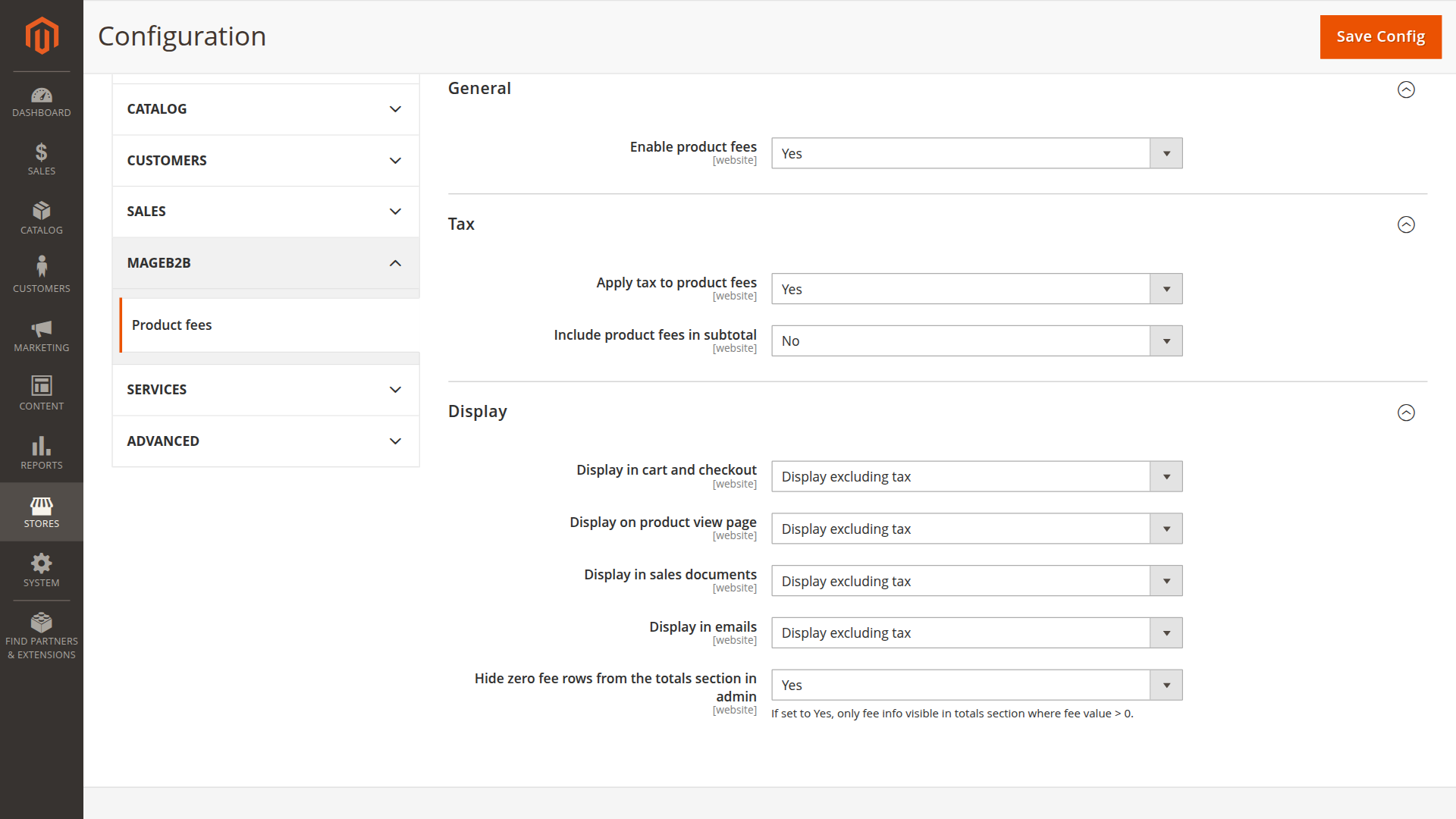
General
Enable product fees
- Config path:
productfee/general/enabled
Tax
Apply tax to product fees
- Config path:
productfee/tax/apply_tax - If enabled, fees marked as taxable will be added to Magento tax calculation via "associated taxables".
- A taxable fee needs a tax class (see "Fee Types" / "Assignments").
Include product fees in subtotal
- Config path:
productfee/tax/include_in_subtotal - If enabled, fees are added into the Subtotal totals segment (after Magento tax collector runs).
- If enabled, there is no separate "Product Fees" total row in cart/checkout totals (the fees are part of subtotal).
Display
All display settings below use the same options:
- Do not display
- Display excluding tax
- Display including tax
- Display both excluding and including tax
Display in cart and checkout
- Config path:
productfee/display/cart_checkout - Controls the per-item fee breakdown (cart line item, mini summary item, etc.).
- Note: the cart/checkout totals row comes from the quote total segment
productfeeand is only shown when fees exist and "include in subtotal" is disabled.
Display on product view page
- Config path:
productfee/display/product_view - Controls the fee rows shown on the product detail page.
Display in sales documents
- Config path:
productfee/display/sales - Controls order/invoice/credit memo totals (frontend account pages, guest pages, and PDFs).
Display in emails
- Config path:
productfee/display/email - Controls fee rows in order / invoice / credit memo emails.
Hide zero fee rows from the totals section in admin
- Config path:
productfee/display/admin_totals_hide_zero_fee_rows - If enabled, admin order totals will not show the "Product fees" row when the calculated amount is
0.00.
Totals Sort Order
Magento total sort order:
- Config path:
sales/totals_sort/productfee(default:35)
ACL / Permissions
To grant access to Product Fees configuration in the Magento admin, allow:
MageB2B_Productfee::productfee_config
System Configuration Reference
Generated from the module etc/adminhtml/system.xml files so the KB matches the Magento admin configuration structure.
productfee
Product fees / General (productfee/general/*)
| Config path | Admin label | Type |
|---|---|---|
productfee/general/enabled |
Enable product fees | select |
Product fees / Tax (productfee/tax/*)
| Config path | Admin label | Type |
|---|---|---|
productfee/tax/apply_tax |
Apply tax to product fees | select |
productfee/tax/include_in_subtotal |
Include product fees in subtotal | select |
Product fees / Display (productfee/display/*)
| Config path | Admin label | Type |
|---|---|---|
productfee/display/cart_checkout |
Display in cart and checkout | select |
productfee/display/product_view |
Display on product view page | select |
productfee/display/sales |
Display in sales documents | select |
productfee/display/email |
Display in emails | select |
productfee/display/admin_totals_hide_zero_fee_rows |
Hide zero fee rows from the totals section in admin | select |
sales / totals_sort (sales/totals_sort/*)
| Config path | Admin label | Type |
|---|---|---|
sales/totals_sort/productfee |
Product fees | text |