
Assign Fees to Products
Open Catalog > Products, edit a product and expand Product Fees. Add one row for every fee that should apply.
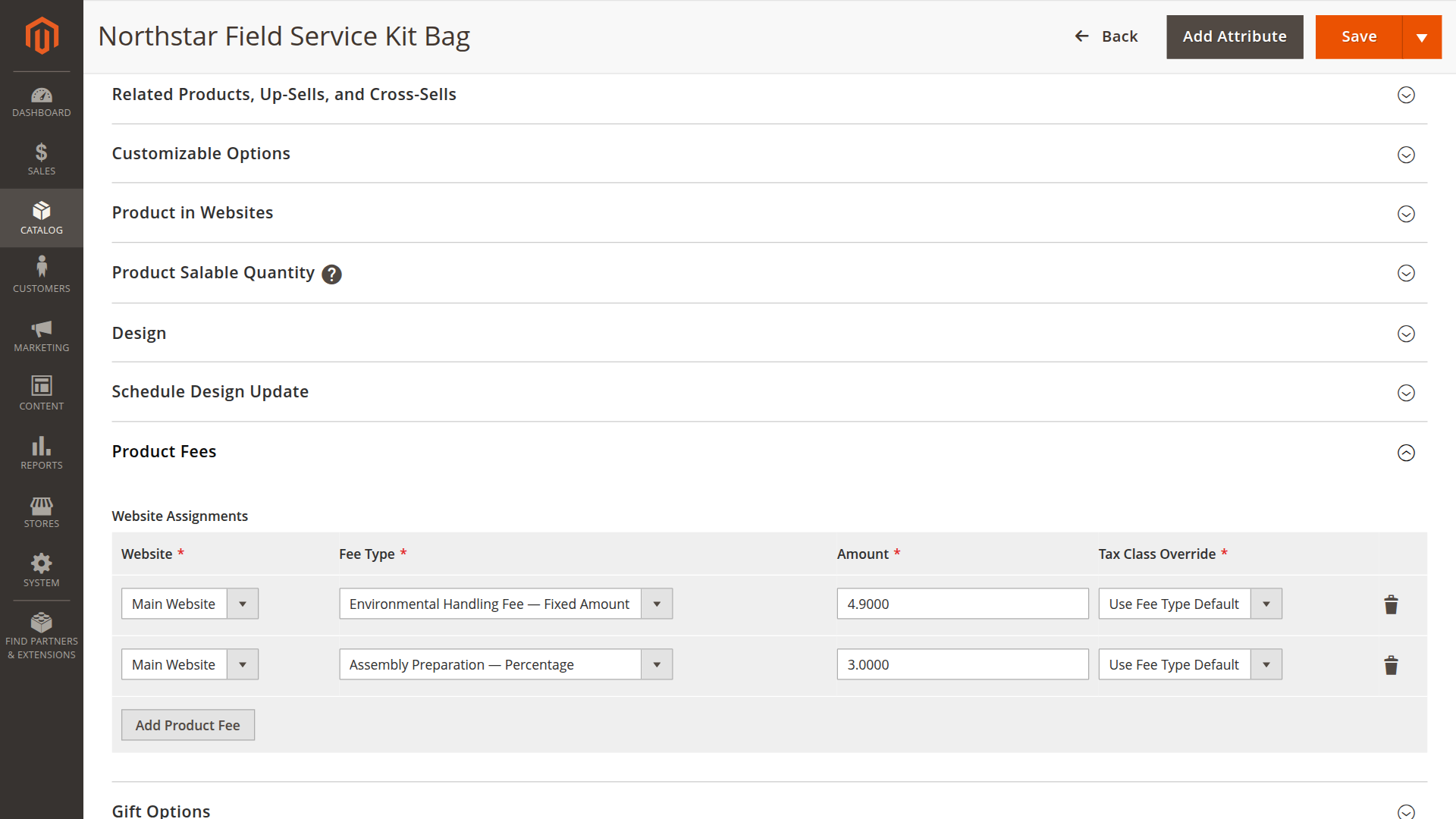
Assignment fields
| Field | Purpose |
|---|---|
| Website | Website on which the fee applies |
| Fee Type | Reusable definition created under Product Fee Types |
| Amount | Fixed amount or percentage, depending on the fee type |
| Tax Class Override | Optional product-specific replacement for the fee type's default tax class |
Save the product after adding or removing rows. Product Fees stores the complete assignment set together, so an invalid row cannot leave the product partially updated.
Website scope
Assignments belong to a website, not a store view. The same product can therefore use different amounts on different websites:
| Website | Fee type | Amount |
|---|---|---|
| Main Website | Environmental Handling Fee | 4.90 |
| European Wholesale | Environmental Handling Fee | 3.75 |
The current storefront only reads assignments for its own website.
Multiple fees
A product can use several fee types. For example, an industrial machine might have both a fixed handling fee and a percentage-based commissioning fee. The same fee type can appear only once for a product and website.
Check the result
- Confirm Product Fees is enabled for the website scope.
- Open the product on that website.
- Add a known quantity to the cart.
- Compare the product fee and total with the configured calculation.
- Place a test order when you also need to verify invoices, credit memos, emails or PDFs.
The example below combines a fixed €4.90 handling fee with a 3% preparation fee on a €129.00 product.
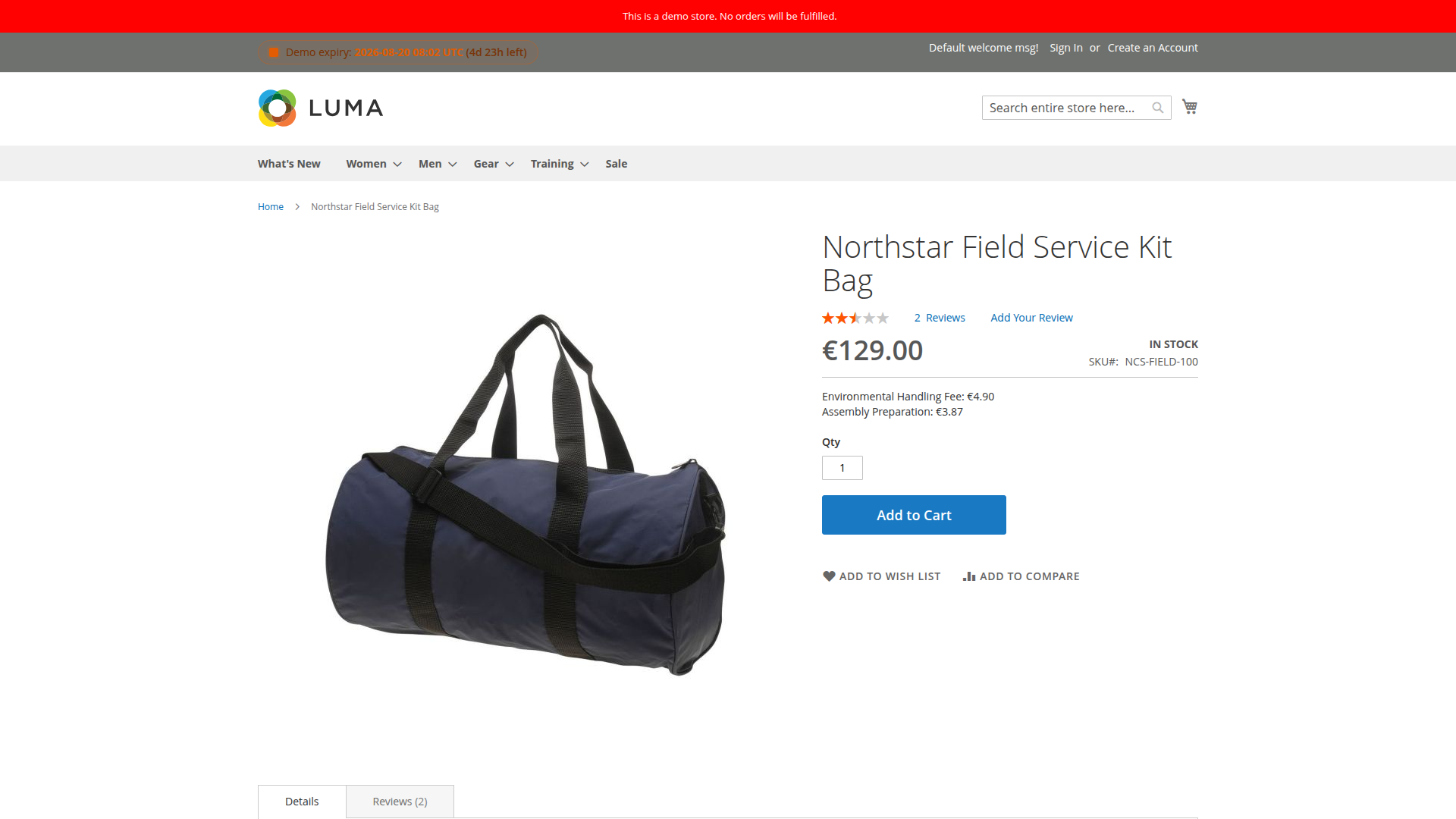
See fixed and percentage calculations and display locations for the next steps.