
Create Fee Types
Open Catalog > Product Fee Types and select Add Fee Type. Fee types are reusable definitions. They describe the meaning and calculation of a charge; the amount applied to a specific product is set later on the product itself.
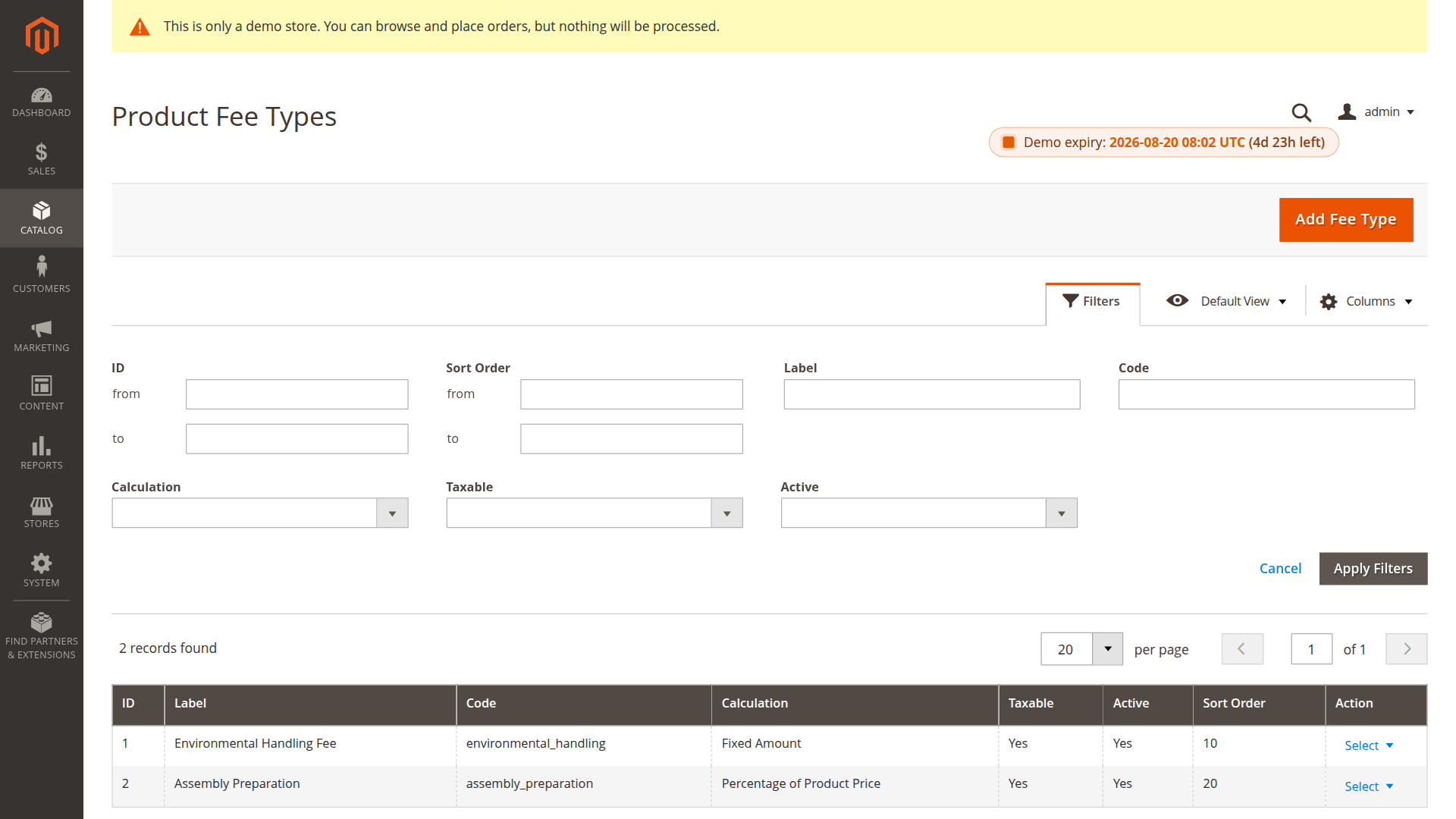
Fee type fields
| Field | Purpose |
|---|---|
| Label | Customer-facing name shown in the storefront and sales documents |
| Code | Stable internal identifier, such as environmental_handling |
| Calculation | Fixed amount or percentage of the product price |
| Taxable | Whether Magento may calculate tax for the fee |
| Default Product Tax Class | Tax class used unless a product assignment overrides it |
| Active | Whether new quote calculations can use the fee type |
| Sort Order | Position when several fees are displayed together |
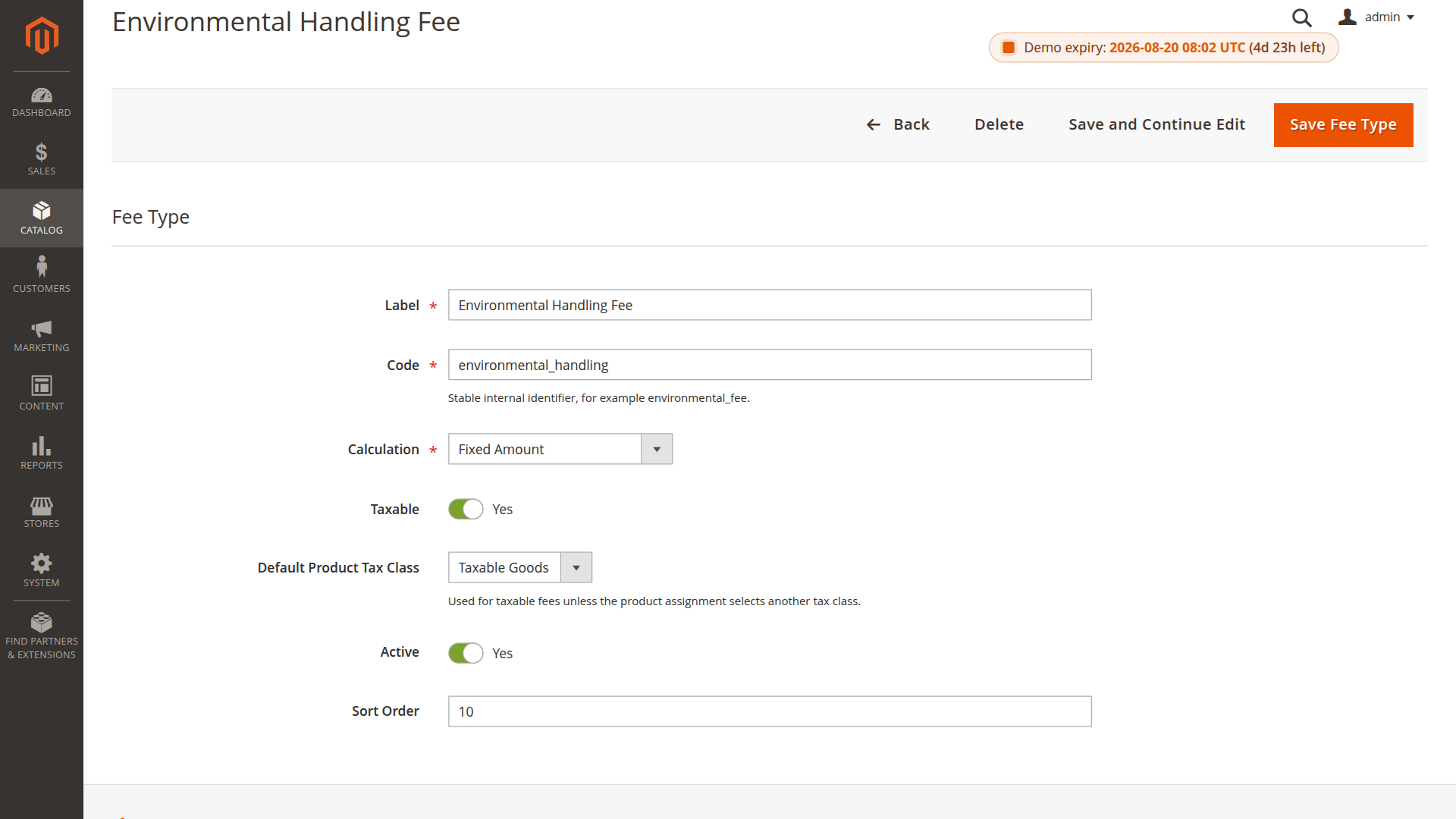
Fixed or percentage
- Fixed Amount uses the assigned amount per item unit. An amount of
4.90adds €4.90 per unit in a euro website. - Percentage of Product Price treats the assigned amount as a percentage. An amount of
2.5calculates 2.5% of the product price used by the quote item.
Use a stable code that describes the fee rather than its amount. A code such as environmental_handling can stay unchanged when product amounts change.
Tax behavior
Mark a fee type as taxable and select its normal product tax class when the charge should follow Magento tax calculation. A product assignment can override that class for an exceptional product. The module-wide Apply tax to product fees setting must also be enabled.
Active status and historical orders
Deactivating a fee type prevents it from being applied to new quote calculations. Existing orders, invoices and credit memos keep the fee snapshot captured during checkout.
Deleting a fee type also removes its current product assignments. It does not rewrite historical sales documents.