
Buyer and Mapping Profiles
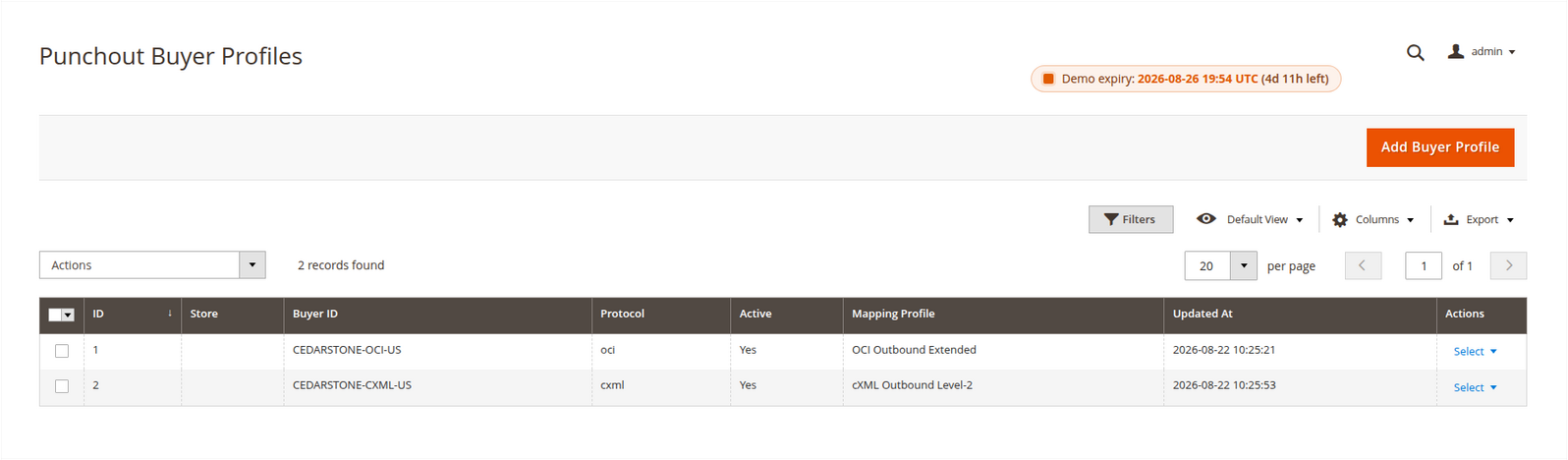
A buyer profile answers who may start a PunchOut session. A mapping profile answers which Magento values are returned to that buyer. Keep those responsibilities separate: one buyer can point to one active outbound mapping, while a copied mapping can be reused by several buyers with the same protocol and field contract.
Create the outbound mapping first
Open Punchout > Punchout Mappings and add a profile.
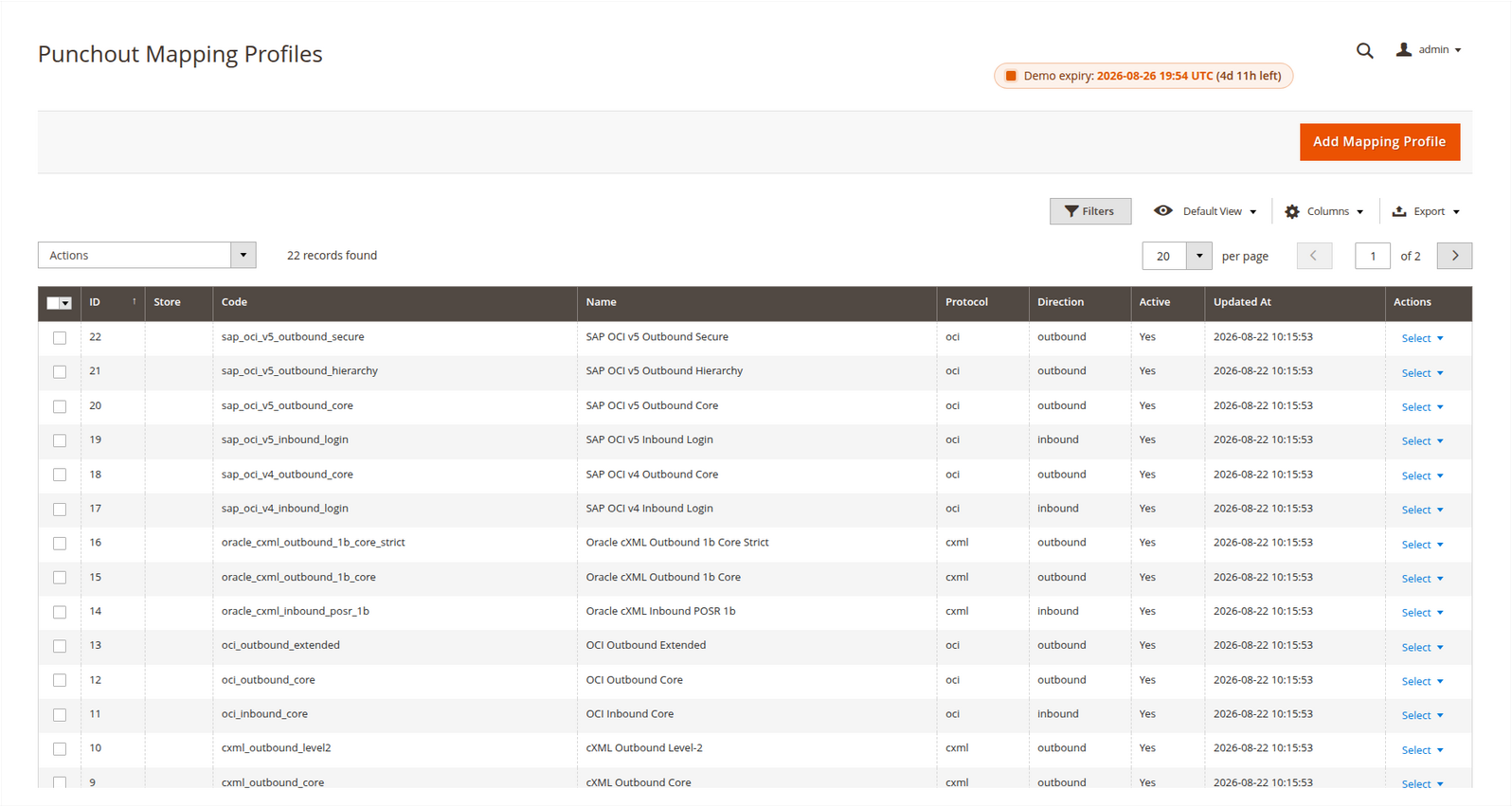
- Select the store scope. A global profile is available to all stores; a store-specific profile is available only in that store.
- Enter a stable lowercase code using letters, numbers, hyphens or underscores.
- Choose
ociorcxmland set the direction tooutbound. - Select Start From Template while creating the profile.
- Review every copied rule and save the profile as active.
The template selector is available only for a new profile. Magento copies the rules into the profile; later template synchronization does not overwrite that runtime copy. Profiles marked Reusable Template Profile are definitions for future copies and cannot be assigned to buyers.
Understand one mapping rule
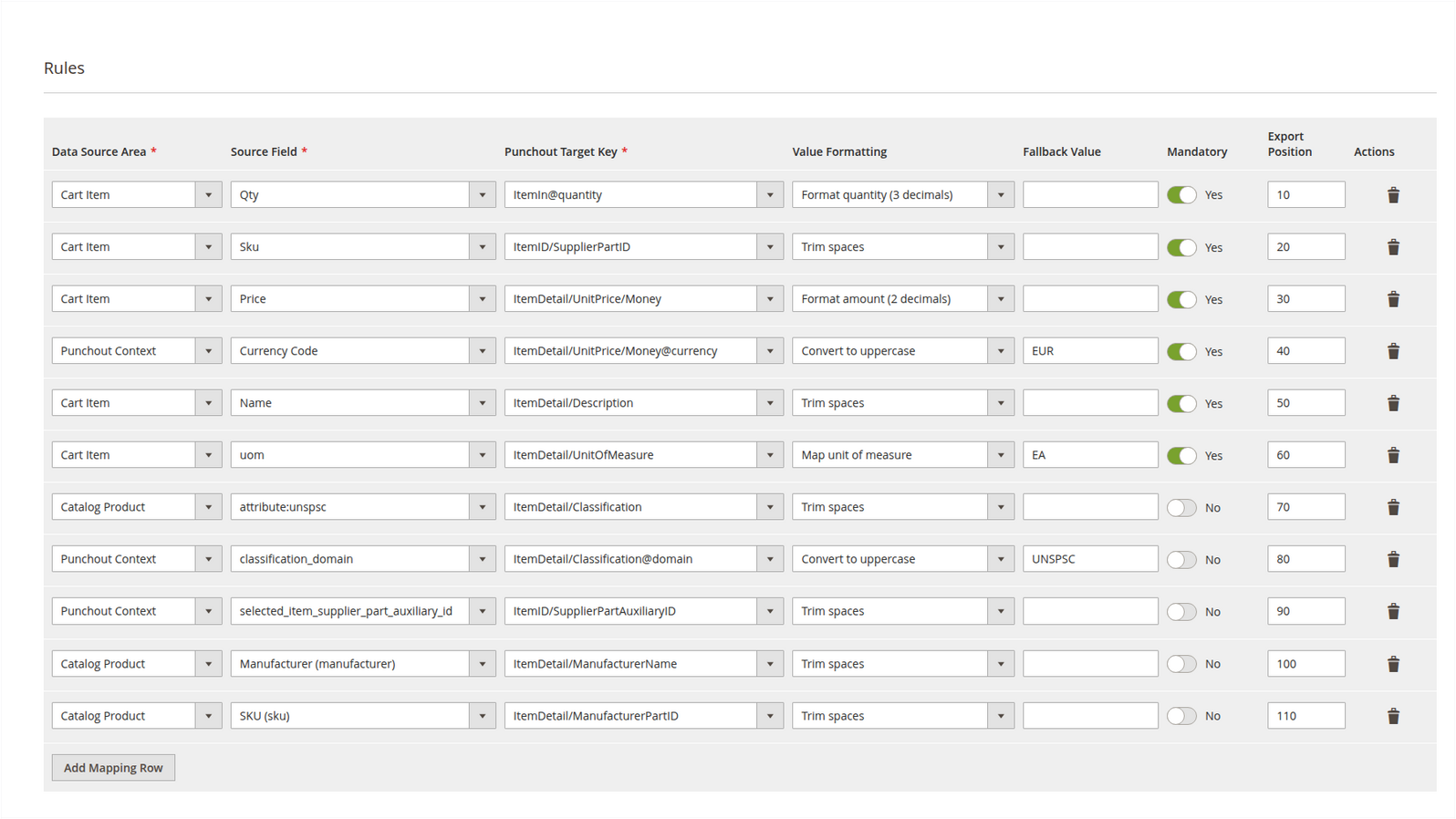
Each row performs one small conversion:
- Data Source Area selects cart item, product, customer, address or PunchOut-session data.
- Source Value selects the exact field in that area.
- Punchout Target Key is the outgoing OCI or cXML field.
- Custom Target Key allows a buyer-specific key not present in the supplied list.
- Value Formatting trims, formats or normalizes the source value.
- Fallback Value is used only when the source is empty.
- Mandatory stops the transfer when the resulting value is empty.
- Export Position keeps output evaluation deterministic.
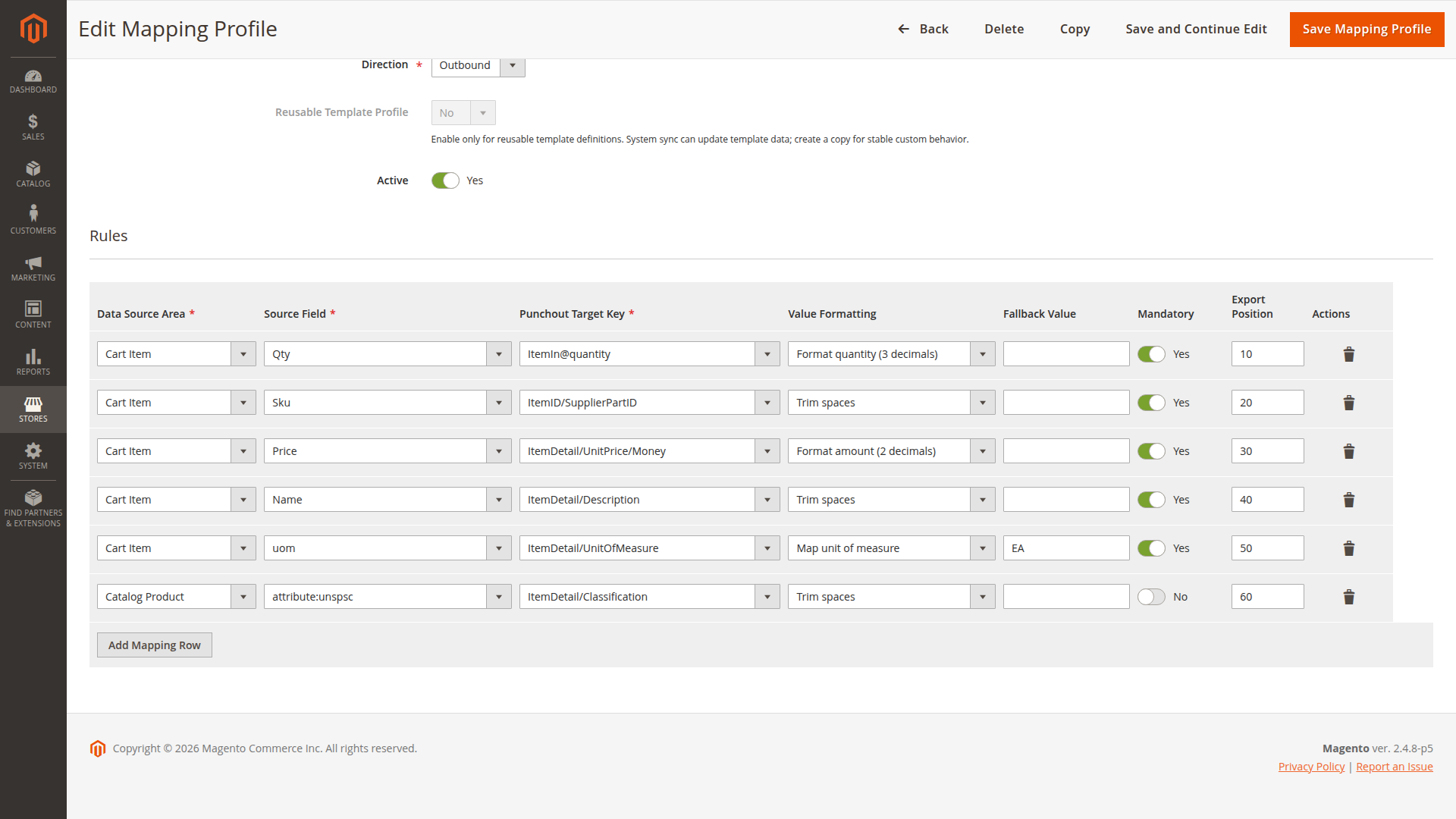
Use mandatory rules for fields the buyer truly rejects when absent. A strict profile can make a transfer fail because optional Magento data such as manufacturer or classification has not been maintained.
Create the buyer profile
Open Punchout Buyers and add the procurement account.
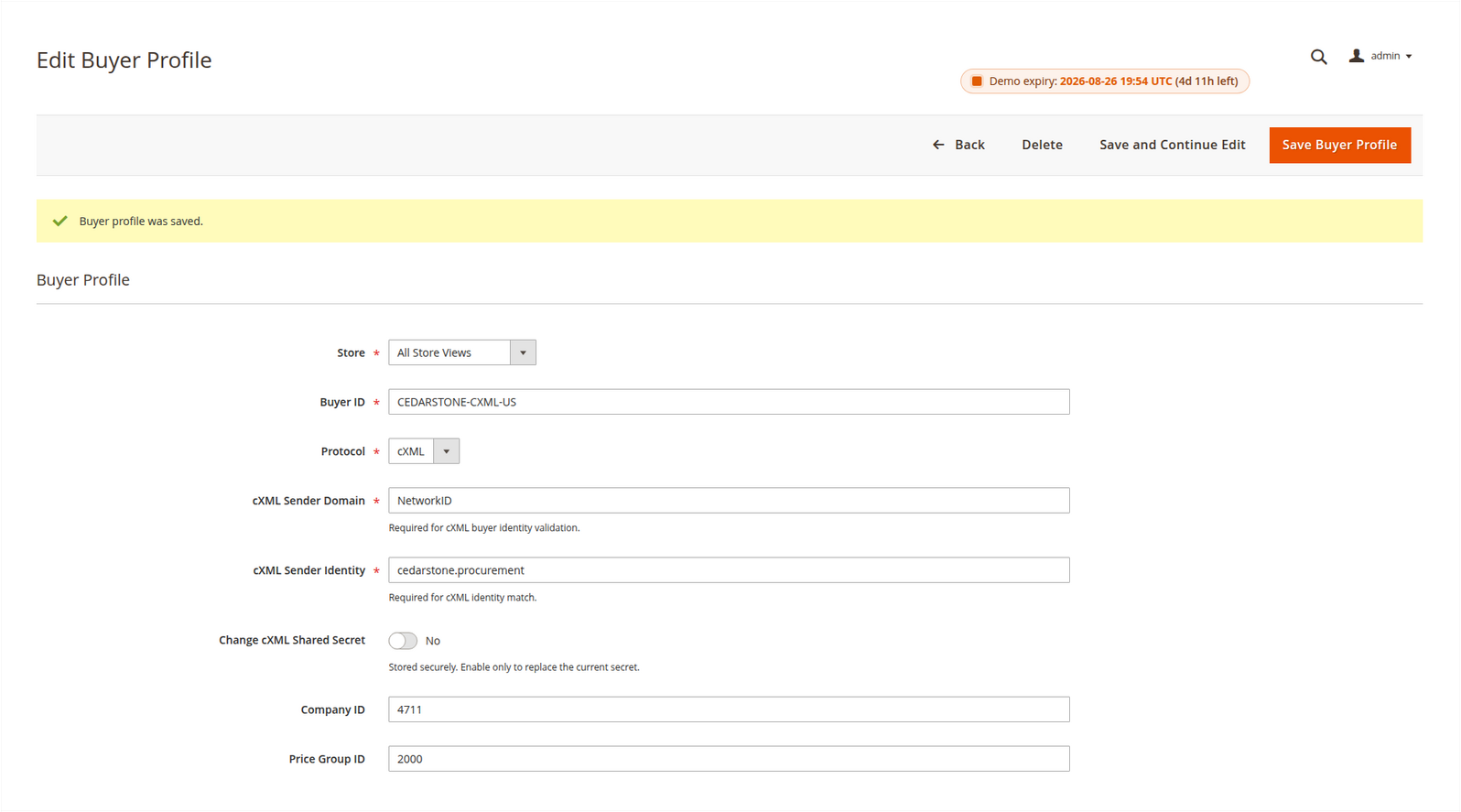
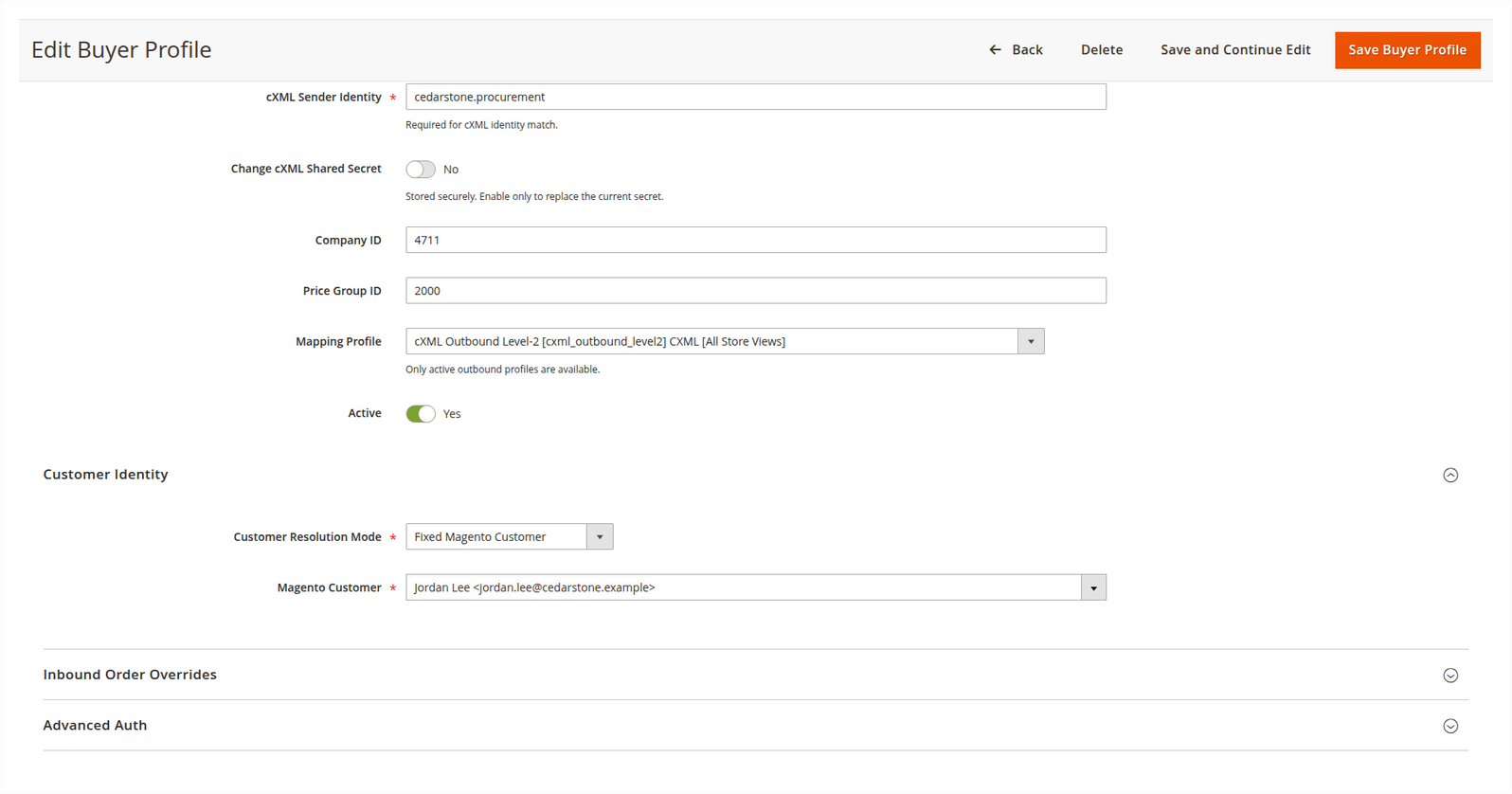
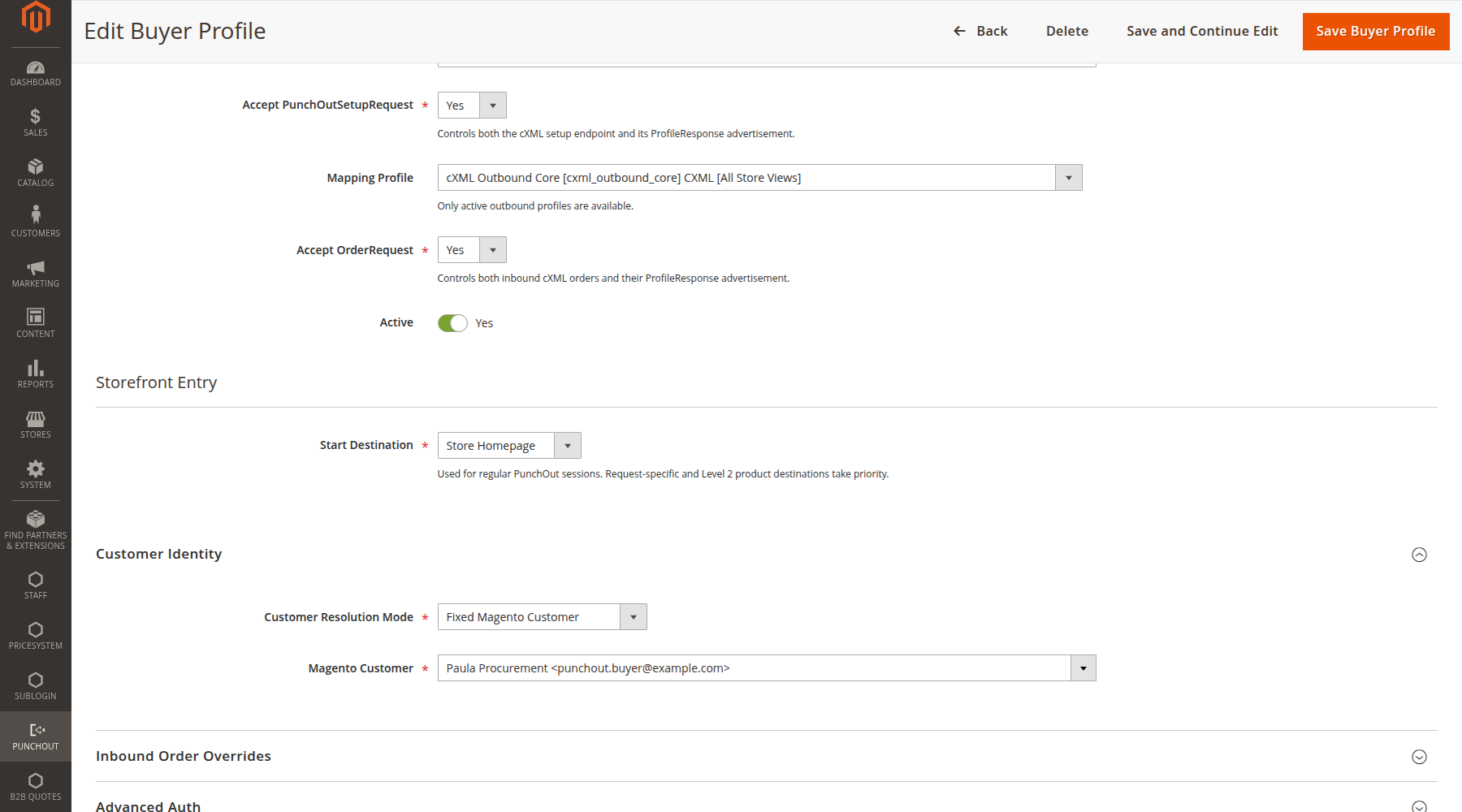
The lower part of the same profile binds the buyer to its outbound mapping and fixed Magento customer without exposing the stored secret:
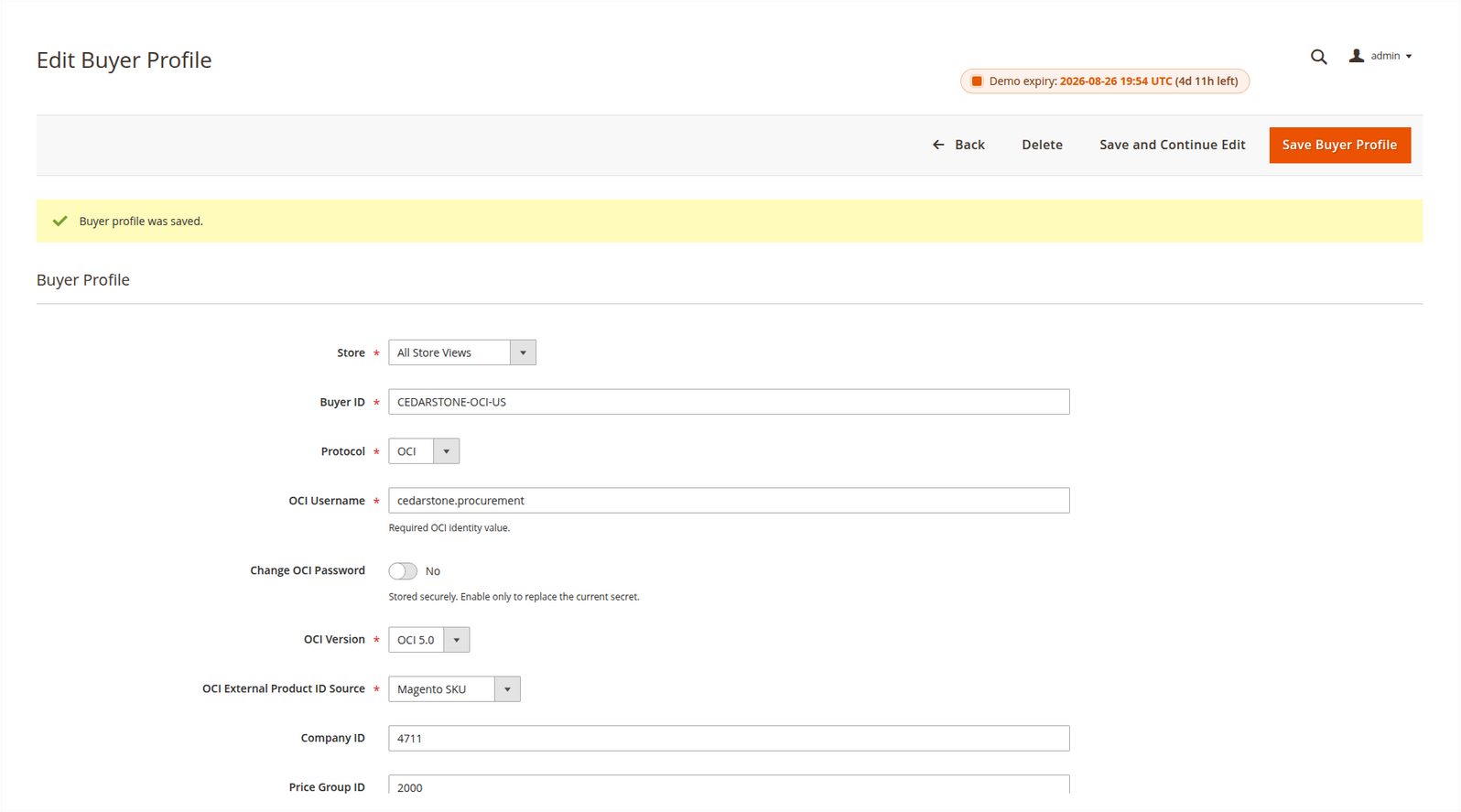
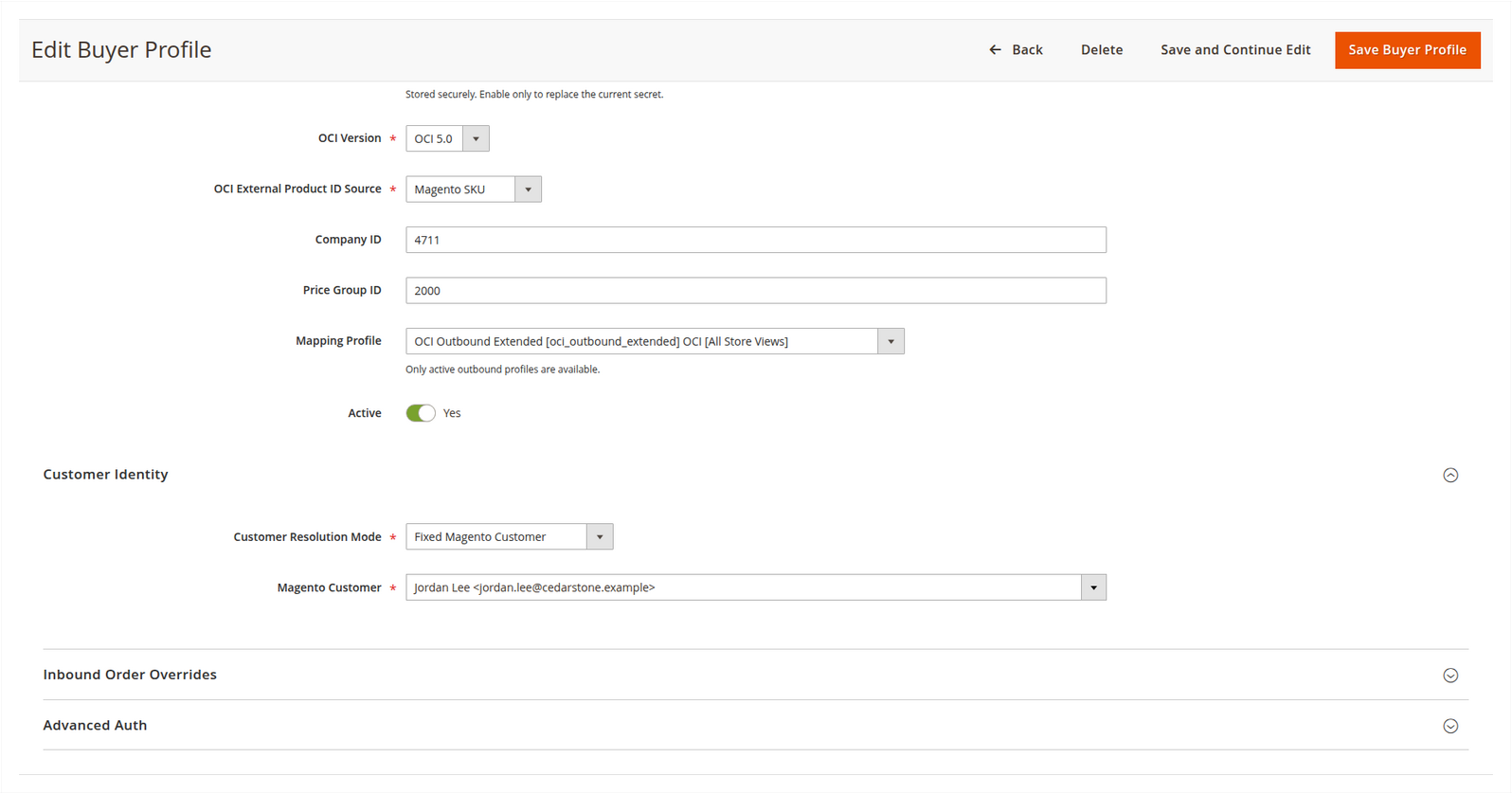
The OCI form exposes the protocol-owned version and product identifier alongside its protected password control:
Identity and scope
- Store controls which Magento store, catalog and scoped configuration apply. A store-specific buyer wins over a matching global buyer.
- Buyer ID is the external identifier used to resolve the account.
- Protocol must match the inbound request and assigned mapping.
- Customer Resolution Mode chooses guest access, one fixed Magento customer, customer e-mail mapping, or optional/required request customer ID mapping.
- Magento Customer is selected only for fixed-customer mode. Magento verifies that the customer belongs to the buyer profile's website.
- Identity Source identifies the OCI parameter or cXML data field used for dynamic customer resolution.
- JIT Provisioning can create a customer when e-mail mapping does not find an existing account. The new account uses the configured customer group and Magento's normal account-confirmation policy.
- Company ID and Price Group ID are context values for compatible integrations and mapping rules; the core package does not create a company or pricing model from them.
Protocol credentials
For OCI, enter the configured username and password. The request may supply USER or username, and PASSWORD, password or pwd.
An OCI buyer profile also owns its OCI version and external product identifier. Use Magento SKU unless the procurement system requires a different globally unique product attribute. The configured identifier is used consistently for PRODUCTID input and NEW_ITEM-EXT_PRODUCT_ID output.
The profile-owned values win over request and mapping values. A request may select a
function, but it cannot change the profile's OCI version or external product-ID
source. A normal mapping row also cannot replace NEW_ITEM-EXT_PRODUCT_ID.
For cXML, enter the sender domain, sender identity and shared secret. These values must match the cXML Header > Sender > Credential block.
Stored secrets are encrypted. On an existing buyer, use the corresponding Change switch only when replacing a secret; leaving the password field blank preserves the saved value.
Storefront entry
The Storefront Entry fieldset controls where a regular PunchOut session opens after Magento activates the customer context:
| Destination | Result |
|---|---|
| Shopping Cart | Opens the isolated PunchOut cart. |
| Store Homepage | Opens the selected Store View homepage. |
| CMS Page | Opens one CMS page available in the selected Store View. |
| Category | Opens one category from the selected Store View catalog. |
| Store-relative Path | Opens a validated internal path such as procurement/catalog. |
The default is Store Homepage. A request-specific cXML Level-2 product target or OCI DETAIL/DETAILADD product has priority over this general destination. External URLs, another Store View and paths that cannot be resolved safely are rejected.
Use a buyer-specific destination when the procurement account should begin in a curated category or information page. Do not use it as a replacement for the buyer's cart-return URL.
Optional transport authentication
Protocol credentials are always checked. Advanced transport authentication can add one more independent check:
- HTTP Basic authorization;
- bearer token through
Authorization: BearerorX-Punchout-Auth-Token; - shared secret through
X-Punchout-Shared-Secret; - none.
Do not put the OCI password in HTTP Basic unless that is also the intentionally configured transport credential. The module treats protocol authentication and transport authentication separately.
Assignment rules
A buyer can select only an active, outbound, non-template profile with the same protocol and a compatible store scope. If the profile is missing from the selector, check those four conditions before recreating it.
Deactivate a buyer to stop new sessions without deleting its mappings or trace history.
Inbound-order overrides
The second buyer fieldset can override Store-view defaults for approved cXML orders. Use it only for differences that belong to this procurement account, such as create-order mode, returned-cart pricing, tolerance, customer/address resolution, shipping, payment or update policy.
An empty override means Use Store Configuration. This keeps common behavior in one Store-view configuration while allowing a named buyer to follow a different approval contract. The effective values are stored with each inbound-order record for later diagnosis.
Effective configuration and precedence
The runtime resolves configuration in a fixed order:
- The request identifies the protocol and buyer. The resolver first prefers a
buyer profile scoped to the requested Store View and then considers an active
All Store Viewsprofile as the fallback. - The buyer profile selects its Store View. That scope supplies catalog, website, currency, tax and PunchOut configuration values.
- For inbound-order settings, a non-empty buyer override wins. The empty Use Store Configuration value does not mean disabled; it means that the Store-view setting is inherited.
- An assigned mapping must be active, outbound, non-template, protocol-matching and store-compatible. The buyer assignment does not make an inbound template executable.
This precedence is also why a global mapping or buyer profile must not be used as an accidental cross-store default. If two profiles could match, test the resolved Store View in the simulator and confirm the resulting store, customer and mapping in Punchout Trace before enabling the buyer.
What is copied, merged and protected
Start From Template is a create-form action. It copies the template's mapping
rows into the new runtime profile; it does not retain a live template relationship.
Editing or synchronizing the reusable template later does not merge new rows into
an existing runtime profile. Use Duplicate for a deliberate second runtime
profile and compare the copied rows before activation.
At runtime, each row resolves its source, applies its formatter, then uses its
fallback only when the formatted value is empty. A mandatory row stops the transfer
when the resulting value is empty. Export position provides deterministic rule
evaluation. Protocol-owned fields are applied after customer rules: for example,
NEW_ITEM-EXT_PRODUCT_ID is derived from the buyer profile's OCI product-ID source
and cannot be overwritten by an ordinary mapping row. This is an overwrite
protection rule, not a merge of two arbitrary values.
Protocol targets are not interchangeable. OCI targets are indexed fields such as
NEW_ITEM-DESCRIPTION[1] and NEW_ITEM-QUANTITY[1]; cXML targets are XML paths
within the generated ItemIn structure. Select the protocol's target list when the
row is created, and use a custom key only when the buyer has documented that key.
The runtime validates special OCI targets such as unit of measure, lead time and
manufacturer code. A value that does not meet the target's expected shape stops the
transfer rather than producing a misleading field. Lead time and manufacturer code
are not invented when Magento has no maintained source value.
For store scope, a profile assigned to the requested Store View wins over an active
All Store Views profile with the same buyer identity. A mapping must still be
active, outbound, non-template, protocol-matching and store-compatible. When a new
mapping is created without an explicit scope, the form uses the current default
store. Review that scope before saving; it is not a safe reason to make a profile
global.
Confirmation, shipment notice and invoice documents have separate endpoint overrides. Never enter the browser cart-return URL in the ASN or Invoice URL fields.
Next, verify the Authentication and Security Model and run the Trace and Simulator workflow.