
Set Up Table Rates for Bulkgoods
Bulkgood extends Magento's existing Table Rates import and export. The file keeps Magento's normal destination and condition columns and adds an exact Bulkgood header.
Work at website scope
- Open Stores > Configuration > Sales > Shipping Methods.
- Switch to the website whose rates you want to edit.
- Expand Table Rates and select the intended condition.
- Export the existing CSV.
- Edit the exported file, preserving its Magento-generated headers.
- Set
Bulkgoodto0for ordinary-cart rows and1for bulk-cart rows. - Import the complete file at the same website scope.
Using Magento's export as the template avoids header differences between Table Rates conditions and Magento releases.
The Bulkgood column
The header must be exactly:
Bulkgood
Use these values:
0for carts without a product marked Bulkgood;1for carts containing at least one product marked Bulkgood.
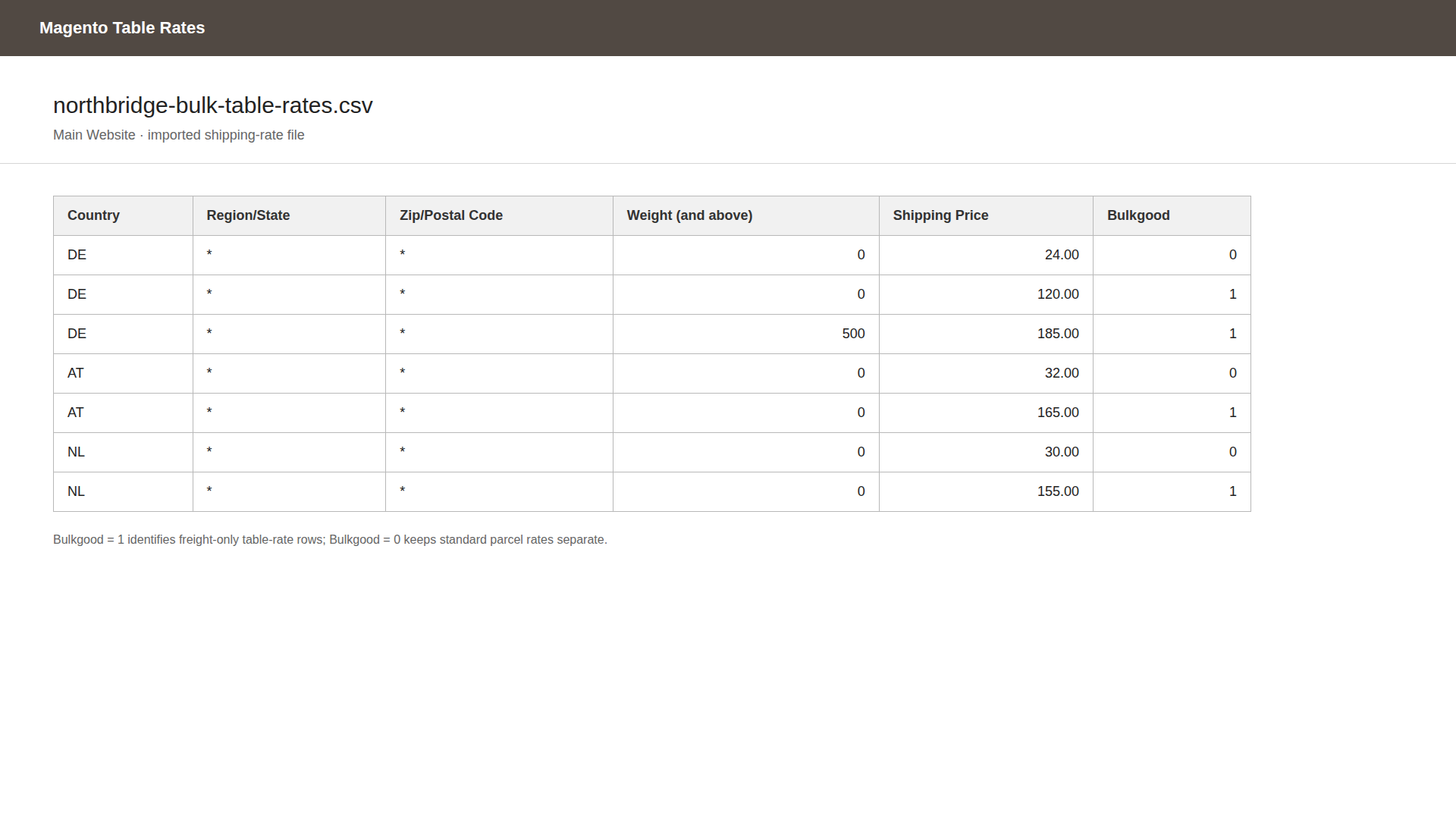
The importer rejects nonnumeric and negative values. Although its parser accepts other nonnegative numbers, the stored field is a flag, so 0 and 1 are the supported operational values.
Keep ordinary and bulk rows
If a destination accepts both cart types, provide both variants for the same Magento condition bands. The Bulkgood value is part of the row's identity, so an ordinary and a bulk row can share the same destination and threshold.
Illustrative shape only, with the exact condition header taken from your export:
Country,Region/State,Zip/Postal Code,Weight (and above),Shipping Price,Bulkgood
DE,*,*,0.0000,9.90,0
DE,*,*,0.0000,59.00,1
DE,*,*,100.0000,89.00,1
Product prices still need a matching row
Even if country-specific or general product prices are placed first, Magento must find a Bulkgood = 1 row for the destination and condition. Without it, the carrier returns its configured not-available result instead of a product-derived price.
You can use a broad bulk row as the availability baseline when product prices carry the amount. Its Table Rates price matters only if Table Rate is selected before the product source or used as fallback.
Import checks
After import:
- Export again and confirm the rows and Bulkgood values.
- Clear the configuration cache.
- Test an ordinary-only cart and a bulk cart at the same address.
- Test each threshold boundary.
- Test a destination that should not receive the method.
See CSV import troubleshooting if Magento rejects the file.