
Staff Order Management
Order management is part of the Sales Staff base extension. Representatives can view Staff-attributed orders, place orders in customer context and, when permitted, edit an existing order through a controlled checkout flow.
There is no separate staff-ordermanagement package to install.
Order visibility and attribution
The Staff order list is based on the representative stored on the order. It is not a list of every order belonging to currently assigned customers.
Representatives can add comments to their orders from the order view; these are stored in the order's status history and remain visible to the back office.
A new storefront order normally receives the active Staff identity. An Admin order can receive the Staff selected in the Admin order form. When Set staff permanently on order is enabled, the customer's primary representative can be attributed to a new customer order even when no representative placed it.
The Staff group and commission are stored with the order at that time, so later group or assignment changes do not silently rewrite history.
Place an order for a customer
- Enter an assigned customer's context from My Customers.
- Confirm the customer identity, company, website and existing cart.
- Add products and use only the price-edit permissions granted to the Staff account.
- Complete shipping, payment and checkout as the customer.
- Leave customer context through the Staff action.
- Verify Staff attribution, group, commission and email recipients in Magento Admin.
Magento catalog, price, tax, stock, shipping and payment rules continue to apply unless a Staff configuration explicitly changes them.
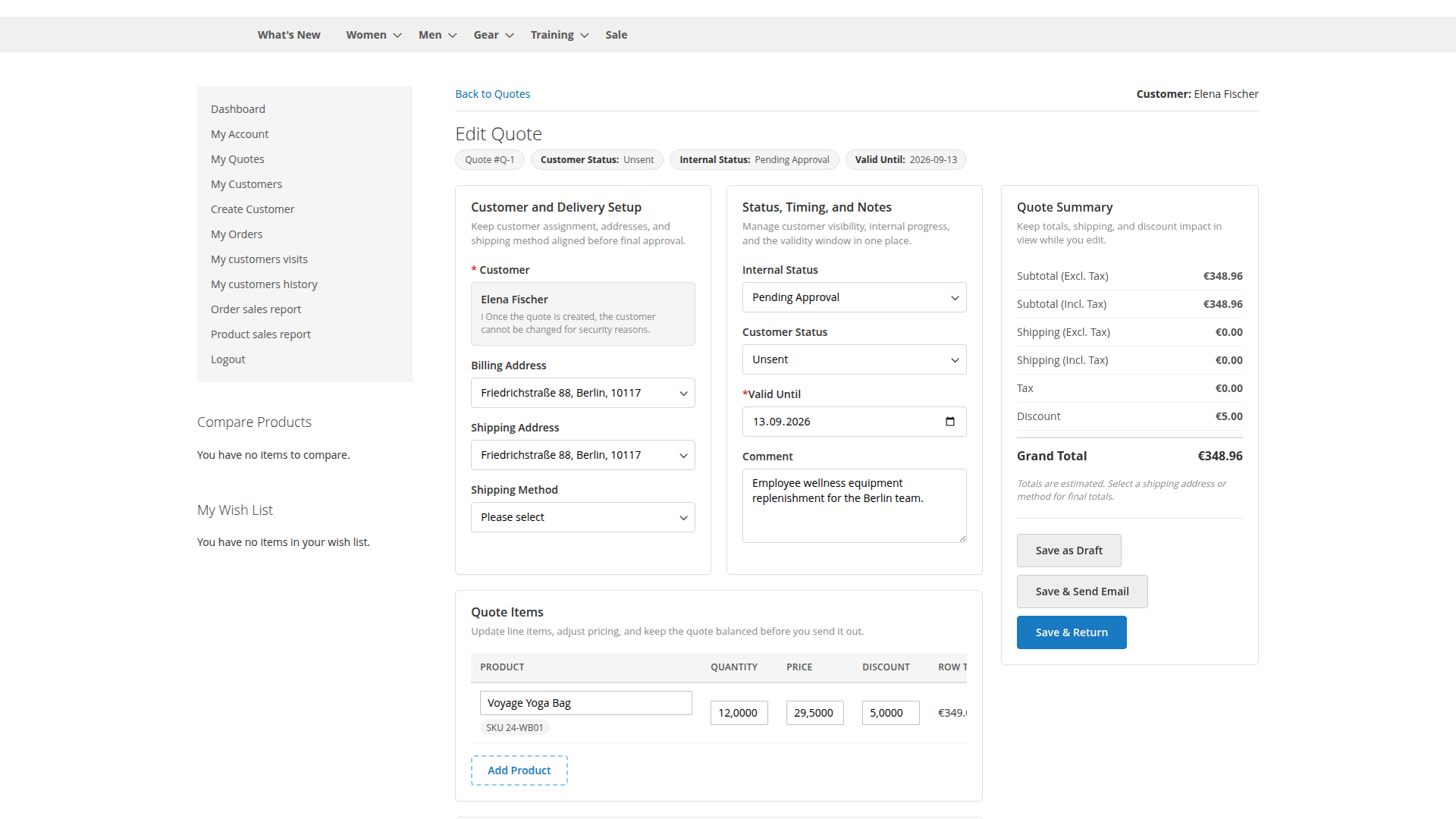
When item-price editing is permitted, the quote workspace keeps quantity, adjusted unit price, discount and calculated totals together for review.
Edit an existing order
Order editing requires all of these conditions:
- Can Edit Orders is enabled on the Staff account
- the order is attributed to the current representative
- the order state appears in Order States Allowed for Editing
- the original quote and store/customer context can be loaded safely
Only New is allowed by default.
Starting edit mode creates a new active quote from the original order's quote, copies customer and address context, merges the previous items, recalculates totals and binds that quote to the exact order, customer and store in the checkout session. Staff is then sent to the cart.
During checkout the extension rechecks Staff ownership, allowed state, quote ID, customer and store. A mismatched or stale edit session is cleared rather than applied to another order.
Use Exit edit order mode when abandoning the change. It clears the edit quote and customer context and returns to the Staff order list.
Allowed states
Configuration offers New, Pending Payment, Processing, Complete, Closed, Canceled, Holded and Payment Review. Availability in the selector does not mean every state is a sensible business choice.
Editing an invoiced, shipped, captured, refunded or canceled order can conflict with payment and fulfillment records. Keep the default New state unless the complete lifecycle has been tested with the store's payment, inventory, tax and ERP integrations.
Optional rule bypasses
The following are disabled by default:
- disregard minimum order amount
- disregard minimum and maximum sale quantity restrictions
- allow backorders for Staff orders
Enable a bypass only for a defined sales process, and test it both during ordinary customer ordering and order-edit checkout. Price editing has separate Staff and zero-price permissions.
Admin grid controls
Add Sales Staff to Order Grid can display Staff attribution in Magento's sales grid. Add Reassign feature for Sales Staff to Order Grid adds a mass reassignment action. Both are disabled by default.
Reassignment is a reporting and commission change. Restrict the Admin action and document when existing ownership may be changed.
Email behavior
The Staff email configuration controls whether the customer, representative, both or neither receive the order email. Edited orders use their configured edited-order template path. Test recipients and content with your actual sales-email templates; avoid sending duplicate confirmations to a buyer.
Common problems
Edit is not available
Check Can Edit Orders, Staff attribution and the order state. Customer assignment alone does not authorize editing an order owned by another representative.
Edit mode says the session is no longer valid
The quote, customer, store or Staff ownership no longer matches the bound order. Exit edit mode and start again from the Staff order list. Do not reuse an old cart URL.
Products or shipping changed
The edit quote recalculates against current product, stock, address and carrier rules. Compare the revised cart carefully with the original order before submitting.
The order has the wrong Staff member
Check whether it was placed in Staff context, selected in Admin or attributed through the customer's primary representative. Review the permanent-attribution setting at the order's website scope.
Commission changed after reassignment
An explicit Admin reassignment can recalculate Staff data using the selected representative and supplied or default commission percentage. Treat reassignment as a controlled financial action.
Related: Work in Customer Context, Commission System and Sales Reports.