
First Quick Order
Use a small, known set of products for the first test. Include the same customer group and store view that your buyers will use.
1. Enable Quick Order
Go to Stores > Configuration > MageB2B > Quick Order and enable the extension.
2. Confirm access
- Select the allowed customer groups, or leave the field empty to allow all customer groups.
- Enable guest access only if unsigned visitors should reach the page.
- Confirm that at least one storefront link is enabled, or open
/quickorderdirectly.
3. Build a short list
Open /quickorder as a permitted buyer. Search for a product by SKU or name and add it to the list. You can also use Browse Catalog. Configure any required options and enter a valid quantity.
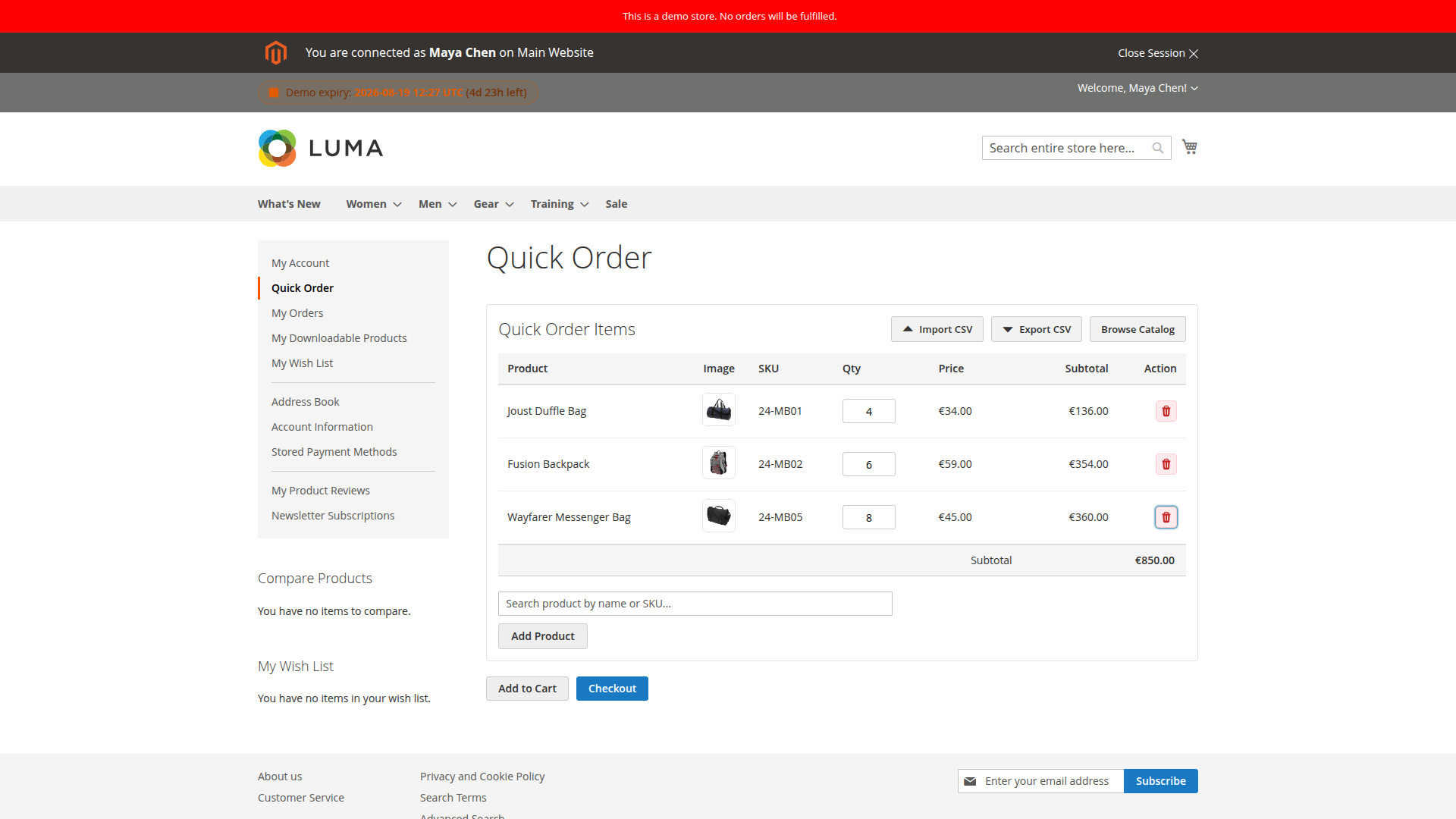
4. Try an import if buyers use purchasing lists
Use Import CSV to paste two or three lines or upload a small file. Check the preview before applying it. See CSV Import for the accepted columns and option syntax.
5. Test the intended handoff
Choose one:
- Add to Cart to continue in Magento's normal cart.
- Checkout to start the Direct Order flow on the Quick Order page.
For Direct Order, review addresses and shipping first. The page then continues to payment when those prerequisites are satisfied.
Direct Order may require:
- Billing and shipping addresses
- Guest email (for guest checkout)
- Shipping method (if required by configuration)
- Payment method (if required by configuration)
After the test, confirm that the order has the expected customer, prices, quantities, options, shipping and payment details. If a previous cart existed, also confirm that it was handled according to your cart-restoration settings.